Study Notes

Overview
Welcome to the engine room of Computer Science. Programming Fundamentals (Topic 2.2) isn't just another topic; it is the very foundation upon which all software is built. For your Edexcel GCSE, this is the heart of the Paper 2 onscreen exam, where you will be required to demonstrate your practical skills by writing, debugging, and refining Python code under timed conditions. This section moves beyond theory and into the practical application of computational thinking. You will be assessed on your ability to translate problems into logical, syntactically correct programs. A strong grasp of sequence, selection, and iteration, combined with a precise understanding of data types and variable manipulation, is non-negotiable for achieving a high grade. This guide will equip you with the knowledge and techniques to turn exam requirements into marks awarded.
Key Concepts
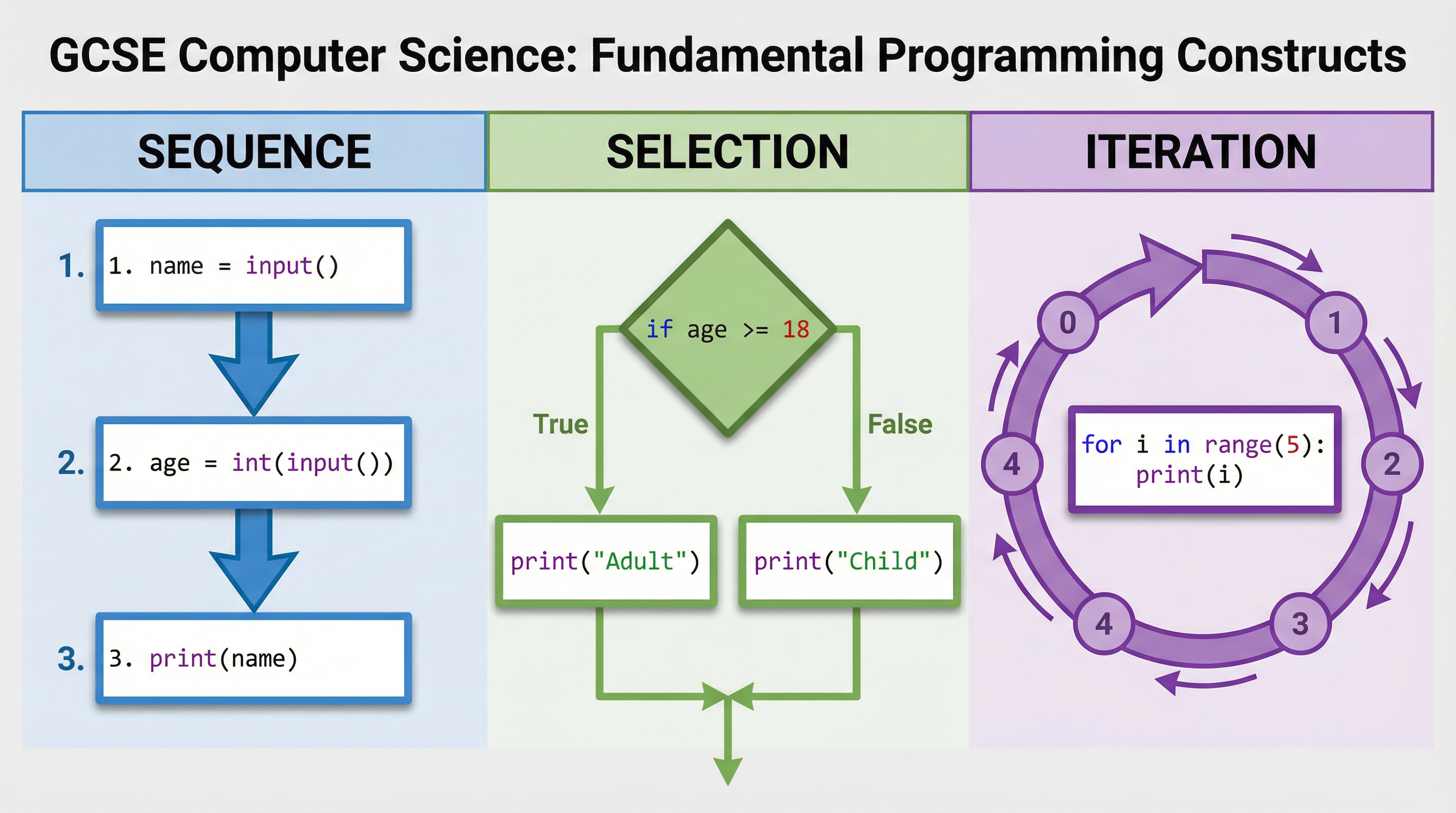
Concept 1: Sequence
Sequence is the most basic principle in programming. It dictates that a computer will execute instructions in the order they are written, from top to bottom, one line at a time. Think of it as a recipe: you cannot ice the cake before you have baked it. Each instruction builds upon the last. In the exam, marks are awarded for a logical sequence of operations. For instance, a variable must be assigned a value before it can be used in a calculation or printed to the screen. An error here, such as trying to access a variable before it exists, will cause the program to crash, resulting in lost marks.
Example: A program to greet a user and state their age next year.
python
1. Get user's name (string)
name = input("What is your name? ")
2. Get user's age (string) and cast to integer
age = int(input("What is your age? "))
3. Calculate age next year
future_age = age + 1
4. Print the greeting
print(f"Hello {name}, next year you will be {future_age}.")
Concept 2: Selection
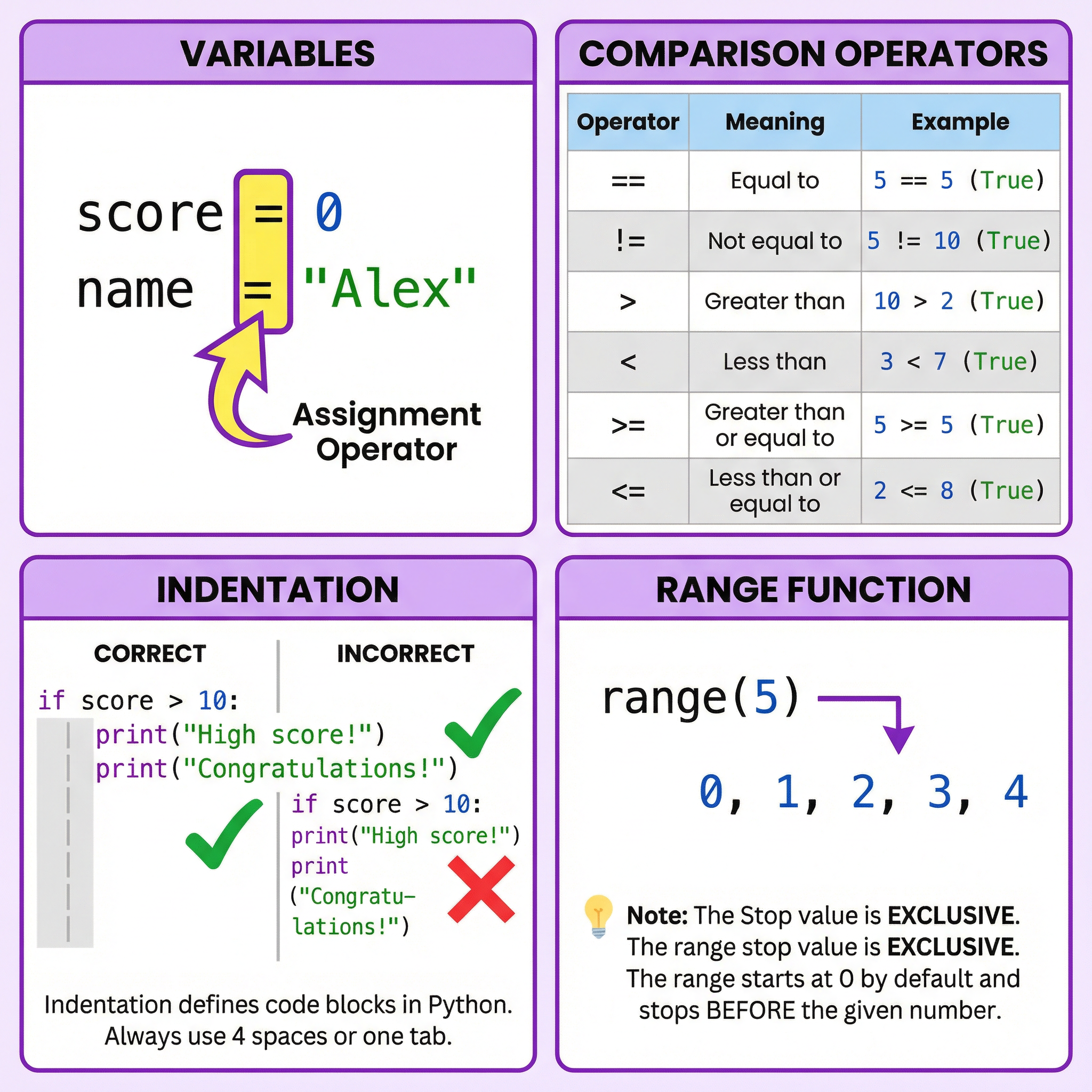
Selection allows a program to make decisions. It creates branching paths in the code, allowing different instructions to be executed based on whether a certain condition is true or false. The primary tools for selection in Python are if, elif (else if), and else statements. Examiners look for the correct use of comparison operators (like == for equals, != for not equals, > for greater than) and logical operators (and, or, not). A common pitfall that loses candidates significant marks is confusing the assignment operator (=) with the comparison operator (==).
Example: A program to check if a user is old enough to vote.
python
age = int(input("Enter your age: "))
if age >= 18:
print("You are eligible to vote.")
else:
print("You are not yet eligible to vote.")
Concept 3: Iteration
Iteration means repetition. It is the process of executing a block of code multiple times. There are two main types of iteration that candidates must master.
- Definite Iteration (FOR loops): This is used when you know exactly how many times you want the code to repeat. The
forloop in Python, often combined with therange()function, is the primary tool. For example,for i in range(5):will execute the indented block of code exactly 5 times. A crucial point often tested is thatrange(5)generates numbers from 0 up to, but not including, 5 (i.e., 0, 1, 2, 3, 4). - Indefinite Iteration (WHILE loops): This is used when you want the code to repeat as long as a certain condition remains true, but you don't know how many repetitions will be needed. For example,
while password_is_incorrect:will keep the loop running until the correct password is entered. It is vital to ensure that the condition can eventually become false to avoid an infinite loop, which would crash the program.
Data Types and Type Casting
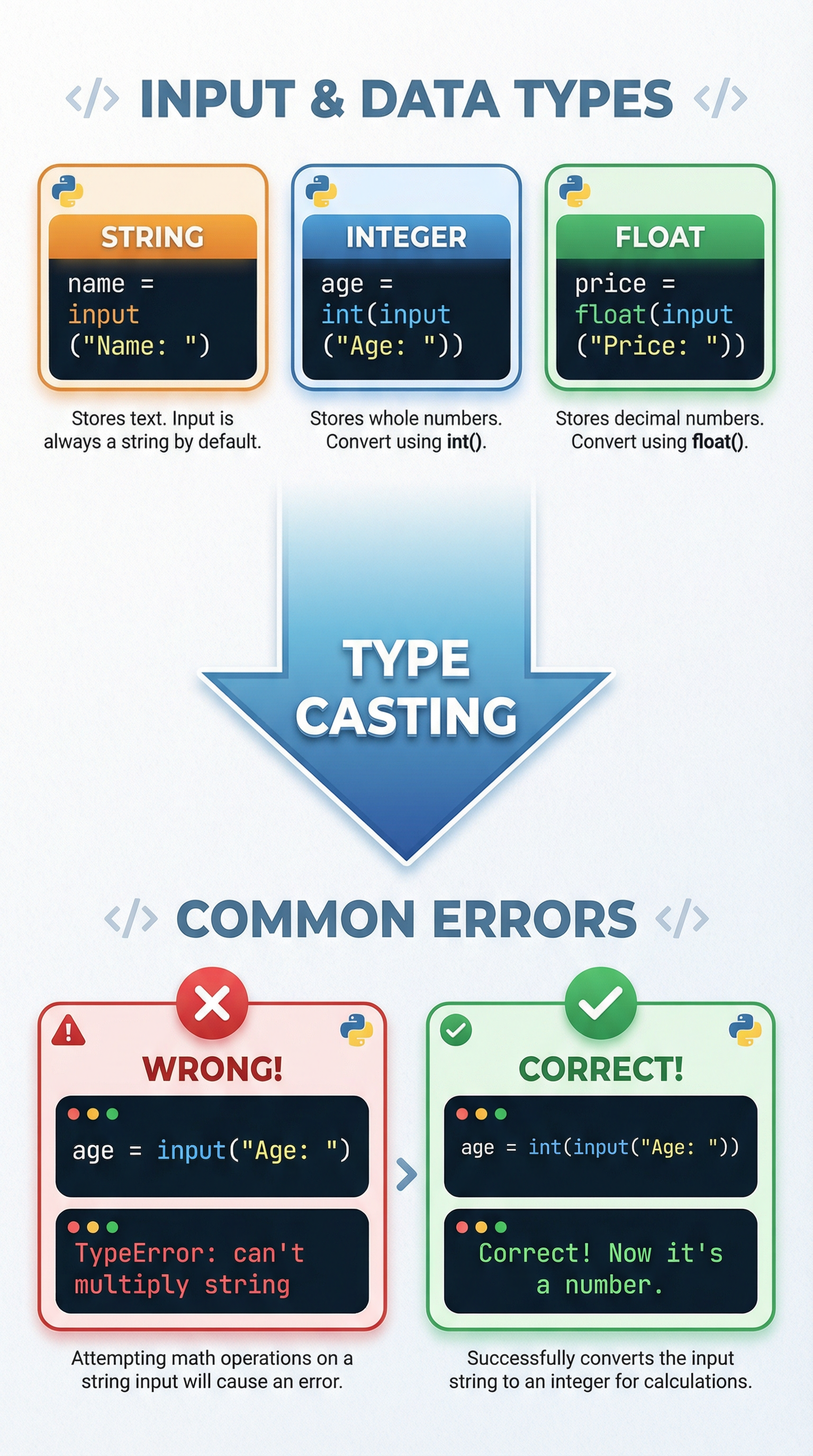
This is one of the most frequently examined and commonly failed aspects of Topic 2.2. Every piece of data in a program has a type. For your GCSE, you must know:
- String (
str): Text, letters, and symbols (e.g., "Hello", "123"). - Integer (
int): Whole numbers (e.g., 10, -5, 0). - Float (
float): Numbers with decimal points (e.g., 9.99, -3.14). - Boolean (
bool): Represents one of two values:TrueorFalse.
The critical rule to remember is: The input() function always returns a string. If you ask a user for their age and they type "16", Python sees it as the text "16", not the number 16. Performing calculations on this string will cause a TypeError. To fix this, you must perform type casting – explicitly converting the data from one type to another using functions like int(), float(), or str().
Example: Correctly handling numerical input.
python
Incorrect - will cause a TypeError if you try to do math
age_str = input("Enter age: ")
Correct - credit is given for explicit casting
age_int = int(input("Enter age: "))
Practical Applications
These fundamentals are the basis of every app, website, and game you use. A social media app uses selection to show a login error if you enter the wrong password. A streaming service uses iteration to display a list of movies in your recommendations. A banking app uses sequence and correct data types to ensure that when you transfer £10.50, it deducts the correct float value from your balance and doesn't try to send the text "10.50". In the exam, questions are often framed around these kinds of real-world scenarios, requiring you to build a small part of a larger system, like a login validator, a simple calculator, or a quiz score tracker.
The Podcast: A Deeper Dive
For a full audio breakdown of these concepts, including common exam mistakes and a quick-fire recall quiz, listen to our dedicated podcast episode.
{{asset:programming_fundamentals_podcast.wav