
Study Notes
Overview
Cloud Computing (WJEC 2.6) is a fundamental concept in modern Computer Science, describing the shift from local, on-device processing and storage to a model that uses remote servers hosted on the internet. For your exam, it's not enough to simply define the term; you must understand the technical underpinnings, the different service models, and be able to critically evaluate the benefits and drawbacks. Examiners are particularly interested in your ability to discuss the legal, ethical, and environmental implications, such as data security under different national laws and the significant energy consumption of data centres. This topic frequently appears in both short-answer (AO1) and longer, evaluative (AO3) questions, making a solid understanding essential for achieving a high grade. It links directly to concepts like networking, security, and the legal framework of computing, forming a cornerstone of the specification.
Key Concepts
Concept 1: The Cloud Infrastructure
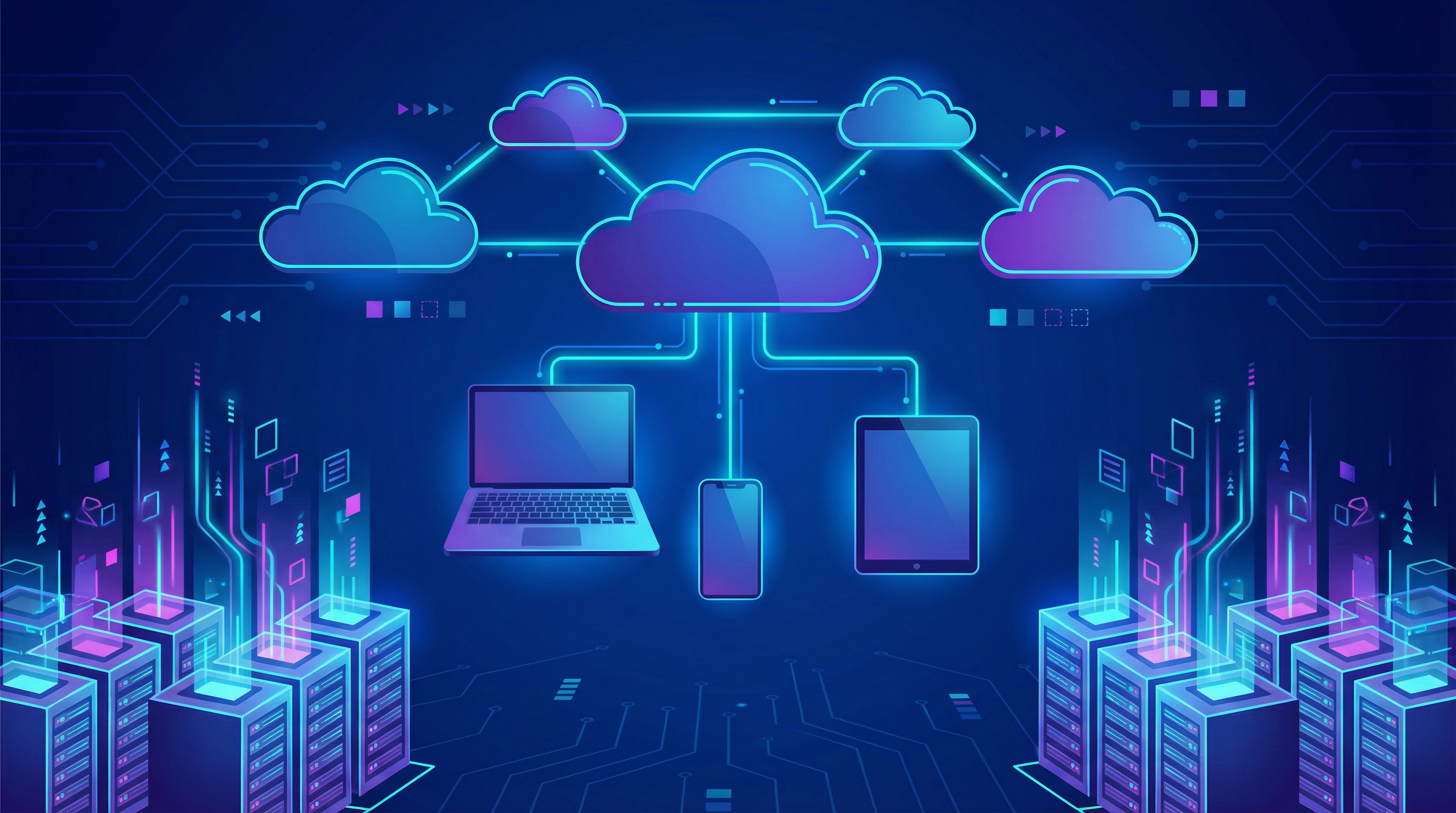
Contrary to its name, 'the cloud' is not an abstract, invisible entity. It is a vast, physical infrastructure consisting of powerful computers called servers, arranged in thousands of racks within huge, highly secure buildings known as data centres. These data centres are the engine of the cloud, providing the processing power, storage, and connectivity. When you access a service like Spotify or a file on Google Drive, your device sends a request over the internet to one of these data centres. The server finds the requested data and sends it back to your device. This client-server model is the foundation of cloud computing. The entire system relies on high-speed internet connections, including the fibre optic cables that form the backbone of the global internet, to transfer massive amounts of data quickly and reliably.
Example: Netflix is a prime example of a company built entirely on the cloud. When you stream a show, you aren't downloading the entire video file. Instead, your device is receiving a continuous stream of data packets from Netflix's servers, which are hosted on Amazon Web Services (AWS), a major cloud provider. Netflix uses the cloud's scalability to handle millions of simultaneous viewers, pushing popular content to servers closer to users (a Content Delivery Network, or CDN) to reduce latency and improve streaming quality.
Concept 2: Local vs. Cloud
Before the cloud became widespread, all processing and storage was local. This meant that software had to be installed directly onto a computer, and all files were saved on its internal hard drive or an external device like a USB stick. Cloud computing offers a different approach.
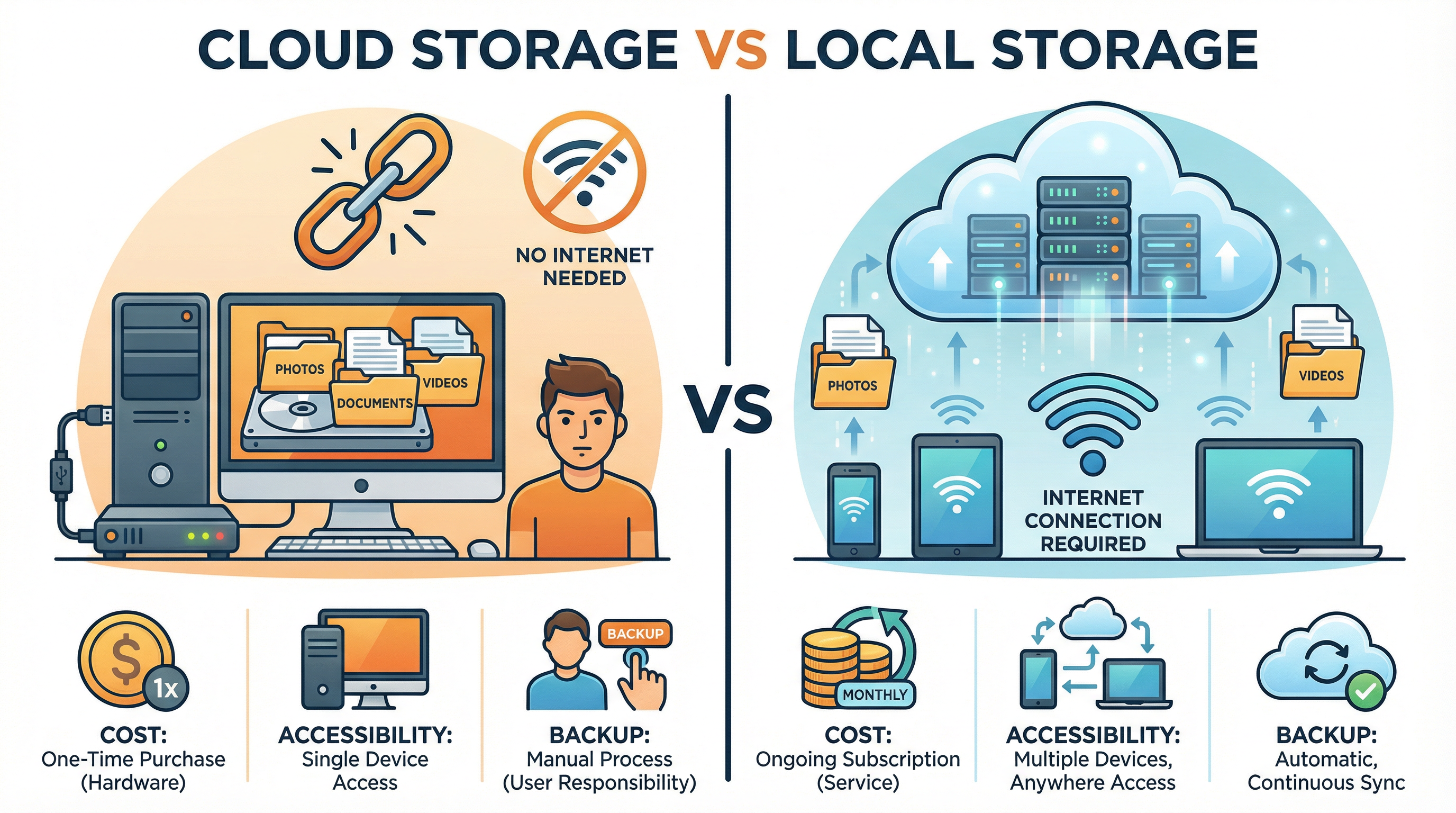
Here’s a direct comparison, which is a common exam focus:
| Feature | Local Computing | Cloud Computing |
|---|---|---|
| Storage | On a device's physical hard drive. Finite capacity. | On remote servers in a data centre. Virtually limitless capacity. |
| Accessibility | Only on the specific device where data is stored. | From any device with an internet connection. |
| Cost | High initial cost for hardware/software licenses. | Lower initial cost, but ongoing subscription fees. |
| Backup | Manual process; user is responsible for backing up data. | Automatic and often continuous backups by the provider. |
| Collaboration | Difficult; requires manually sending files back and forth. | Seamless; multiple users can edit the same document in real-time. |
| Security | User is responsible for security (antivirus, firewall). | Provider manages physical security and infrastructure, but data is vulnerable during transmission. |
| Internet | Not required to access local files. | Essential for accessing data and services. |
Examiners expect you to go beyond a simple list and explain the implications of these differences. For instance, the accessibility of the cloud enables flexible working arrangements, but the reliance on the internet means a poor connection can halt productivity.
Concept 3: Cloud Service Models (IaaS, PaaS, SaaS)
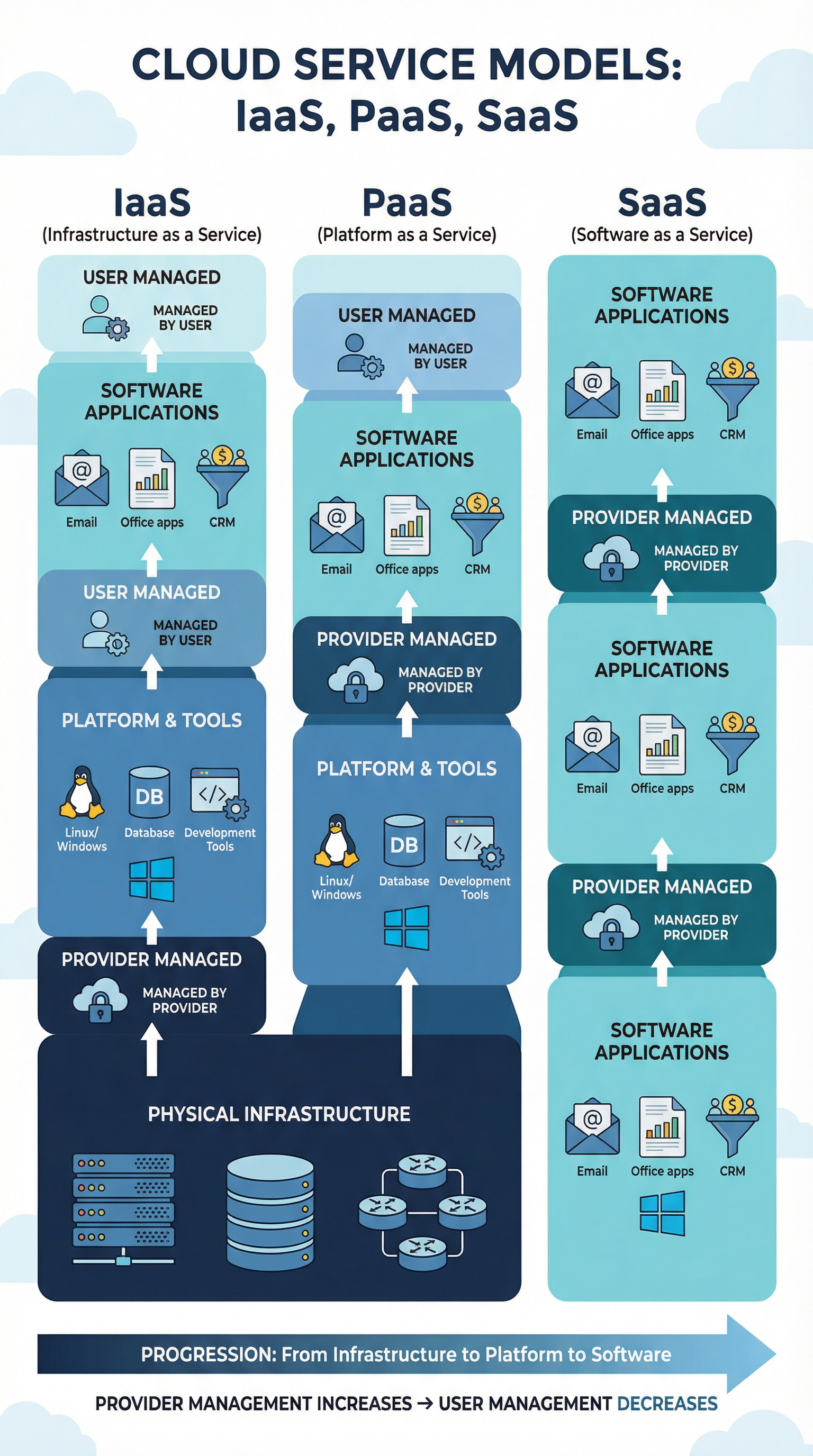
Cloud services are delivered in three main models, which offer different levels of control to the user. Understanding the distinction is crucial for marks in the higher tiers.
-
Infrastructure as a Service (IaaS): This is the most basic level. The provider rents out the fundamental IT infrastructure – servers, storage, networking. The user has control over the operating systems, applications, and all their data. It offers maximum flexibility but requires significant technical expertise to manage.
- Analogy: Leasing an empty plot of land. You can build any kind of house you want, but you have to manage the entire construction process yourself.
- Example: Amazon Web Services (AWS) EC2, where a business can rent virtual servers to run its own custom software.
-
Platform as a Service (PaaS): This model provides the hardware and operating system, giving developers a 'platform' or environment on which to build, test, and deploy their own applications. It removes the complexity of managing the underlying infrastructure.
- Analogy: Renting a plot of land that already has foundations and utility connections (water, electricity). You can still build your own house, but the basic groundwork is done for you.
- Example: Google App Engine or Heroku, where a developer can upload their code and the platform handles the deployment, scaling, and management.
-
Software as a Service (SaaS): This is the most common model. The provider delivers a complete, ready-to-use software application over the internet. The user simply accesses it via a web browser or mobile app. The provider manages everything from the hardware to the application code.
- Analogy: Renting a fully furnished apartment. You just move in and start living; you don't worry about construction, plumbing, or electricity.
- Example: Microsoft Office 365, Google Docs, Dropbox, or Salesforce.
Concept 4: Legal, Ethical, and Environmental Impacts
This is a key area for AO3 (evaluation) marks. You must consider the wider consequences of cloud computing.
-
Legal: Where is your data being stored? Data stored in a data centre in the USA is subject to US laws (like the CLOUD Act), which may have different data protection standards than UK/EU GDPR. This concept, known as data sovereignty, is a major concern for businesses and governments. Candidates must be able to discuss the legal implications of cross-border data transfer.
-
Ethical: Who owns the data you upload to the cloud? While you own your files, the terms of service for many cloud providers grant them a license to use your data in certain ways (e.g., for analytics). There are also ethical questions about the digital divide – is it fair that access to essential cloud services depends on having a reliable and affordable internet connection?
-
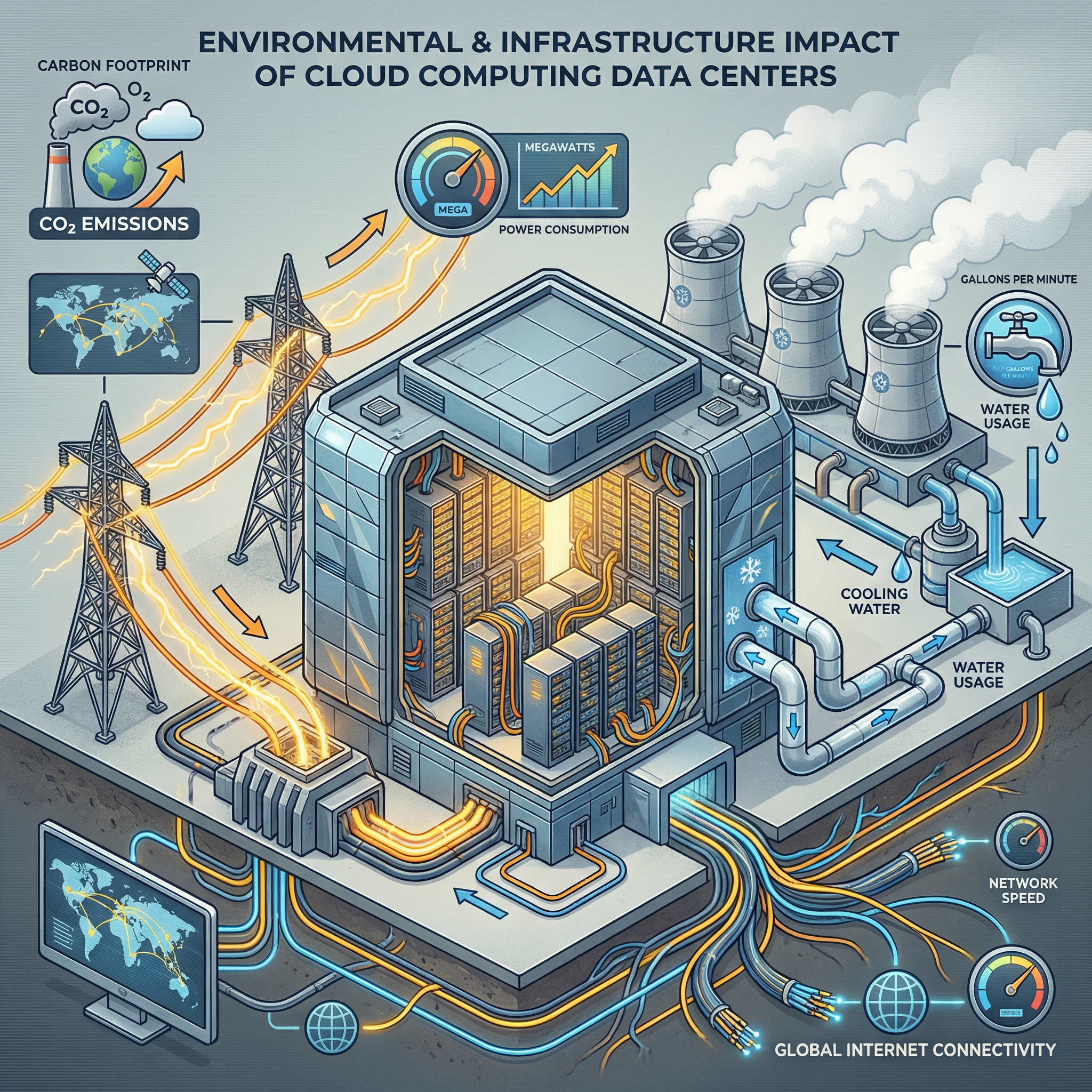
Environmental: Data centres are incredibly power-hungry. They require vast amounts of electricity not only to run the servers but also for the massive cooling systems needed to prevent them from overheating. This contributes significantly to carbon emissions. While many large providers are investing heavily in renewable energy, the environmental impact remains a major challenge and a valid point for evaluation in an exam answer.
Mathematical/Scientific Relationships
While Cloud Computing is not a heavily mathematical topic, understanding concepts of data transfer and storage is essential.
-
Data Transfer Time:
Time (s) = File Size (bits) / Bandwidth (bits per second)- This formula helps you understand the relationship between file size, internet speed (bandwidth), and how long it takes to upload or download data. Examiners might give you a scenario and ask you to calculate transfer times or compare the feasibility of transferring a large file over different connection speeds.
- Remember your units! 1 Byte = 8 bits. A common mistake is to mix up MB (megabytes) and Mb (megabits). A 100 Mbps (megabits per second) connection will download a 100 MB (megabyte) file in 8 seconds, not 1.
-
Storage Costs:
Total Cost = (Storage per GB x Data Size in GB) + Data Transfer Fees- Cloud pricing is often complex. While you don't need to memorise specific provider pricing, you should understand the model: costs are typically based on the amount of data stored per month and the amount of data transferred in and out of the cloud (known as egress fees).
Practical Applications
Cloud computing is not just a theoretical concept; it powers most of the services you use daily.
- Streaming Services: Netflix, Spotify, and YouTube rely on the cloud to store their vast libraries of content and stream it to millions of users simultaneously.
- Online Gaming: Services like Xbox Cloud Gaming and PlayStation Now stream games directly to your device, performing all the heavy processing on remote servers. This means you can play high-end games on devices with limited processing power.
- Collaborative Work: Google Workspace and Microsoft 365 allow teams to work on the same documents, spreadsheets, and presentations in real-time from anywhere in the world, a practical application that transformed remote working.
- Big Data and AI: Scientists and researchers use the immense processing power of the cloud (IaaS/PaaS) to analyse huge datasets and train artificial intelligence models, tasks that would be impossible on a single computer.