Hexadecimal Number Systems: A GCSE & A-Level Guide
You're probably in one of two places right now. Either you've opened a past paper, seen something like 3B, F0 or #20A5F1, and thought, “I should know this, but I don't.” Or you're already decent at Computer Science and you've realised hexadecimal is one of those topics that often features in questions where easy marks are available if your method is solid.
Teachers know this too. Hex isn't difficult because the ideas are advanced. It's difficult because students mix up the methods under pressure, especially when switching between binary, decimal and hex in the same question. That's exactly why it matters so much in GCSE and A-Level exam prep.
Why Hexadecimal Is Your Secret Weapon for Top Grades
A lot of students first meet hex in a slightly annoying way. They're fine with decimal because that's normal life. They've just about made peace with binary because computers use 0s and 1s. Then hex appears with letters in it, and suddenly a number looks like it's trying to be a code word.
That reaction is common. It also creates a gap between students who panic and students who bank marks.
In the 2024 UK GCSE results, only 22.6% of all awards reached grade 7 or above, which was just 0.2 percentage points higher than 2023 and still below pre-pandemic levels for mathematics performance according to Education Policy Institute analysis of GCSE results. If you're trying to recover your grades, or push from “fine” to “top set”, this is the kind of topic you can't afford to leave fuzzy.
Hexadecimal rewards method. You don't need flashes of genius. You need a calm routine.
Why examiners like hexadecimal questions
Hex questions are popular because they test several things at once:
- Accuracy under pressure. Can you convert without dropping a digit?
- Understanding of place value. Do you know what each position means?
- Links between topics. Hex often appears alongside binary, memory, colour codes and trace tables.
Practical rule: If you can convert confidently in both directions, hex stops being a “hard topic” and starts becoming a mark pickup.
If you're rebuilding your revision from scratch, structured support helps. A platform like Online Revision for GCSE can give you repeated exam-style practice, which matters more here than rereading notes.
The good news is that hexadecimal number systems are much more logical than they first look. Once the pattern clicks, most of the stress disappears.
Understanding the Hexadecimal Number System
Start with something familiar. Decimal is base-10. That means it uses ten symbols: 0 to 9. After 9, you need another place value column.
Hexadecimal is base-16. It uses 16 distinct symbols: 0 through 9 and A through F, where A to F represent values from 10 to 15. Also, each hexadecimal digit matches exactly one 4-bit binary sequence, called a nibble, so one 8-bit byte can be written using just two hexadecimal digits. That's part of the core specification students meet in UK Computer Science courses, and BBC Bitesize explains it clearly in its guide to hexadecimal revision.
The symbols from 0 to F
The only new bit is the letters. They are not random.
| Decimal (Base-10) | Hexadecimal (Base-16) | Binary (Base-2) |
|---|---|---|
| 0 | 0 | 0000 |
| 1 | 1 | 0001 |
| 2 | 2 | 0010 |
| 3 | 3 | 0011 |
| 4 | 4 | 0100 |
| 5 | 5 | 0101 |
| 6 | 6 | 0110 |
| 7 | 7 | 0111 |
| 8 | 8 | 1000 |
| 9 | 9 | 1001 |
| 10 | A | 1010 |
| 11 | B | 1011 |
| 12 | C | 1100 |
| 13 | D | 1101 |
| 14 | E | 1110 |
| 15 | F | 1111 |
Students often get stuck because they treat A, B, C, D, E and F as letters first and numbers second. In hex, they are values. A means 10. F means 15.
Why computers use hexadecimal
Binary is perfect for computers, but not for humans. A long binary string is easy to misread. Hex shortens it without changing the value.
For example:
- A byte in binary has 8 bits
- A byte in hex has 2 hex digits
- Each hex digit stands for 4 bits
That's why hexadecimal number systems are so useful in programming and debugging. They keep the information exactly the same, but make it much easier to read.
When students start seeing hex as “binary written in chunks”, it stops feeling like a separate topic.
A simple analogy
Think of binary as counting with tiny switches. Every digit can only be off or on. Hex is like putting those switches into neat packs of four so a human can scan them faster.
That's why teachers like it, exam boards keep it on the specification, and developers use it in real tools and code.
If you want more topic-specific revision around this area, you can explore Computer Science with MasteryMind.
Converting Between Hexadecimal and Decimal
This is one of the most standard exam tasks. If you know the process, you can usually score well even if you feel shaky elsewhere.
Hex to decimal using place value
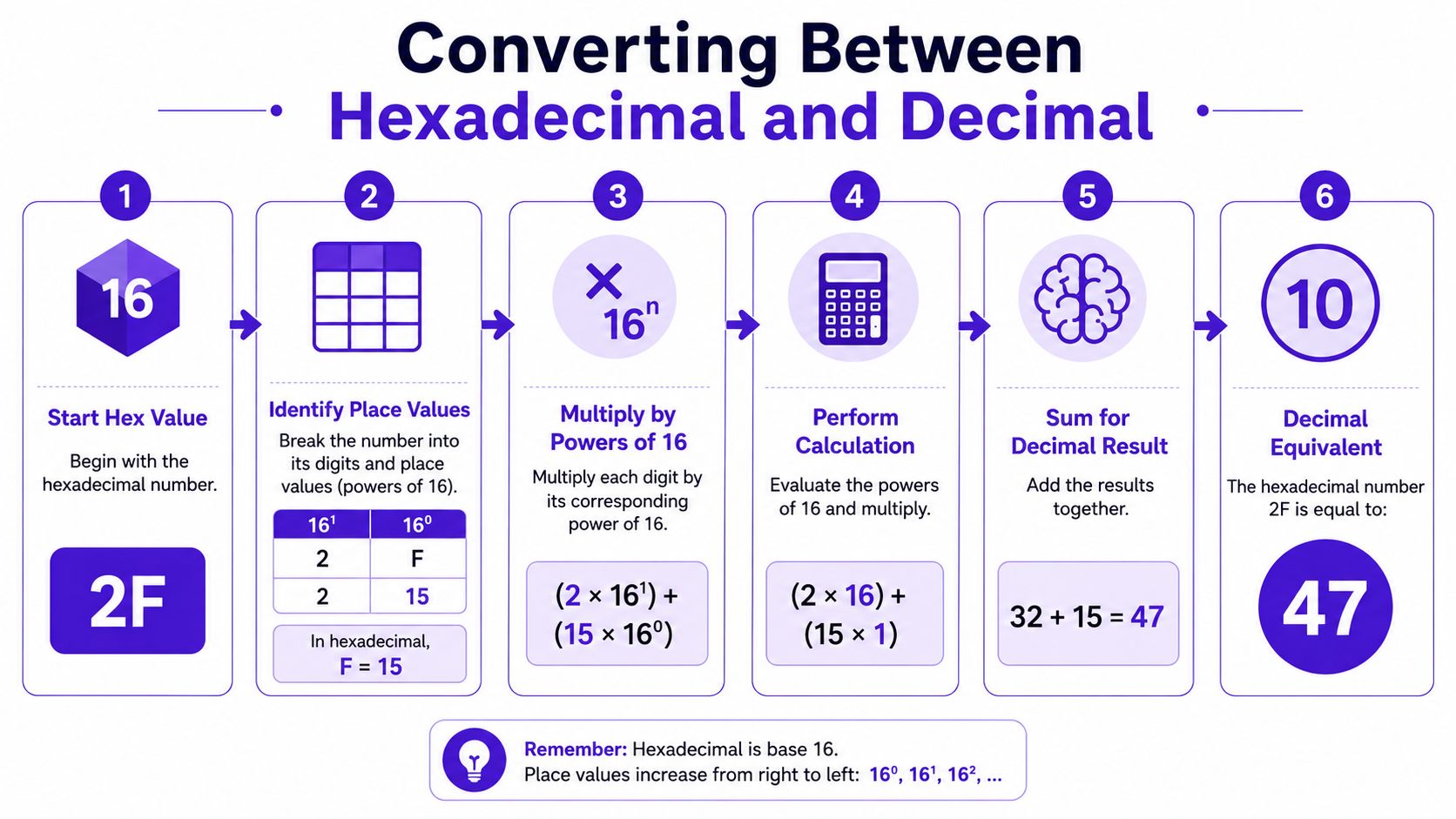
Hex works with place values, just like decimal. The difference is that the columns are powers of 16, not powers of 10.
From right to left, the place values go like this:
- 16⁰
- 16¹
- 16²
- and so on
So if you see the hex number 2F, you treat it as:
- 2 in the 16s column
- F in the 1s column
Worked example 1
Convert 2F to decimal.
- 2 × 16 = 32
- F = 15, so 15 × 1 = 15
- 32 + 15 = 47
So 2F = 47
Worked example 2
Convert 3B to decimal.
- 3 × 16 = 48
- B = 11
- 48 + 11 = 59
So 3B = 59
Exam habit: Write the multiplication step, even if you can do it mentally. Examiners can often award marks for method.
Decimal to hex using division
Going the other way feels harder at first, but the method is reliable. Divide by 16, record the remainder, and keep going until the quotient reaches 0.
The essential point is this: read the remainders from bottom to top.
Worked example 1
Convert 47 to hex.
- 47 ÷ 16 = 2 remainder 15
- 2 ÷ 16 = 0 remainder 2
Now read upwards:
- 2
- 15 = F
So 47 = 2F
Worked example 2
Convert 59 to hex.
- 59 ÷ 16 = 3 remainder 11
- 3 ÷ 16 = 0 remainder 3
Read upwards:
- 3
- 11 = B
So 59 = 3B
The confusion point to watch
Students often do the arithmetic correctly and still lose the mark because they write the remainders in the wrong order. Your first remainder is the final digit, not the first one.
A quick check helps. If your decimal number is bigger than 16, your hex answer will usually need more than one digit. That simple sense-check catches lots of mistakes.
Mastering the Hexadecimal and Binary Shortcut
The fastest hex conversion in exams is not hex to decimal. It's hex to binary and binary to hex. This is the shortcut that makes hexadecimal number systems so practical.
In the UK GCSE Computer Science curriculum, hexadecimal is treated as the standard way to compress 8-bit binary bytes into two 4-bit nibbles, and this 2-to-1 digit compression reduces visual parsing errors by approximately 50% in trace table tasks according to StudySmarter's explanation of the hexadecimal number system.
Binary to hex
Take the binary number and split it into groups of four bits from the right.
Example: 10110101
Split it:
- 1011
- 0101
Now convert each nibble:
- 1011 = B
- 0101 = 5
So 10110101 = B5
Another example:
- 11110000
- 1111 = F
- 0000 = 0
So 11110000 = F0
Hex to binary
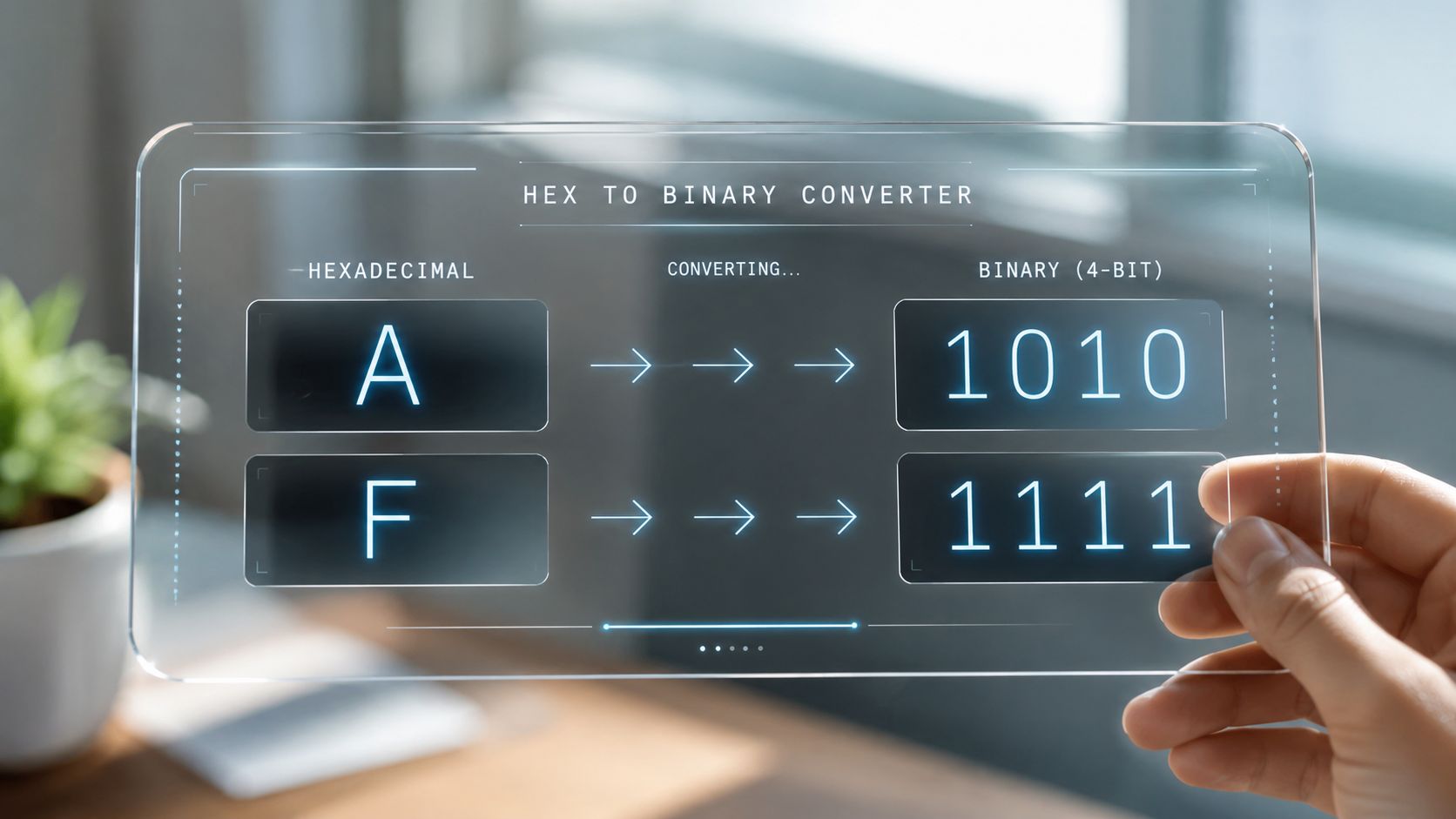
This is the reverse. Replace each hex digit with its 4-bit binary pattern.
Example: A3
- A = 1010
- 3 = 0011
So A3 = 10100011
This is why memorising the 0 to F table pays off. Once you know those small conversions, longer ones become mechanical.
Why this matters in exam conditions
When students route everything through decimal, they slow themselves down and create extra chances to slip. For binary and hex, you usually don't need decimal at all.
Use the nibble method first. It's faster, cleaner and easier to check.
Here's a useful visual explainer if you want to hear the process spoken aloud as well as read it:
A-Level students often benefit from repeated drills here because timing matters more as papers get busier. For focused practice, some students use AI-powered A-Level Computer Science revision to work on exactly this sort of conversion routine.
Where You See Hexadecimal Numbers Every Day
Hex can seem abstract until you notice how often it appears in ordinary tech.
Colour codes on websites and apps
If you've ever seen a colour written as #FFFFFF or #FF0000, that's hex. Each pair of digits controls one part of the RGB model:
- RR for red
- GG for green
- BB for blue
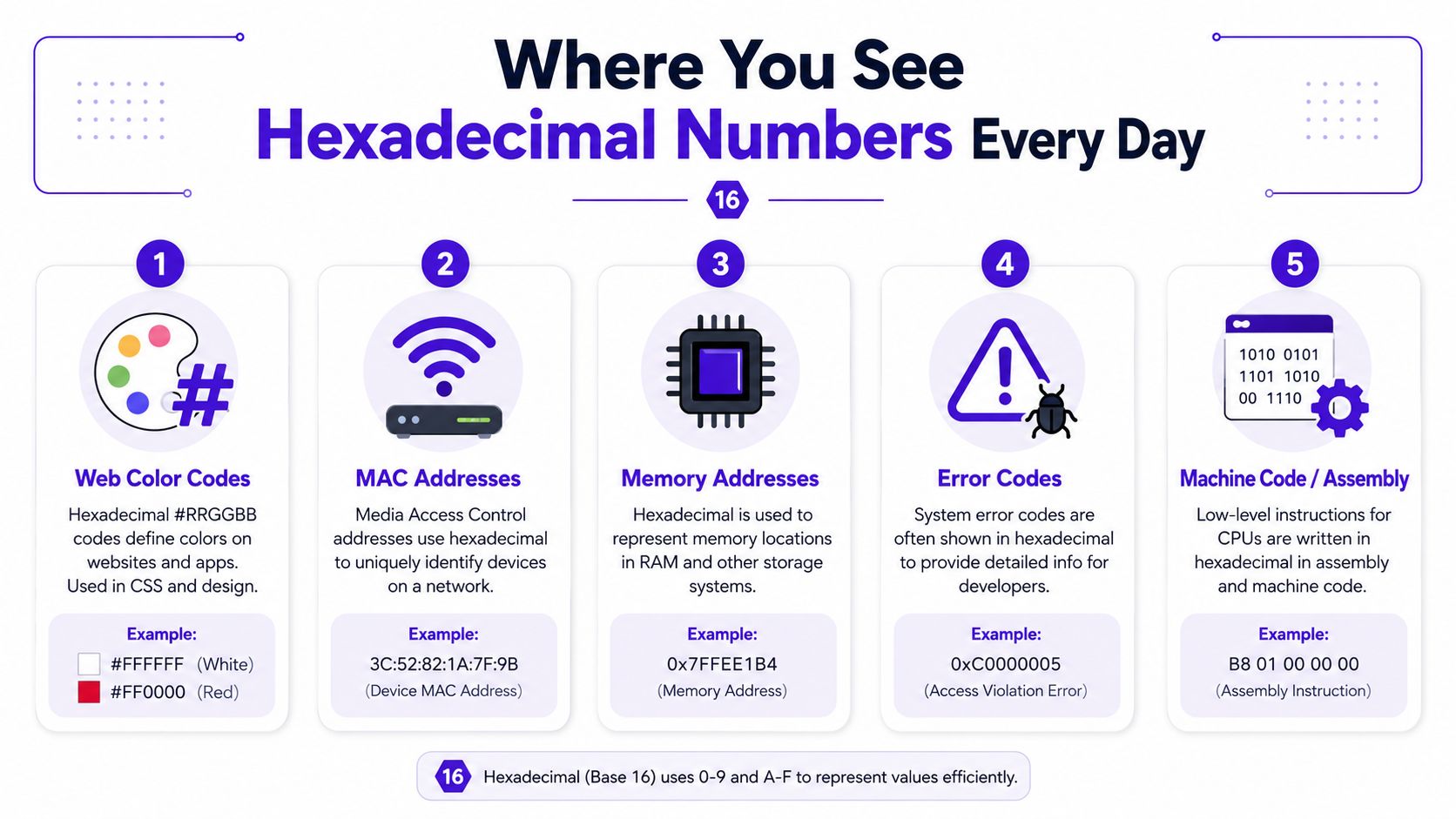
In web design, each colour channel uses a 2-digit hex value from 00 to FF, and together the RGB model gives 16,777,216 possible colours, as outlined in this guide to hexadecimal in GCSE computing.
So:
- #000000 means no red, no green, no blue. Black.
- #FFFFFF means full red, full green, full blue. White.
- #FF0000 means full red only. Pure red.
A code like #20A5F1 looks less intimidating when you split it into pairs:
- 20
- A5
- F1
Each pair is just a hex number for one colour channel.
If you want to test colour values without doing every step by hand, client-side hex color tools can help you check your conversions and spot patterns.
Memory addresses and low-level computing
Hex also appears when computers refer to memory locations. That's because long binary addresses are awkward for humans to read and compare.
You'll also spot hex in:
- MAC addresses, where devices on a network are identified
- error codes, especially in debugging messages
- machine code and assembly, where compact notation matters
Why this helps in exams
Real examples make recall easier. If you forget why hex exists, think of two situations:
- Designers use it to define colour.
- Programmers use it to read compact machine-level information.
Hex is not just “another number system”. It's a readable bridge between human thinking and binary data.
That link between abstract maths and everyday computing is exactly why exam boards keep returning to hexadecimal number systems.
Hexadecimal Arithmetic and Common Pitfalls
If you're doing A-Level, you may see hexadecimal arithmetic. The logic is the same as ordinary addition, except the base is 16.
A simple addition example
Try 8 + 8 in hex.
In decimal, that equals 16. In hex, 16 decimal is 10 hex.
So you write down 0 and carry 1.
Another one:
A + 6
A means 10, so:
- 10 + 6 = 16 decimal
- 16 decimal = 10 hex
Again, write 0 and carry 1.
That carry rule is the key. In decimal you carry when a column reaches 10. In hex you carry when it reaches 16.
The mistakes that cost marks
Students usually lose marks here for the same few reasons.
- They forget A to F are values. If you treat B as a letter instead of 11, the whole answer goes off track.
- They use decimal place values by accident. In hex to decimal conversion, the columns are 1, 16, 256 and so on. Not 1, 10, 100.
- They reverse decimal-to-hex remainders. The order matters.
- They drop leading zeroes in binary expansions when they still need four bits per hex digit. For example, 5 in binary should be written as 0101 in a hex conversion context.
A quick self-check routine
Before you move on in the exam, ask yourself:
- Have I converted A to F into numbers where needed?
- Have I used powers of 16, not powers of 10?
- If I divided by 16, did I read the remainders in the correct order?
- If I converted hex to binary, did each hex digit become exactly four bits?
That tiny checklist catches a surprising number of avoidable errors.
Exam Practice Questions and Examiner Feedback
Students usually achieve their fastest improvement not by reading another explanation, but by seeing exactly what a full-mark answer looks like.
Question 1
Convert the hexadecimal number 3B to a decimal number. You must show your working.
(4 marks)
Worked answer
3B means:
- 3 × 16
- B = 11
So:
- 3 × 16 = 48
- 48 + 11 = 59
Answer: 59
Examiner feedback
A strong answer shows the place values clearly. If a student writes only 59 with no working, they risk missing method marks.
Good structure:
- identify that B = 11
- show 3 × 16
- add correctly
Common error: writing 3 × 10 + 11, which shows confusion between decimal and hexadecimal place value.
Question 2
A web designer uses the hexadecimal colour code #20A5F1. State the denary value for the amount of green in this colour. Show your working.
(3 marks)
Worked answer
In #20A5F1, the green part is the middle pair:
- A5
Convert A5 to decimal:
- A = 10
- 10 × 16 = 160
- 5 × 1 = 5
- 160 + 5 = 165
Answer: 165
Examiner feedback
This question tests whether you know how RGB hex codes are structured as well as whether you can convert hex.
Students often lose marks by choosing the wrong pair. The format is always:
- first pair = red
- middle pair = green
- last pair = blue
So the key move is identifying A5 first, then converting it accurately.
Write the selected pair before you convert. It shows the examiner you understood the application, not just the maths.
Question 3
Convert the 8-bit binary number 10110101 into hexadecimal.
(2 marks)
Worked answer
Split into nibbles:
- 1011
- 0101
Convert each group:
- 1011 = B
- 0101 = 5
Answer: B5
Examiner feedback
This is a classic short question. The quickest full-mark method is grouping into fours.
A weaker answer goes through decimal first. That can still work, but it takes longer and gives you more chances to make an error. In a real exam, speed matters.
For timed drills and question formats built around mark allocation, Exam Practice for A-Level is the kind of tool students often use to sharpen exam technique rather than just topic recall.
The bigger lesson from all three questions is simple. Hexadecimal number systems are not hard because they contain letters. They're only hard when your method changes every time. Keep one clear process for each conversion type, show working, and check the obvious trap before moving on.
If you want one place to practise Computer Science topics in an exam-style format, MasteryMind offers curriculum-aligned revision for UK learners across GCSE and A-Level, including feedback on command words, mark allocation and worked steps for problems like binary and hexadecimal conversions.
Ready to master this topic?
Practise with quizzes, blurt exercises and exam questions on MasteryMind.
7 days Premium · Then free forever · No card, no charge