AQA · GCSE · Computer Science
Programming
Mastering relational operators is the key to unlocking decision-making in programming. This guide breaks down how computers compare values to make choices, a fundamental skill that underpins every algorithm and scores heavily in your GCSE exam.
- 5 min read
- 3 worked examples
- 5 practice questions
- 6 key terms
Study Notes
Overview
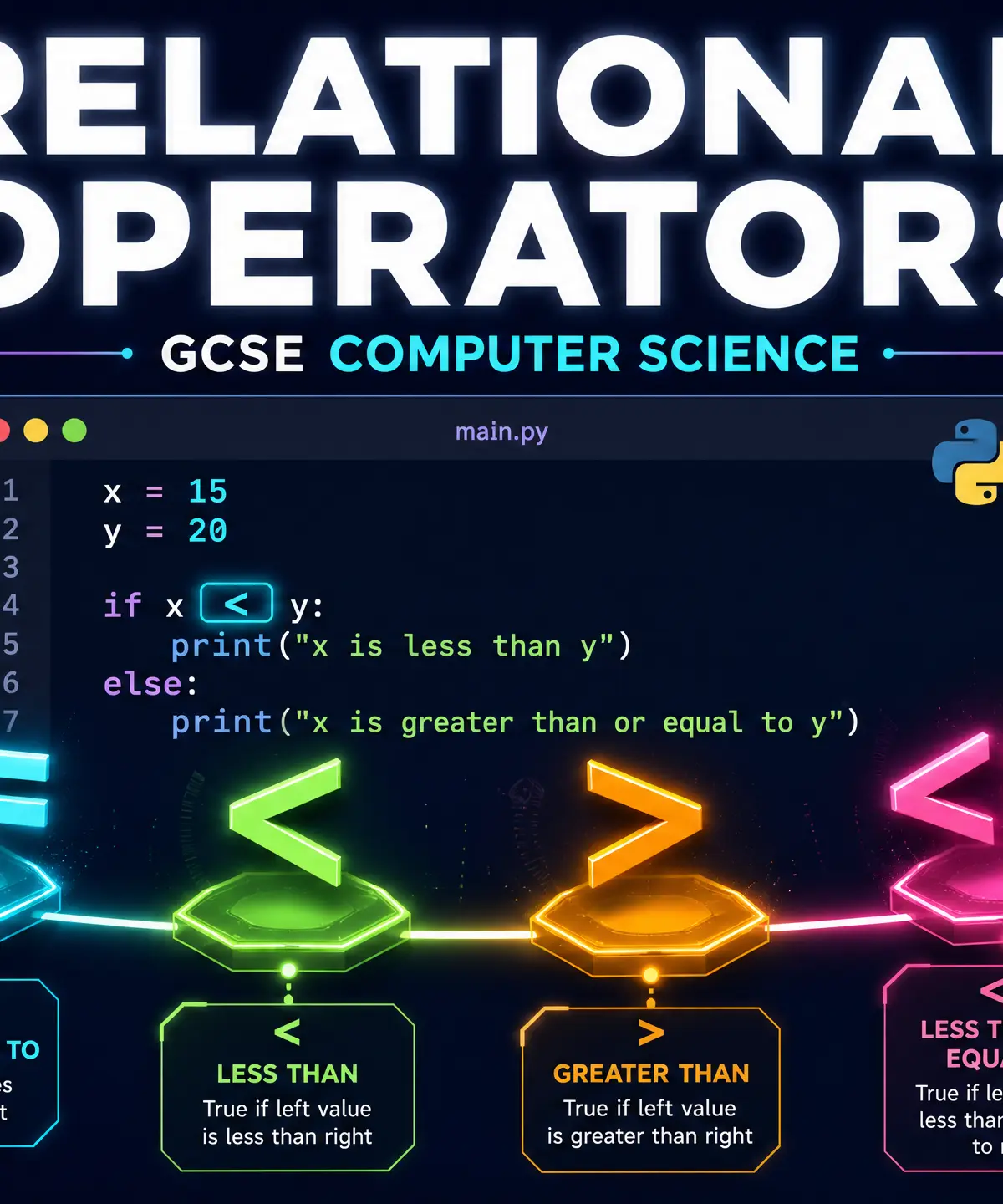
Relational operators are the foundational building blocks of decision-making in Computer Science. At their core, they allow a program to compare two values and answer a simple question: is this true, or is it false? This True/False outcome (a Boolean value) is what drives the logic of almost every algorithm you will write or analyse in your GCSE exam.
Whether a program is deciding if a player has enough points to level up, checking if a password is correct, or looping through a list until a specific condition is met, relational operators are doing the heavy lifting. They are essential for both selection (using if statements to branch code) and iteration (using while loops to repeat code). Examiners consistently test your ability to not only write these operators correctly in your chosen language but also to trace through provided code and accurately evaluate the Boolean outcome.
Listen to the companion podcast below for a deep dive into the topic:

Key Concepts
Concept 1: The Six Core Operators
There are exactly six relational operators you must memorise. They all serve the same fundamental purpose: comparing the value on the left with the value on the right.
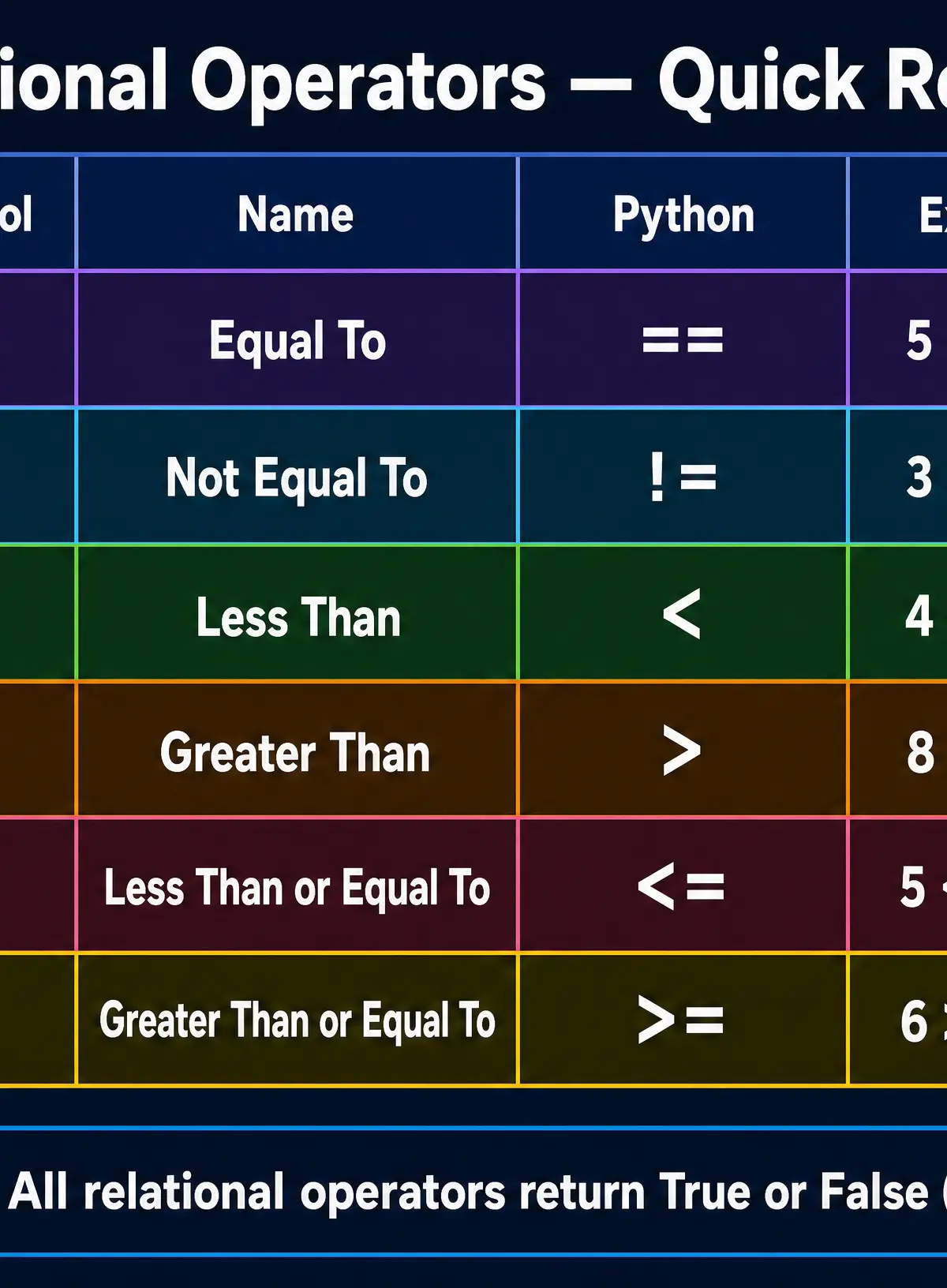
- Equal To (
==): Checks if both values are identical. - Not Equal To (
!=): Checks if the values are different. - Less Than (
<): Checks if the left value is strictly smaller than the right value. - Greater Than (
>): Checks if the left value is strictly larger than the right value. - Less Than or Equal To (
<=): Checks if the left value is smaller than OR exactly the same as the right value. - Greater Than or Equal To (
>=): Checks if the left value is larger than OR exactly the same as the right value.
Example: If a variable score holds the value 85:
score == 100evaluates to False.score > 50evaluates to True.score <= 85evaluates to True (because it includes the boundary).
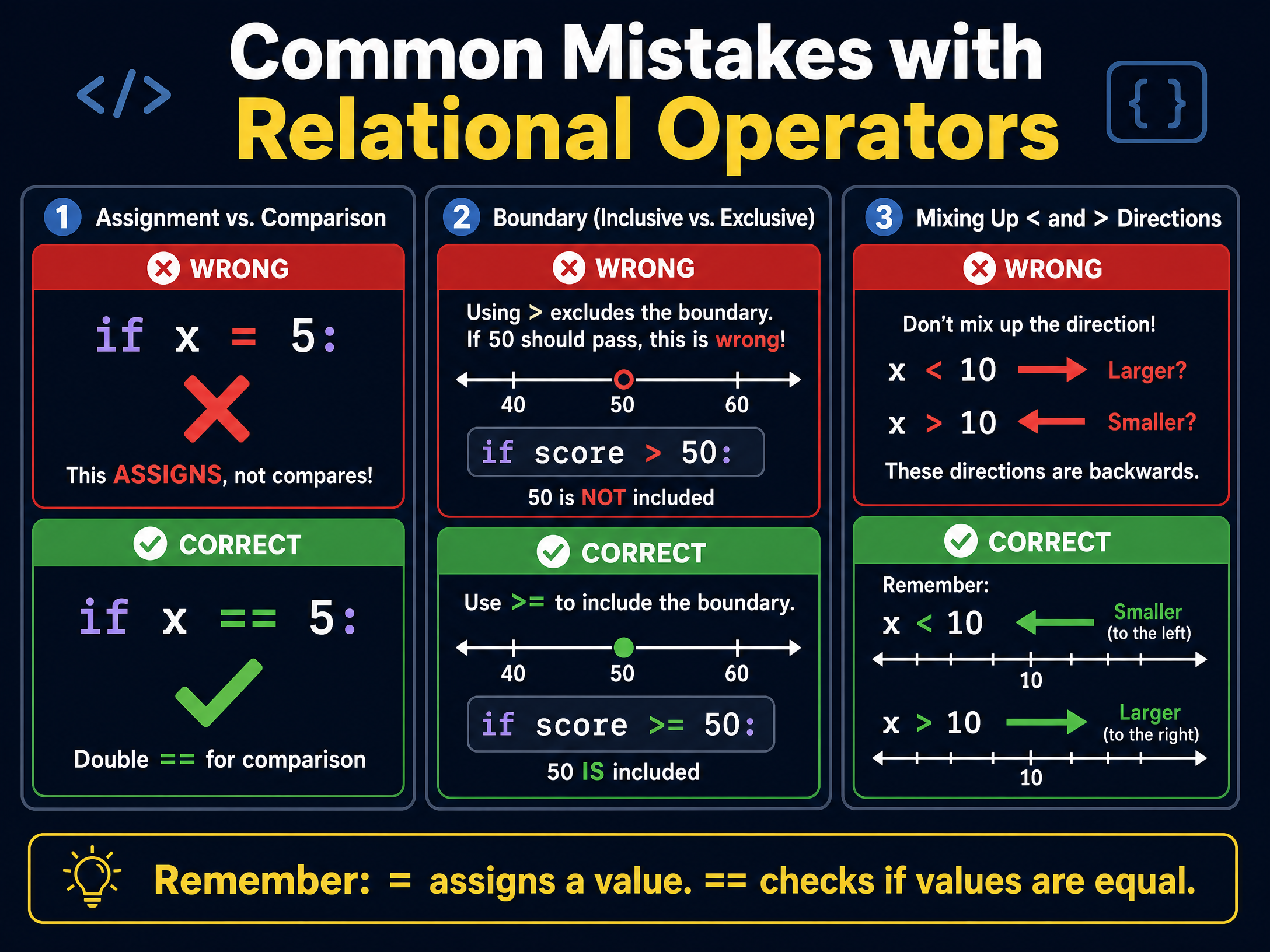
Concept 2: Assignment vs. Comparison
This is the single most critical distinction to make in this topic.
- A single equals sign (
=) is the assignment operator. It tells the computer: "Take the value on the right and store it in the variable on the left." (e.g.,lives = 3). - A double equals sign (
==) is the relational operator for equality. It asks the computer: "Is the value on the left the same as the value on the right?" (e.g.,if lives == 0:).
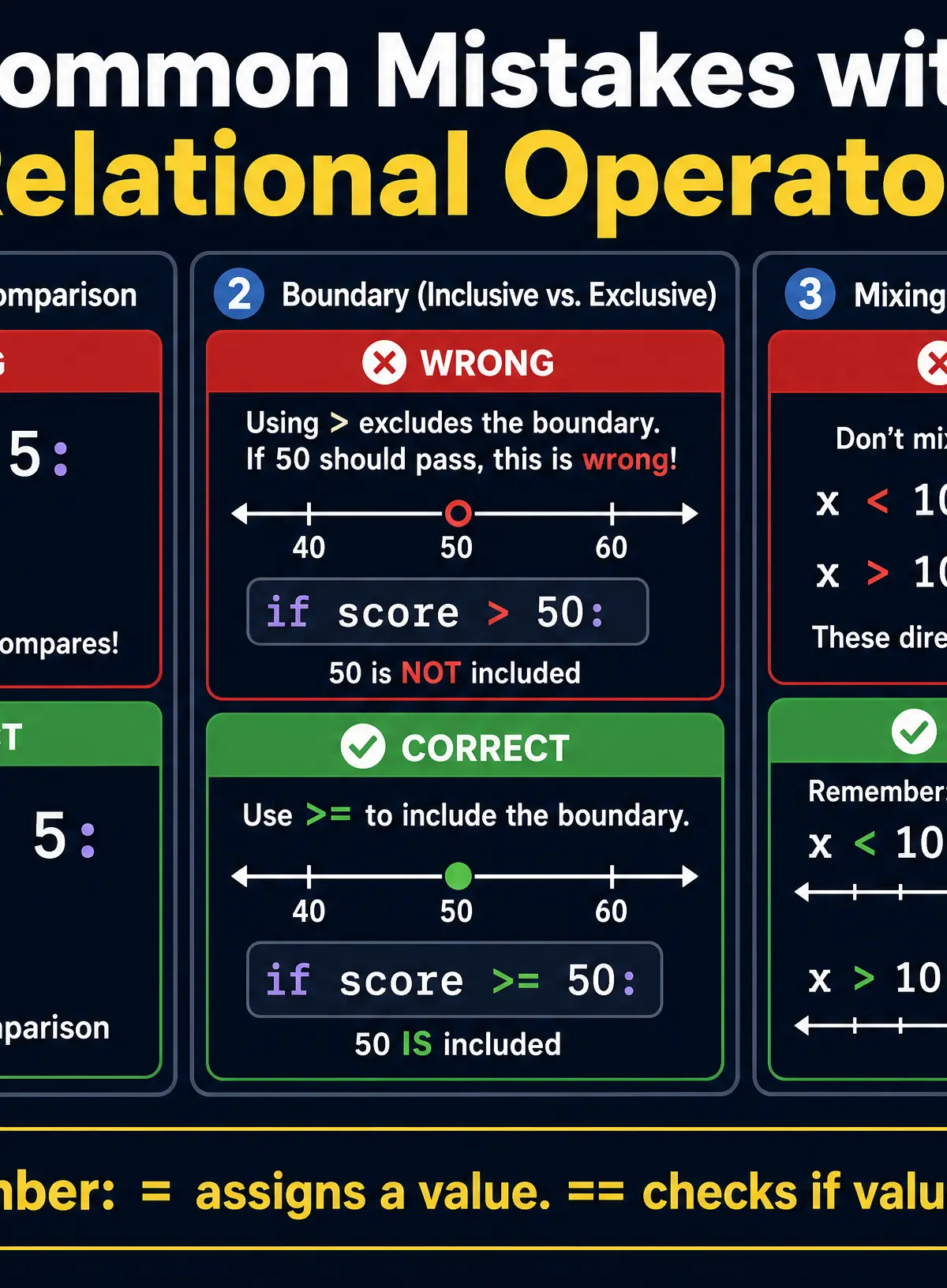
If you use a single = inside an if statement condition in a Python exam answer, the code will crash, and the examiner will withhold the mark. You must demonstrate that you understand the difference between doing something (assignment) and checking something (comparison).
Concept 3: Boundary Conditions
When writing or tracing code, you must pay close attention to the boundaries. This is the difference between < and <=.
Imagine a theme park ride where you must be at least 120cm tall to ride.
- If the code is
if height > 120:, a person who is exactly 120cm tall will be rejected (because 120 is not strictly greater than 120). This is a logic error. - The correct code must be
if height >= 120:. This includes the boundary value, allowing the 120cm person to ride.
Examiners frequently use phrases like "minimum", "maximum", "at least", or "up to" in word problems to test if you know when to include the boundary.
Concept 4: Relational Operators in Control Flow
Relational operators do not exist in isolation; they sit inside the conditions of control structures.
**Selection (if/else):**The operator evaluates to True or False. If True, the if block executes. If False, the program skips it (or runs the else block).
**Iteration (while loops):**The loop continues to run as long as the relational operator evaluates to True. As soon as the condition becomes False, the loop terminates.
Practical Applications
- Authentication Systems: Checking if the entered password matches the stored password (
if entered_password == stored_password:). - Game Logic: Determining if a player has lost all their health (
while health > 0:). - Data Validation: Ensuring a user enters a valid age (
if age >= 0 and age <= 120:).
Interactive Diagrams
2 interactive diagrams to visualise key concepts
Conceptual Flow Outline
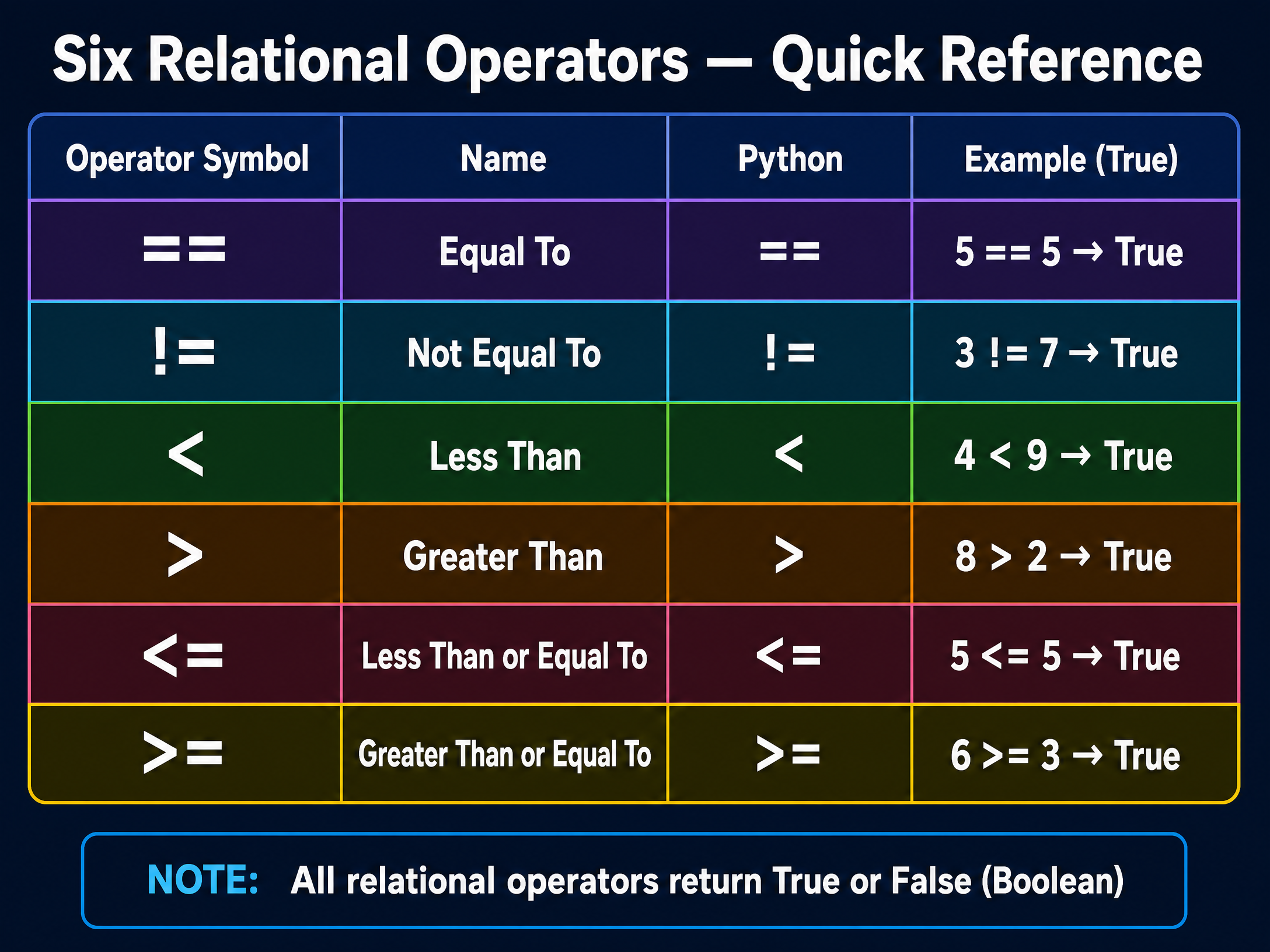
Flowchart demonstrating a relational operator (`>=`) controlling selection logic.
Conceptual Flow Outline
Flowchart demonstrating a relational operator (`<`) controlling iteration logic.
Worked Examples
3 worked examples — open one to explore the question and available guidance.
Practice Questions
Test your understanding — click to reveal model answers
State the relational operator used to check if two values are NOT equal in Python. (1 mark)
Hint: Think of the symbol that represents 'bang' or 'not'.
A program checks if a user is a teenager. A teenager is defined as being aged 13 to 19 inclusive. Write the Boolean condition to check if the variable age represents a teenager. (2 marks)
Hint: You will need to use two relational operators joined by a logical AND.
Evaluate the following expressions and state whether they are True or False, given that a = 5 and b = 10.
a < ba == 5b <= 10
(3 marks)
Hint: Substitute the numbers into the variables before evaluating.
Identify the logic error in the following Python code snippet intended to grant access if a user enters the PIN 1234.
python
pin = input("Enter PIN: ")
if pin = "1234":
print("Access Granted")
(2 marks)
Hint: Look closely at the operator inside the `if` statement.
Write an algorithm in pseudocode or Python that asks the user for their exam score (out of 100). If the score is 80 or above, output 'Distinction'. If the score is between 60 and 79 inclusive, output 'Merit'. Otherwise, output 'Pass'. (6 marks)
Hint: Use an `if`, `elif`, `else` structure and ensure your boundary operators are correct.