Pearson Edexcel · GCSE · Computer Science
Cybersecurity
Master the critical threats to digital systems and the methods used to protect them. This high-yield GCSE Computer Science topic explores malware, social engineering, and the technical defences essential for earning top marks.
- 7 min read
- 3 worked examples
- 5 practice questions
- 6 key terms
Study Notes

Overview
Cybersecurity is the practice of protecting digital systems, networks, and data from attack, damage, or unauthorised access. In our increasingly connected world, understanding cybersecurity is not just essential for your GCSE Computer Science exam—it is a critical life skill. This topic covers the various threats posed by malicious software (malware) and hackers, how these attackers exploit technical vulnerabilities and human psychology, and the robust methods organisations use to defend their data.
In the exam, candidates are frequently asked to identify specific types of malware, explain how social engineering manipulates human behaviour, and describe the protective measures that can be implemented. Examiners expect precise terminology and a clear understanding of the 'how' and 'why' behind both attacks and defences. This guide will equip you with the knowledge and exam technique needed to confidently tackle these questions.
Listen to our 10-minute audio masterclass covering all the essential cybersecurity concepts and exam tips.

Key Concepts
Concept 1: Types of Malware
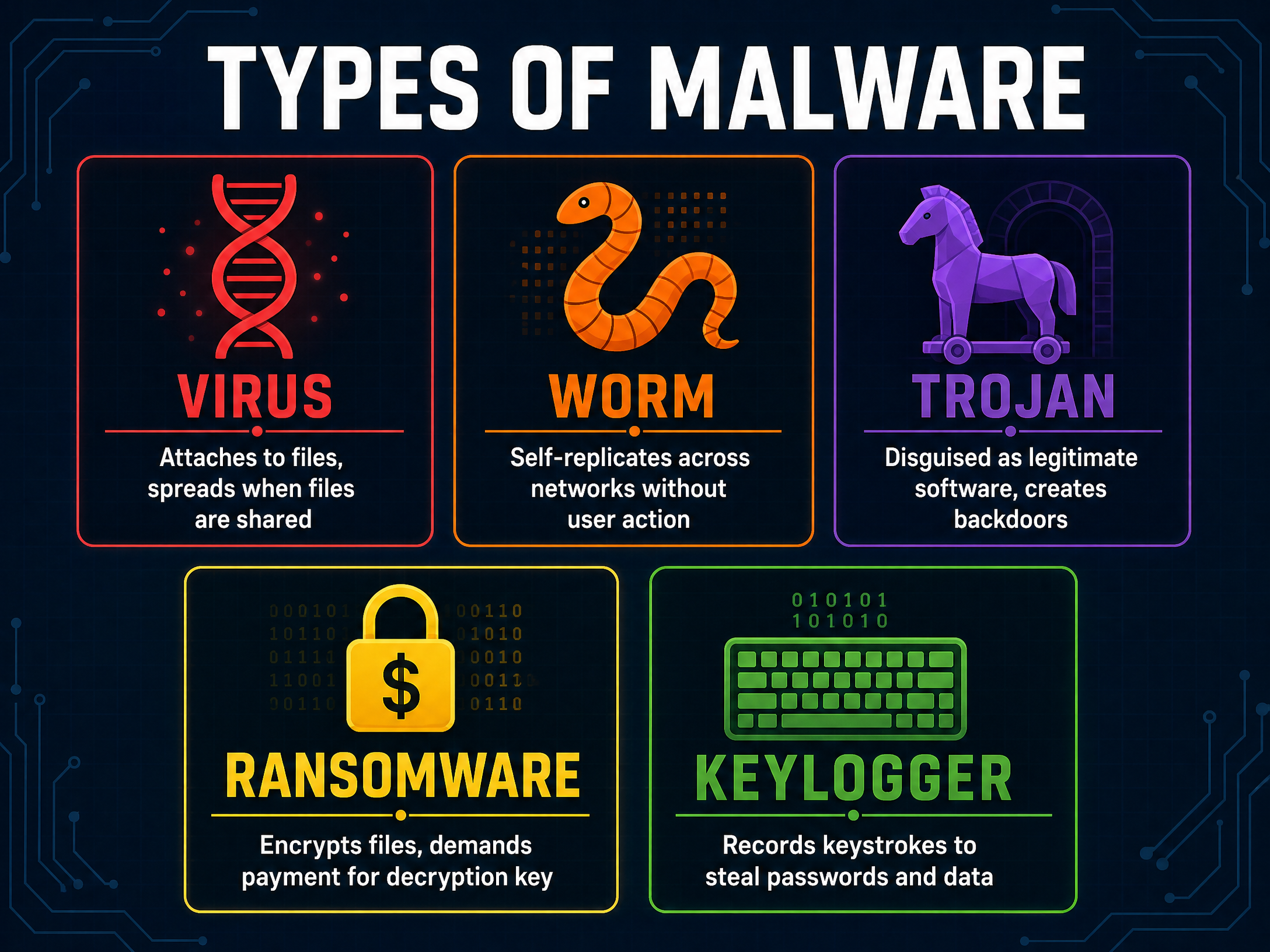
Malware (malicious software) is any software intentionally designed to cause damage to a computer, server, client, or computer network. Examiners often test your ability to distinguish between different types.
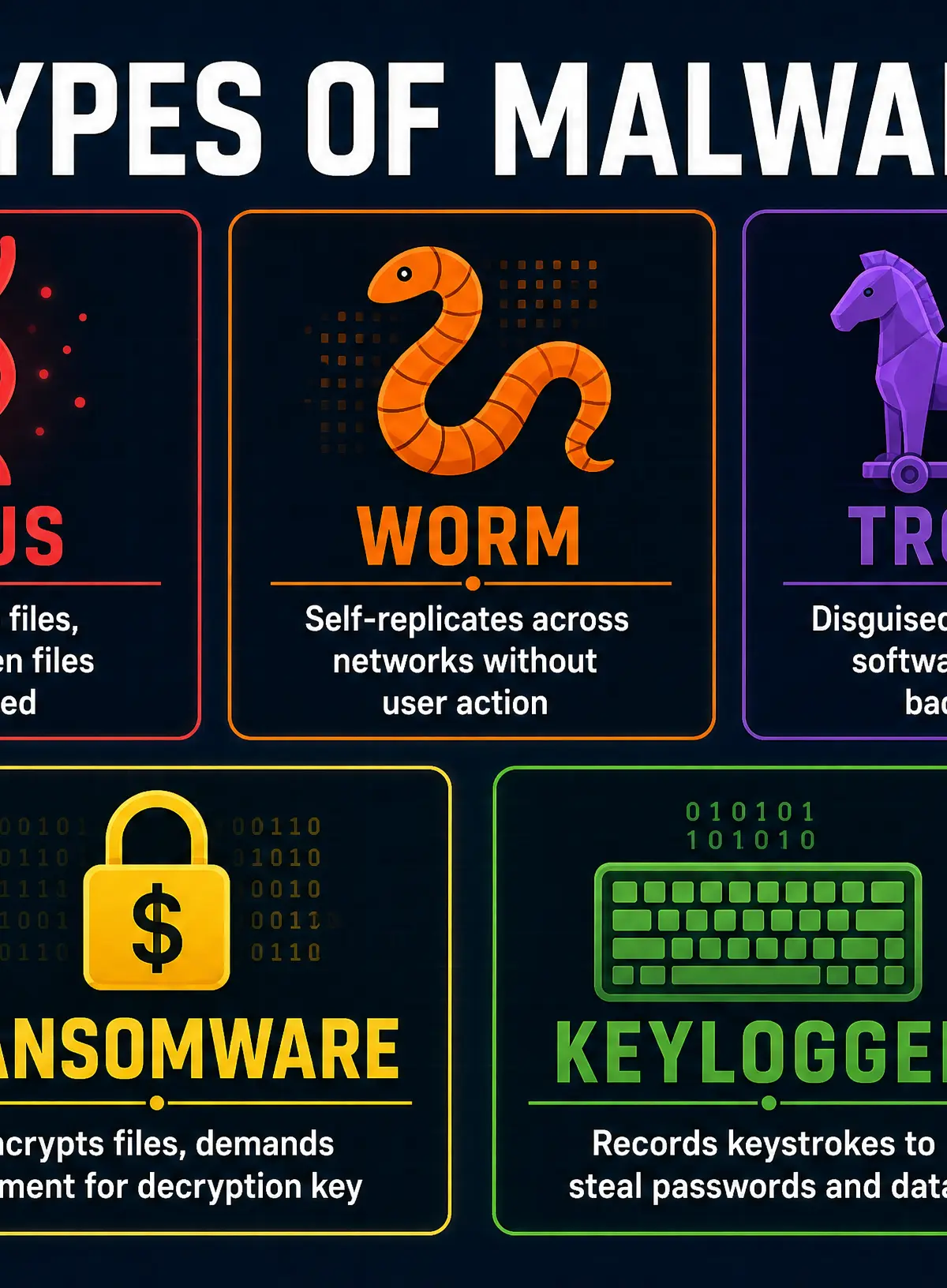
- Virus: Malicious code that attaches itself to a legitimate file or program. It requires a host to replicate and relies on human interaction (like opening an infected file) to spread.
- Worm: A standalone malware program that self-replicates across networks. Crucially, unlike a virus, a worm does not need to attach to a host program or require user action to spread.
- Trojan: Malware disguised as legitimate, useful software. Users are tricked into installing it, allowing the Trojan to create a 'backdoor' for hackers to steal data or take control of the system. Trojans do not self-replicate.
- Ransomware: Software that encrypts a victim's files, making them inaccessible. The attacker then demands a ransom payment (often in cryptocurrency) in exchange for the decryption key.
- Keylogger: Spyware that secretly records every keystroke made by a user. This allows attackers to harvest passwords, credit card numbers, and other sensitive information.
Example: If an employee downloads what they think is a free PDF converter, but it secretly installs a backdoor allowing a hacker to access the company network, they have fallen victim to a Trojan.
Concept 2: Exploiting Technical Vulnerabilities
Hackers often look for weaknesses in the software or hardware of a system rather than targeting the users directly.
- Unpatched Software: Software developers regularly release updates (patches) to fix discovered security flaws. If a system is not updated, these known vulnerabilities remain open for hackers to exploit.
- Out-of-date Anti-malware: Anti-malware software relies on a database of known threat signatures. If this database is out of date, the software will fail to recognise and block new, emerging malware.
Why this works: Attackers use automated tools to scan thousands of networks for specific, known vulnerabilities. It is a numbers game; they will eventually find a system that hasn't been updated.
Concept 3: Social Engineering
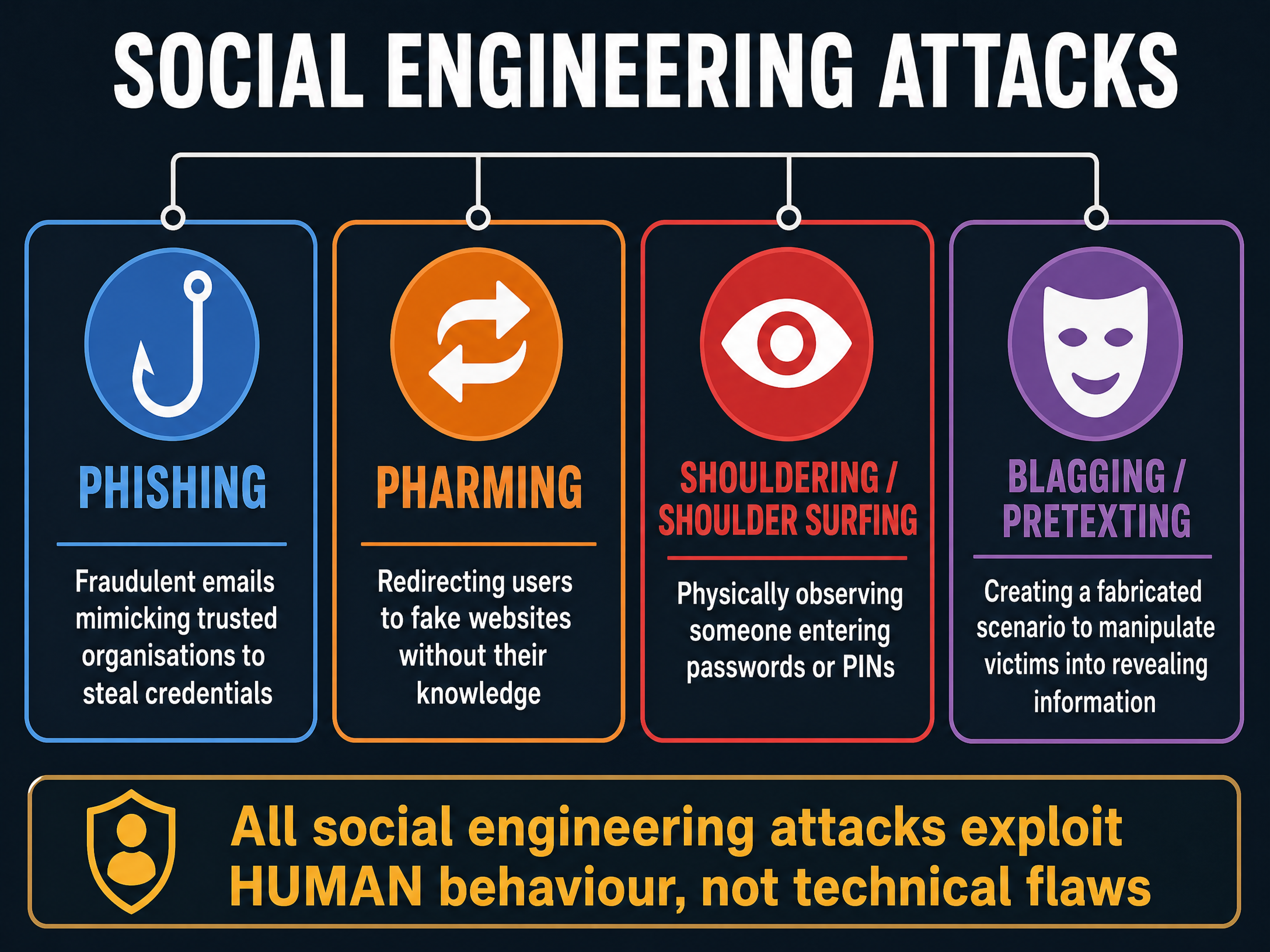
Social engineering attacks exploit human psychology rather than technical flaws. They manipulate individuals into breaking normal security procedures or giving away confidential information.
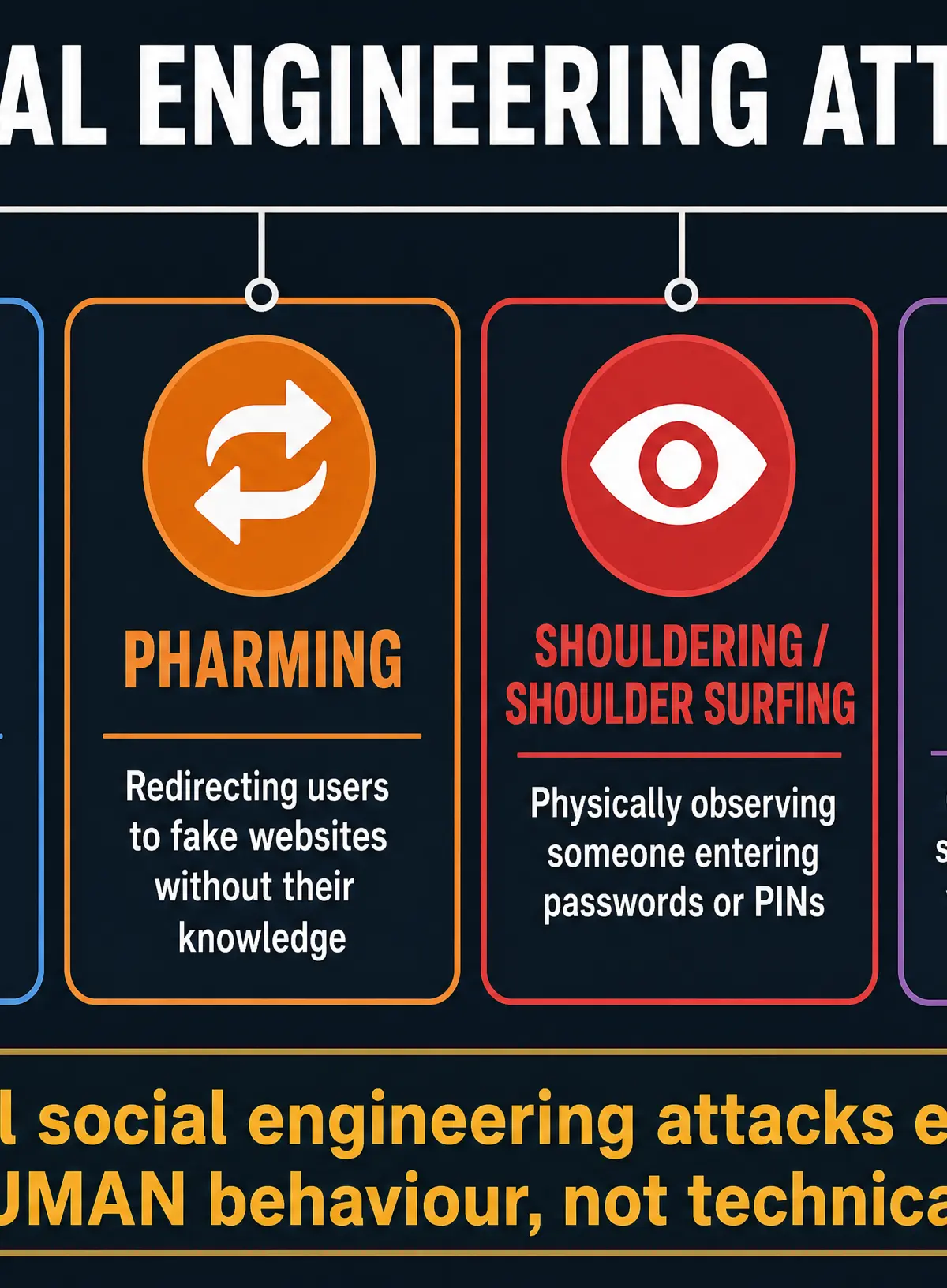
- Phishing: Fraudulent emails or messages designed to look like they are from a trusted organisation (e.g., a bank). They often create a sense of urgency, tricking the victim into clicking a link to a fake website and entering their login credentials.
- Pharming: A more sophisticated attack that redirects a website's traffic to a fake, malicious site. Even if the user types the correct URL, the Domain Name System (DNS) is compromised, sending them to the fraudulent site without their knowledge.
- Shouldering (Shoulder Surfing): Physically observing someone entering sensitive information, such as watching over their shoulder as they type a PIN at a cash machine or a password on a laptop.
- Blagging (Pretexting): Creating an invented scenario (a pretext) to manipulate a victim into revealing information. For example, an attacker might phone an employee pretending to be an IT support technician needing their password to 'fix a server issue'.
Concept 4: Protecting Digital Systems
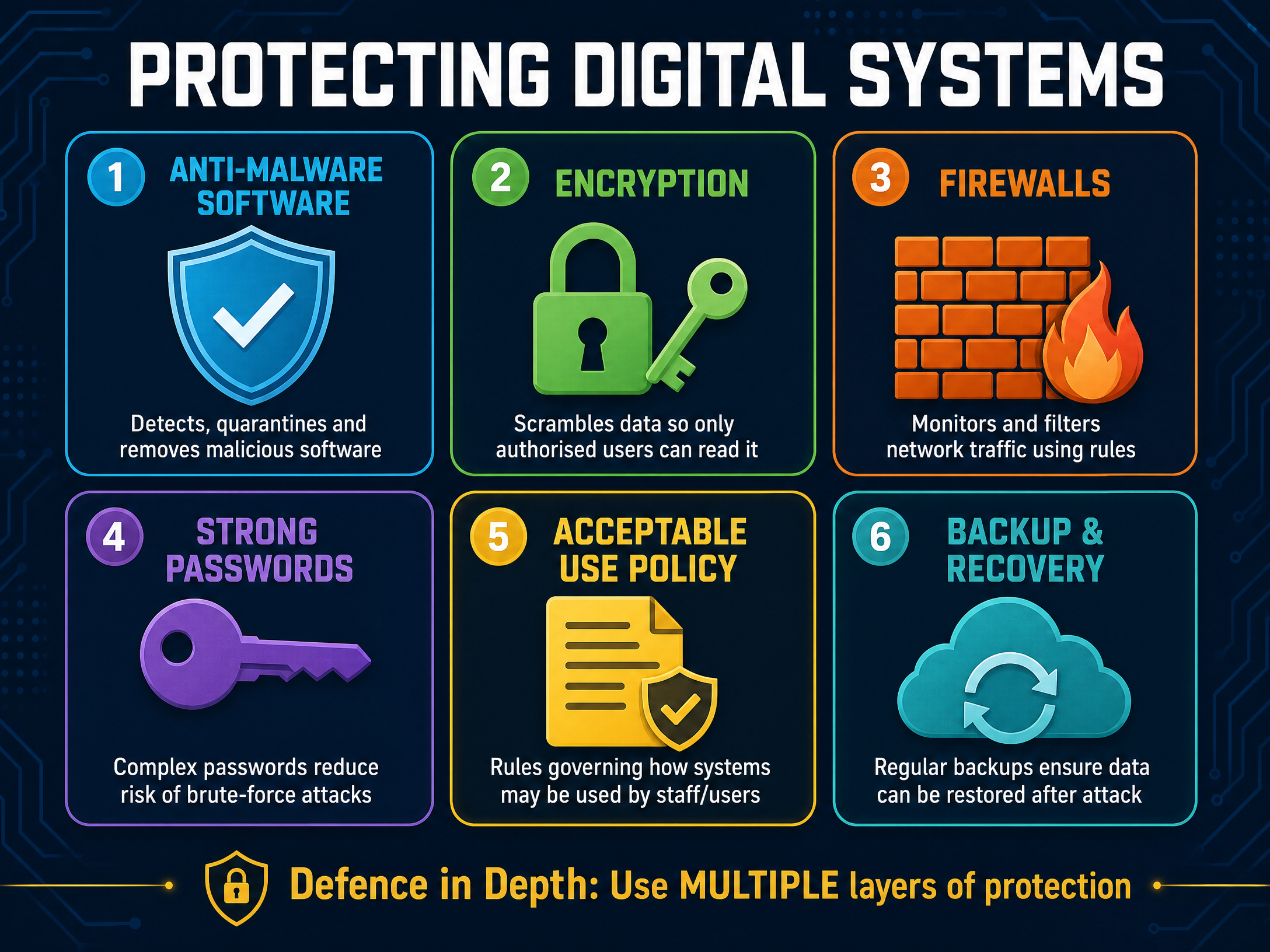
Organisations must use a 'defence in depth' approach, layering multiple security measures to protect their data.
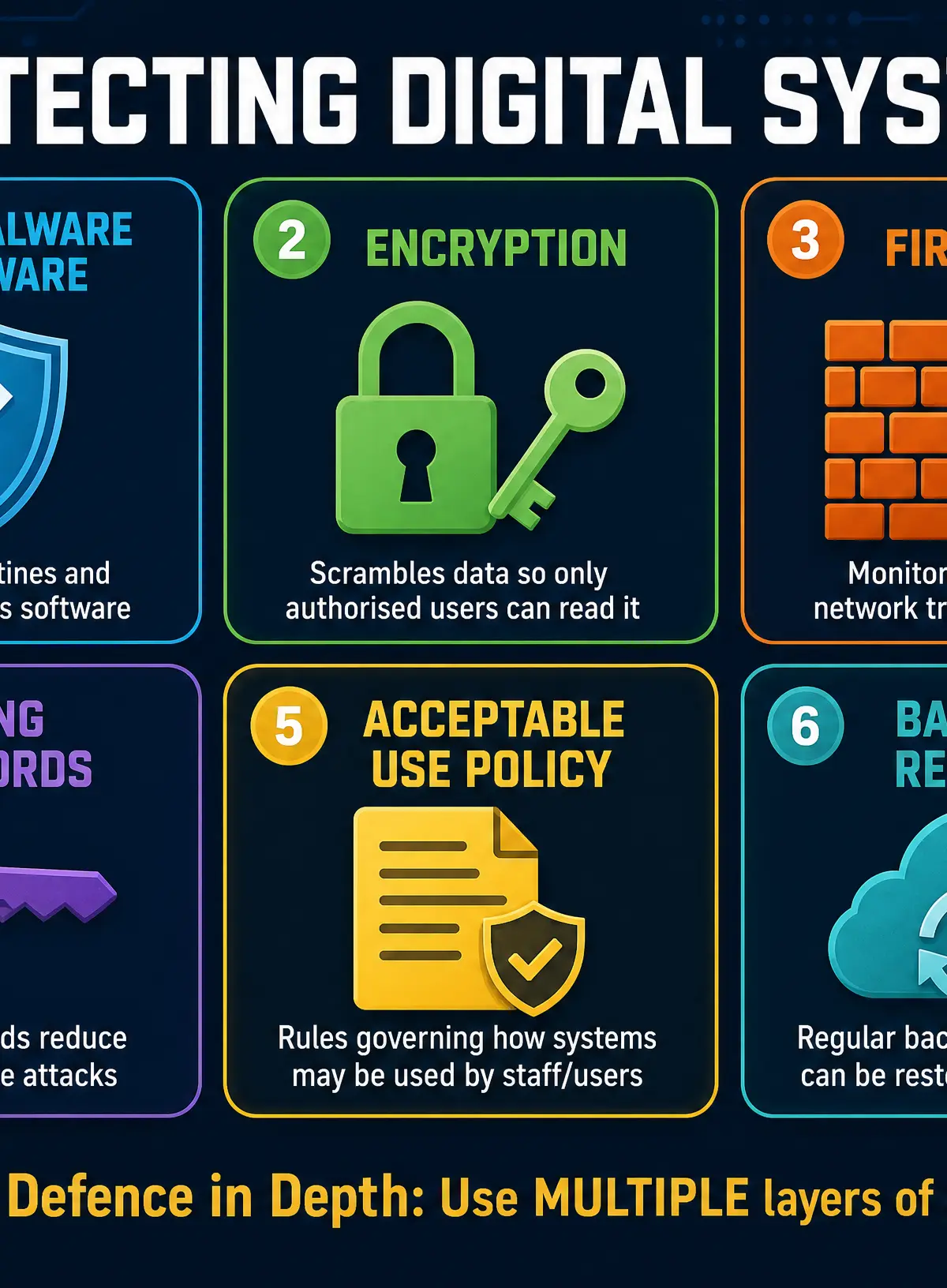
- Anti-malware Software: Programs designed to detect, quarantine, and remove malicious software by scanning files and comparing them against a database of known threats.
- Encryption: The process of converting readable data (plaintext) into an unreadable format (ciphertext) using a mathematical algorithm and a key. Why this works: Even if data is intercepted or stolen, it cannot be understood without the correct decryption key.
- Firewalls: Hardware or software that monitors and filters incoming and outgoing network traffic based on an organisation's previously established security rules. It acts as a barrier between a trusted internal network and untrusted external networks (like the internet).
- Strong Passwords and MAC: Using complex passwords (a mix of uppercase, lowercase, numbers, and symbols) prevents brute-force attacks. Multi-factor authentication (MFA) adds a second layer of security (e.g., a code sent to a mobile phone).
- Acceptable Use Policies (AUP): A set of rules applied by the owner or manager of a network that restrict the ways in which the network, website, or system may be used. This helps prevent insider threats and accidental breaches by staff.
- Backup and Recovery: Regularly copying data to a secure, off-site location. If data is lost, corrupted, or encrypted by ransomware, it can be restored from the backup.
Practical Applications
Understanding cybersecurity is essential for anyone working in IT, but also for every individual who uses the internet. When you receive an email from 'your bank' asking you to urgently verify your account details, understanding phishing allows you to identify the threat, check the sender's address, and avoid handing over your credentials. Similarly, understanding the threat of ransomware is why schools and hospitals must maintain rigorous, off-site backup and recovery procedures.
Visual Resources
3 diagrams and illustrations
Interactive Diagrams
2 interactive diagrams to visualise key concepts
Conceptual Flow Outline
The Phishing Attack Process
Conceptual Flow Outline
How Encryption Protects Data
Worked Examples
3 worked examples — open one to explore the question and available guidance.
Practice Questions
Test your understanding — click to reveal model answers
State one type of social engineering attack. (1 mark)
Hint: Think about attacks that target human behaviour rather than software flaws.
Describe how a keylogger poses a threat to a user's data. (2 marks)
Hint: What does a keylogger actually do, and what information can it capture?
Explain how an attacker might use pharming to steal a user's bank details. (3 marks)
Hint: How does pharming differ from phishing? What happens when the user types the web address?
A small business has installed anti-malware software on all its computers. Explain why the business might still be vulnerable to a malware attack. (3 marks)
Hint: Anti-malware software relies on knowing what a virus looks like. What happens if a brand new virus is created?
A school wants to protect its network from internal and external threats. Discuss the measures the school should implement to secure its network and data. (6 marks)
Hint: You need to cover both technical measures (like firewalls) and human measures (like policies). Explain how each works.