Pearson Edexcel · GCSE · Computer Science
Network security
Master the essentials of network security, from identifying critical vulnerabilities to deploying robust protection methods like firewalls and encryption. This topic is vital for understanding how modern systems defend against malicious threats and is heavily tested in longer exam questions.
- 7 min read
- 3 worked examples
- 5 practice questions
- 6 key terms
Study Notes
Overview

Network security is the practice of protecting a computer network and its data from unauthorised access, misuse, or theft. In an increasingly connected world, where sensitive personal, financial, and corporate data travels across local networks and the internet every second, security is paramount. For your GCSE Computer Science exam, Topic 4.2 focuses on two distinct but related areas: identifying the vulnerabilities and threats that put networks at risk, and understanding the methods used to protect them.
Examiners frequently test your ability to differentiate between a vulnerability (a weakness) and a threat (an attack exploiting that weakness). You will also be expected to evaluate which protection methods are most appropriate for a given scenario. This topic links synoptically with networking hardware, protocols, and the ethical/legal impacts of computing.
Key Concepts
Concept 1: Network Vulnerabilities
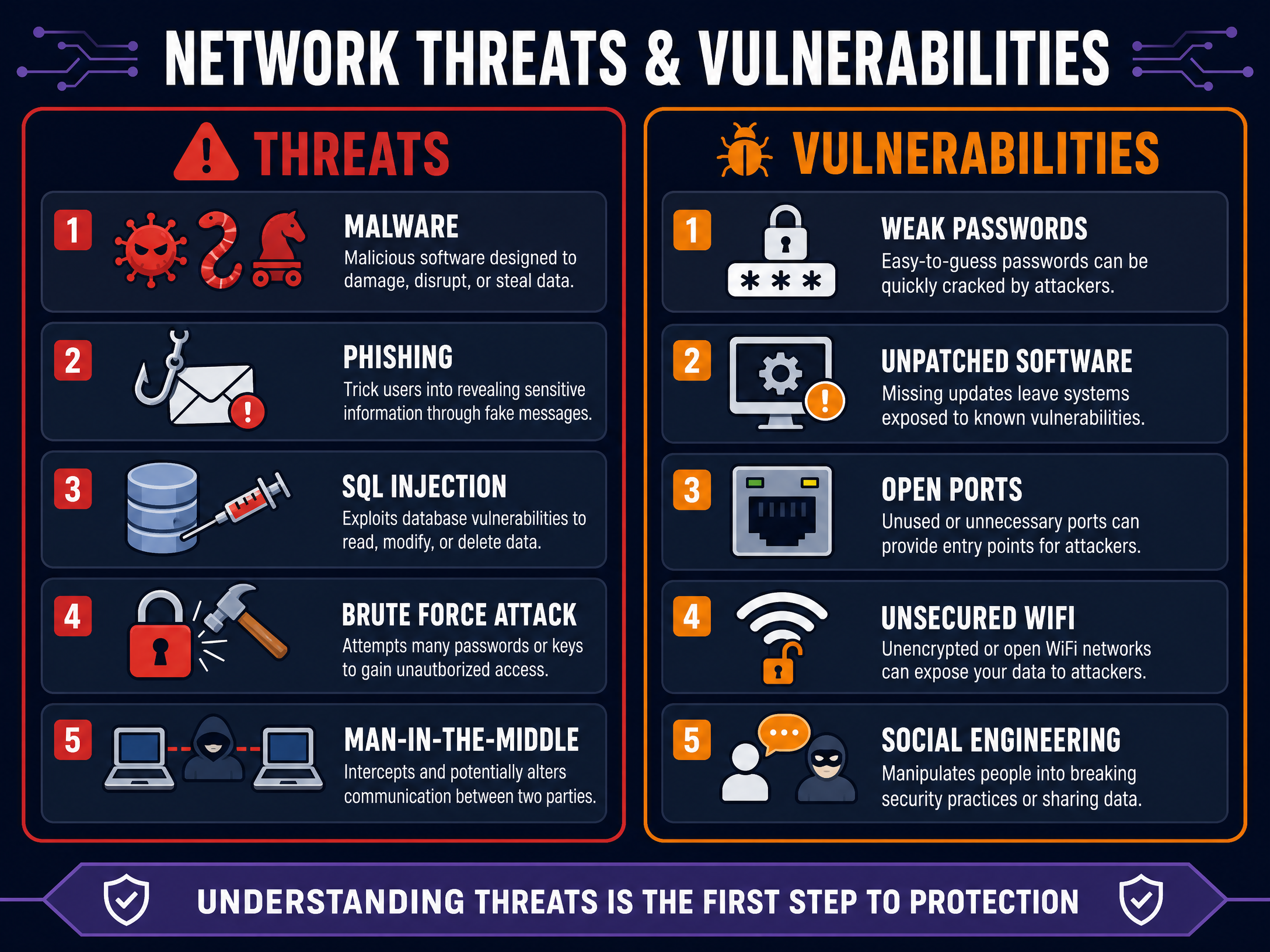
A vulnerability is a flaw or weakness in a system's design, implementation, or operation that could be exploited to compromise the network's security. It is the "open window" that allows attackers to enter.
- Weak Passwords: Passwords that are short, use common words (e.g., "password123"), or lack complexity are easily cracked by automated tools.
- Unpatched Software: Operating systems and applications regularly receive updates (patches) to fix discovered security flaws. Failing to apply these leaves the system exposed to known exploits.
- Open Ports: Network ports are communication endpoints. If ports are left open unnecessarily, they provide entry points for attackers.
- Unsecured Wi-Fi: Wireless networks without encryption (like WPA2/WPA3) allow anyone within range to intercept data packets.
- Social Engineering: This is the manipulation of people into breaking normal security procedures or giving away confidential information. Humans are often considered the weakest link in any security system.
Example: A company forgets to update their web server software. A known flaw in the old version allows an attacker to bypass the login screen. The unpatched software is the vulnerability.
Concept 2: Network Threats
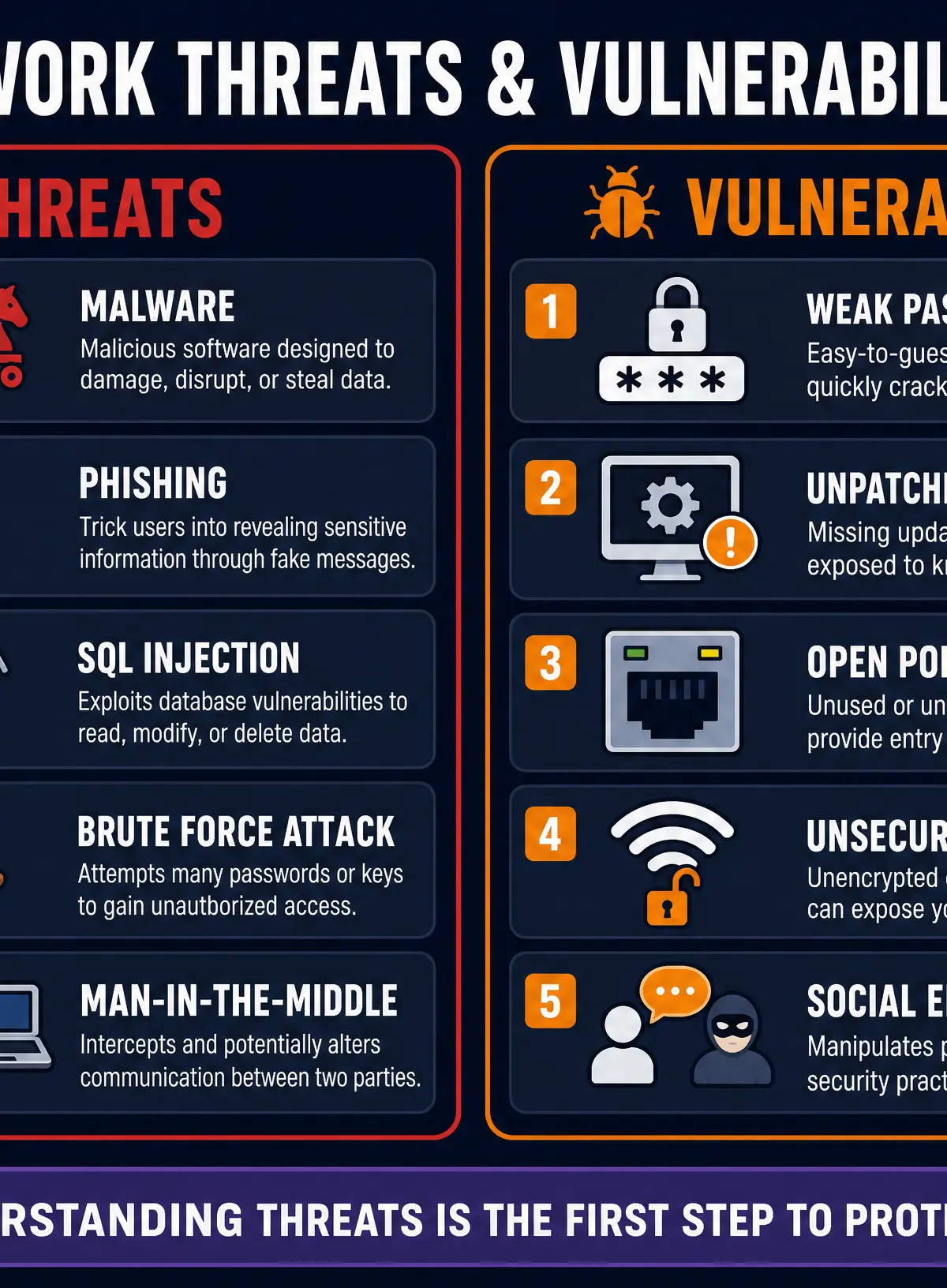
A threat is a potential malicious attack that aims to exploit a vulnerability. If the vulnerability is the open window, the threat is the burglar.
- Malware (Malicious Software): Software designed to cause harm or gain unauthorised access.
- Virus: Attaches to legitimate files and spreads when the file is executed or shared.
- Worm: A standalone program that replicates itself and spreads across networks automatically.
- Trojan: Disguises itself as a legitimate, useful program but contains a hidden malicious payload.
- Ransomware: Encrypts the victim's files and demands a financial payment for the decryption key.
- Spyware: Secretly monitors user activity (e.g., keystroke logging) and sends the data back to the attacker.
- Phishing: A specific type of social engineering where an attacker sends fraudulent emails or messages appearing to be from a reputable source (like a bank) to trick the victim into revealing sensitive data.
- SQL Injection: An attack where malicious SQL (Structured Query Language) statements are inserted into input fields (like a website login form) to manipulate the backend database, potentially allowing the attacker to view, modify, or delete data.
- Brute Force Attack: An automated trial-and-error method where software systematically tries every possible combination of characters to guess a password.
- Man-in-the-Middle (MitM) Attack: The attacker secretly intercepts and relays communications between two parties who believe they are communicating directly with each other, allowing the attacker to eavesdrop or alter the data.
Concept 3: Penetration Testing & Ethical Hacking
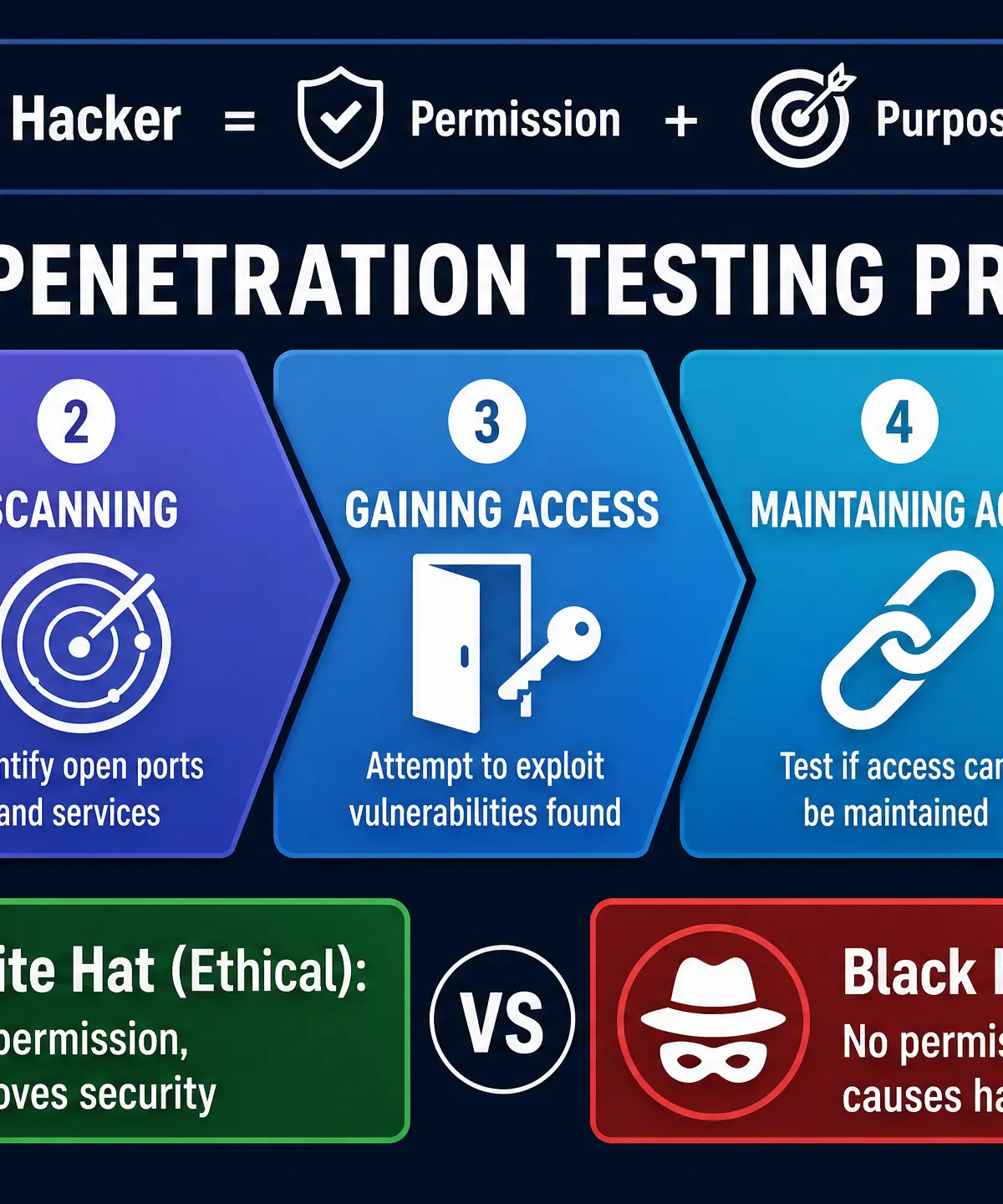
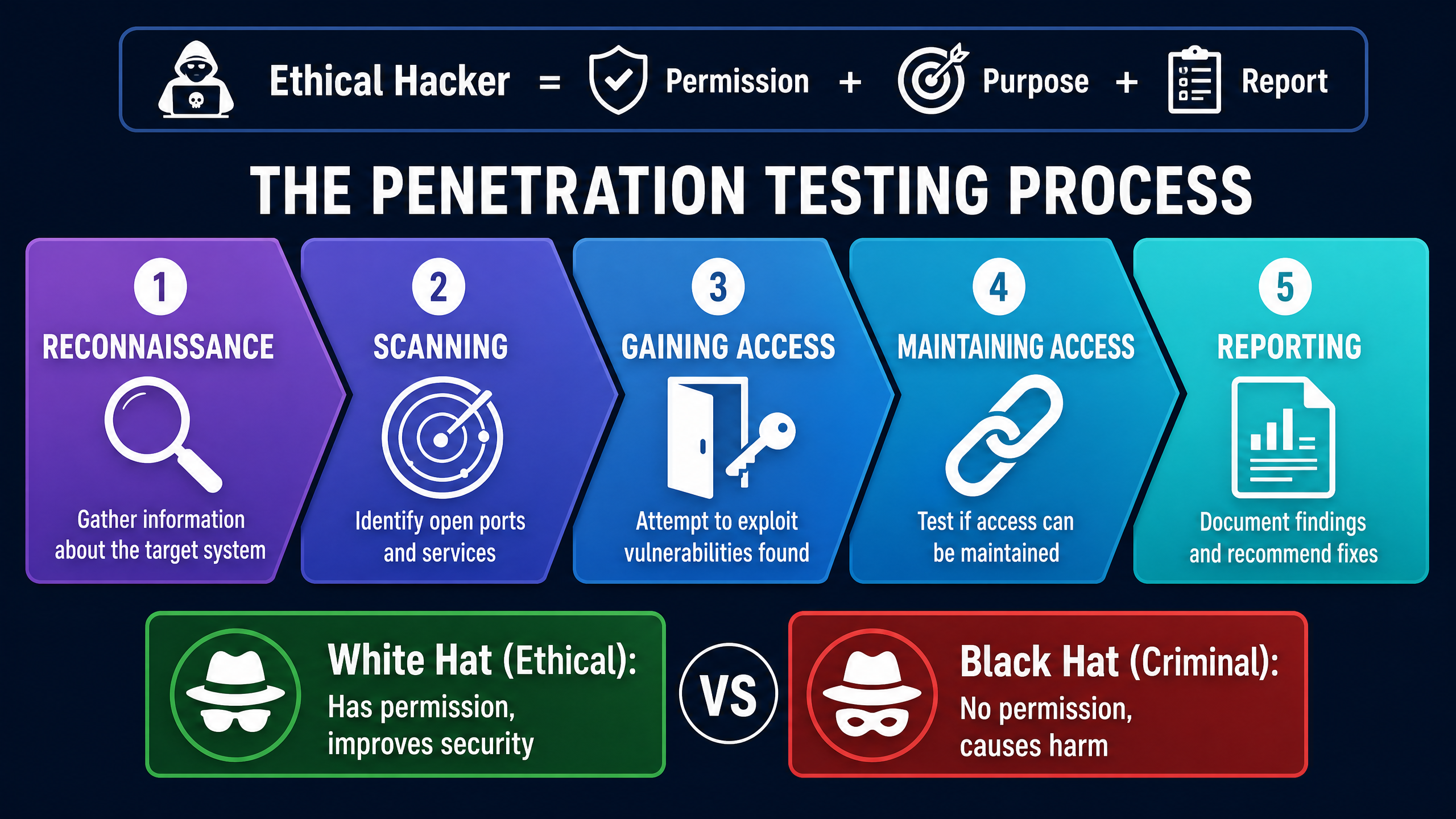
Penetration testing (pen testing) is the practice of deliberately attempting to attack a network or system to identify vulnerabilities before malicious attackers can exploit them. It is a proactive security measure.
- Ethical Hackers (White Hat): Security professionals hired by an organisation to conduct pen tests. They have explicit permission, aim to improve security, and provide a detailed report of their findings.
- Criminal Hackers (Black Hat): Individuals who attack systems without permission, with malicious intent to steal data, cause damage, or demand ransom.
The process typically involves: Reconnaissance (gathering info), Scanning (finding open ports/weaknesses), Gaining Access (exploiting the weakness), Maintaining Access, and Reporting.
Concept 4: Methods of Protecting Networks
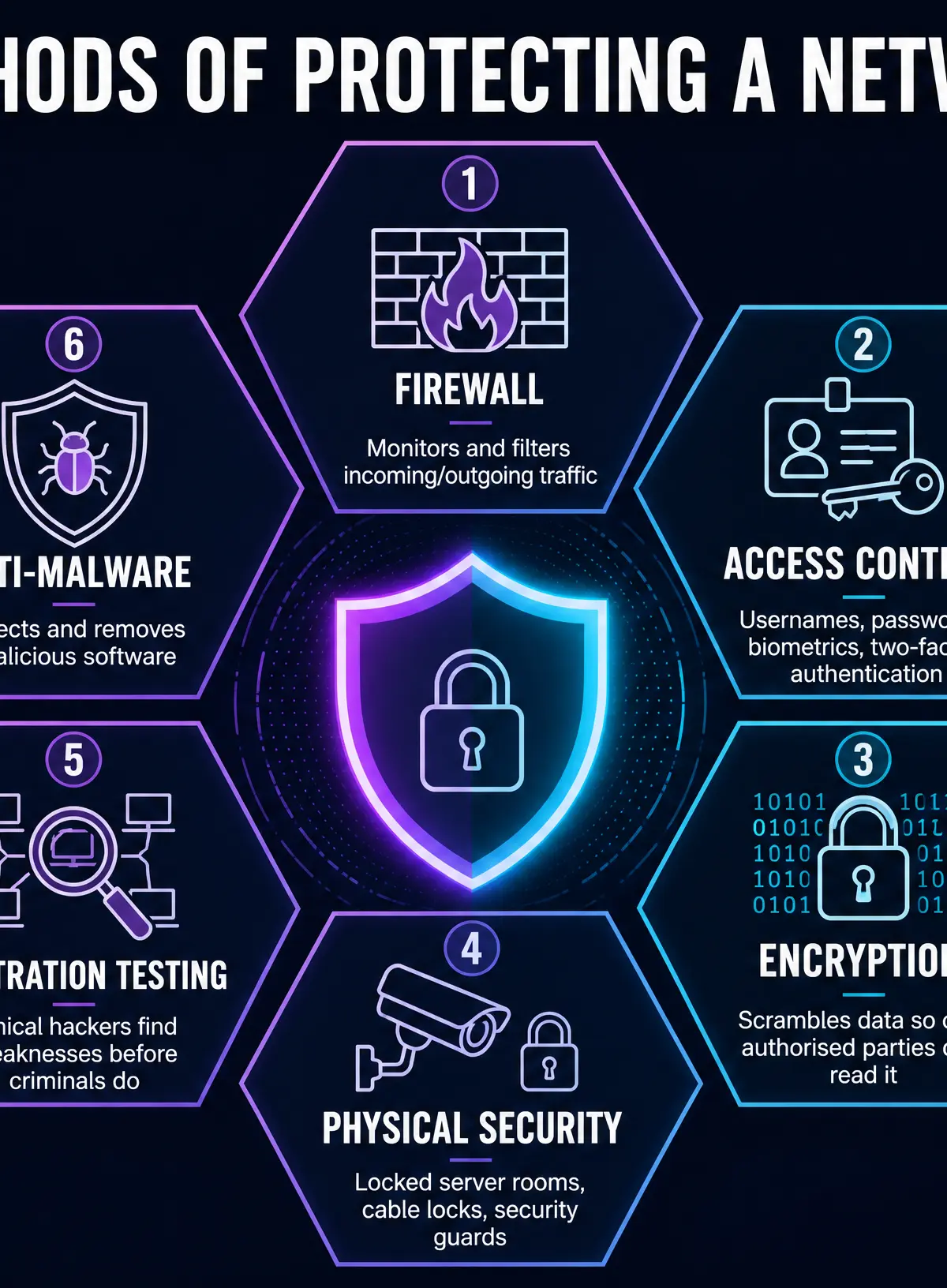
Organisations must implement multiple layers of security to defend against threats.
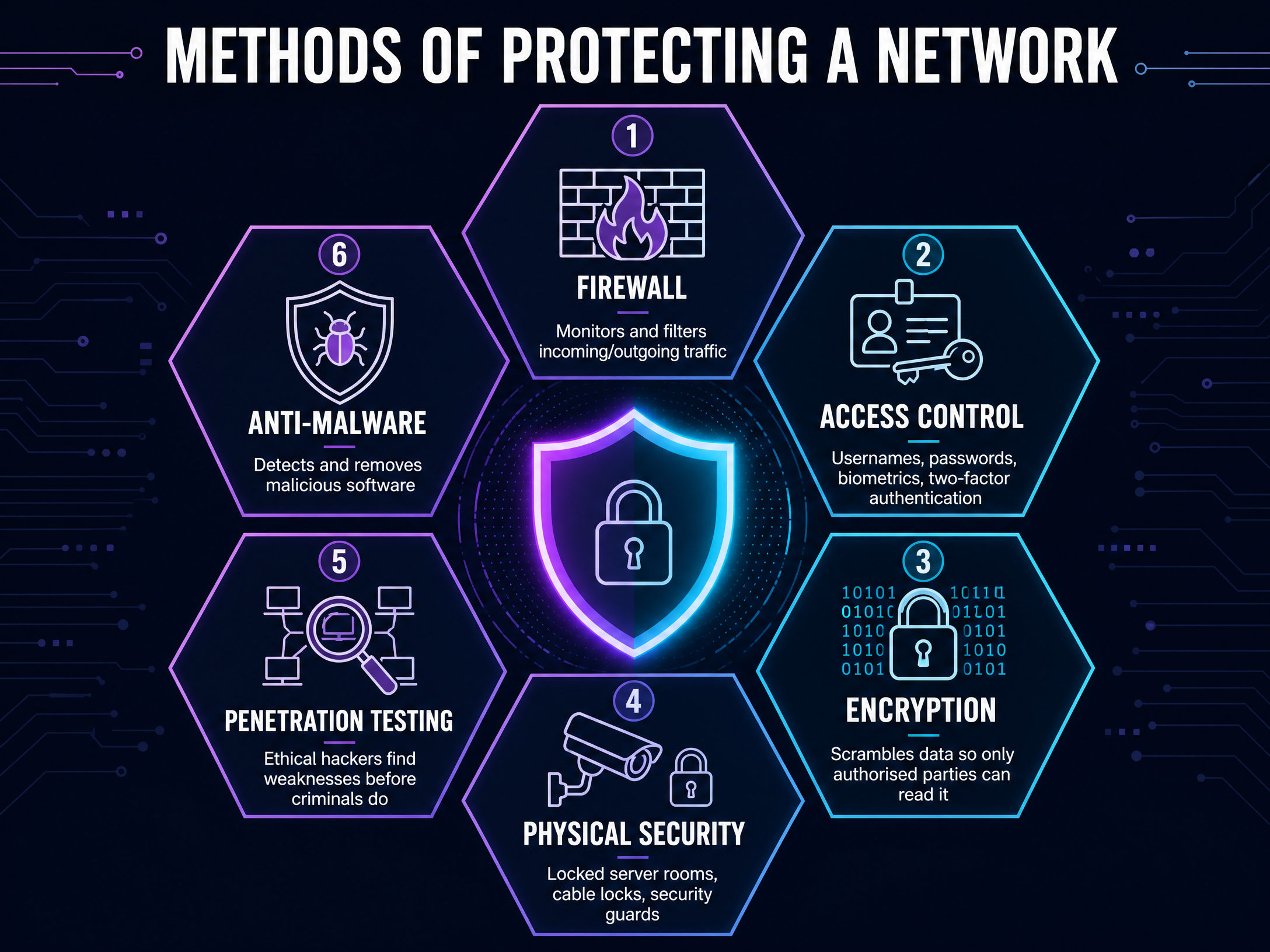
- Firewalls: A network security system (hardware or software) that monitors and controls incoming and outgoing network traffic based on predetermined security rules. It acts as a barrier between a trusted internal network and an untrusted external network (the internet).
- Access Control: Ensuring only authorised users can access specific resources.
- Authentication: Verifying identity (e.g., usernames/passwords, biometrics, two-factor authentication).
- Authorisation: Determining what an authenticated user is allowed to do (e.g., read-only vs. admin rights).
- Physical Security: Protecting the actual hardware. Measures include locked server rooms, CCTV, security guards, and biometric access to buildings. If an attacker can physically access a server, software security can often be bypassed.
- Encryption: The process of scrambling data into an unreadable format (ciphertext) using an algorithm and a key. Only those with the correct decryption key can read the data. It protects data in transit (e.g., HTTPS) and data at rest.
- Anti-Malware Software: Programs designed to detect, prevent, and remove malware. They use databases of known malware signatures and heuristic analysis to spot suspicious behaviour.
- User Education and Training: Training staff to recognise phishing emails, use strong passwords, and follow security policies to mitigate the risk of social engineering.
Audio Revision: Network Security Podcast
Listen to our comprehensive 10-minute revision podcast covering all the key concepts, exam tips, and a quick-fire quiz to test your knowledge.

Practical Applications
In the real world, these concepts are applied every day. When you connect to your bank's website, your browser and the bank's server negotiate an encrypted connection (HTTPS) to prevent Man-in-the-Middle attacks. The bank uses a firewall to block unauthorised traffic from reaching its internal databases. To log in, you use Access Control (username, password, and perhaps a code sent to your phone for two-factor authentication) to prevent Brute Force attacks. Meanwhile, the bank regularly hires Ethical Hackers to perform Penetration Testing to ensure their systems are secure against the latest threats.
Visual Resources
3 diagrams and illustrations
Interactive Diagrams
2 interactive diagrams to visualise key concepts
Conceptual Flow Outline
How a firewall filters network traffic based on rules.
Conceptual Flow Outline
The basic process of data encryption and decryption in transit.
Worked Examples
3 worked examples — open one to explore the question and available guidance.
Practice Questions
Test your understanding — click to reveal model answers
State two ways an organisation can protect its network from a brute force attack. [2 marks]
Hint: Think about what makes a password hard to guess, and what happens if you guess wrong too many times.
Explain how social engineering is used to compromise network security. [3 marks]
Hint: Social engineering targets people, not computers. Give an example of how this works.
A business is concerned about data being intercepted while employees work on public Wi-Fi. Explain one method they should use to protect this data. [3 marks]
Hint: If data is intercepted, how can you make sure the attacker can't understand it?
Compare the roles of a white hat hacker and a black hat hacker. [4 marks]
Hint: Focus on permission, intent, and what they do with their findings.
Explain what is meant by a SQL injection attack and describe one way a website can protect against it. [4 marks]
Hint: What does SQL do? Where do users type things on a website? How can the website check what they typed?