Pearson Edexcel · GCSE · Computer Science
Topic 5: Issues and impact
Master the environmental, ethical, and legal impacts of digital technology, alongside critical cybersecurity threats and protection methods. This topic bridges computer science with real-world consequences and is heavily tested on long-answer exam questions.
- 5 min read
- 3 worked examples
- 5 practice questions
- 6 key terms
Study Notes
Overview
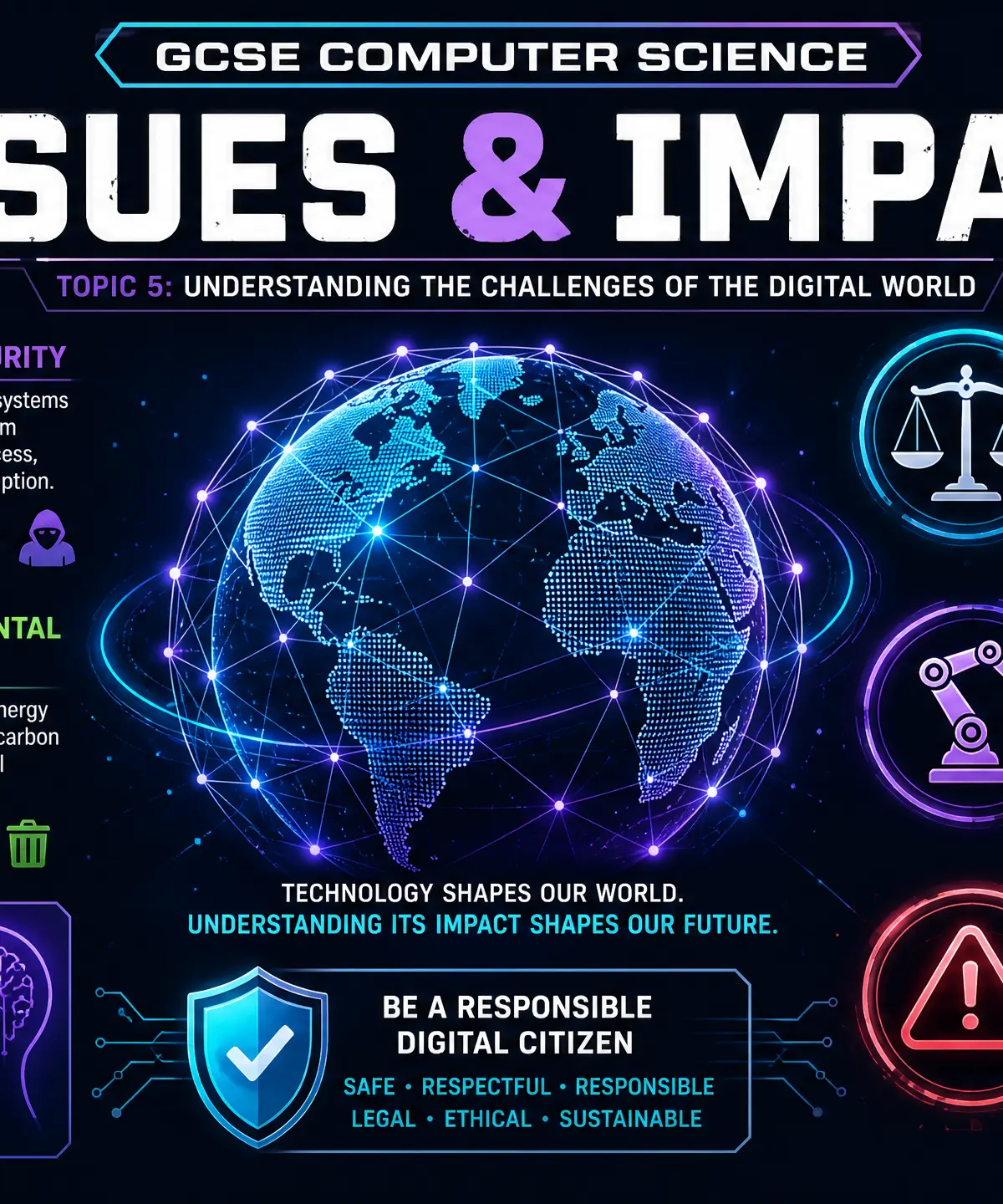
Welcome to Topic 5: Issues and Impact. This topic is crucial because it connects the technical aspects of Computer Science to the real world. Examiners use this topic to test your ability to evaluate the wider implications of technology on society, the environment, and the law. It frequently appears in long-answer (6-8 mark) questions where you must demonstrate balanced arguments and specific examples. Understanding this topic is essential not just for the exam, but for becoming a responsible digital citizen.
Listen to the companion podcast for this topic:

Key Concepts
Concept 1: Environmental Impact
The digital world has a massive physical footprint. Examiners expect you to go beyond "computers use electricity" and discuss the full lifecycle of devices.
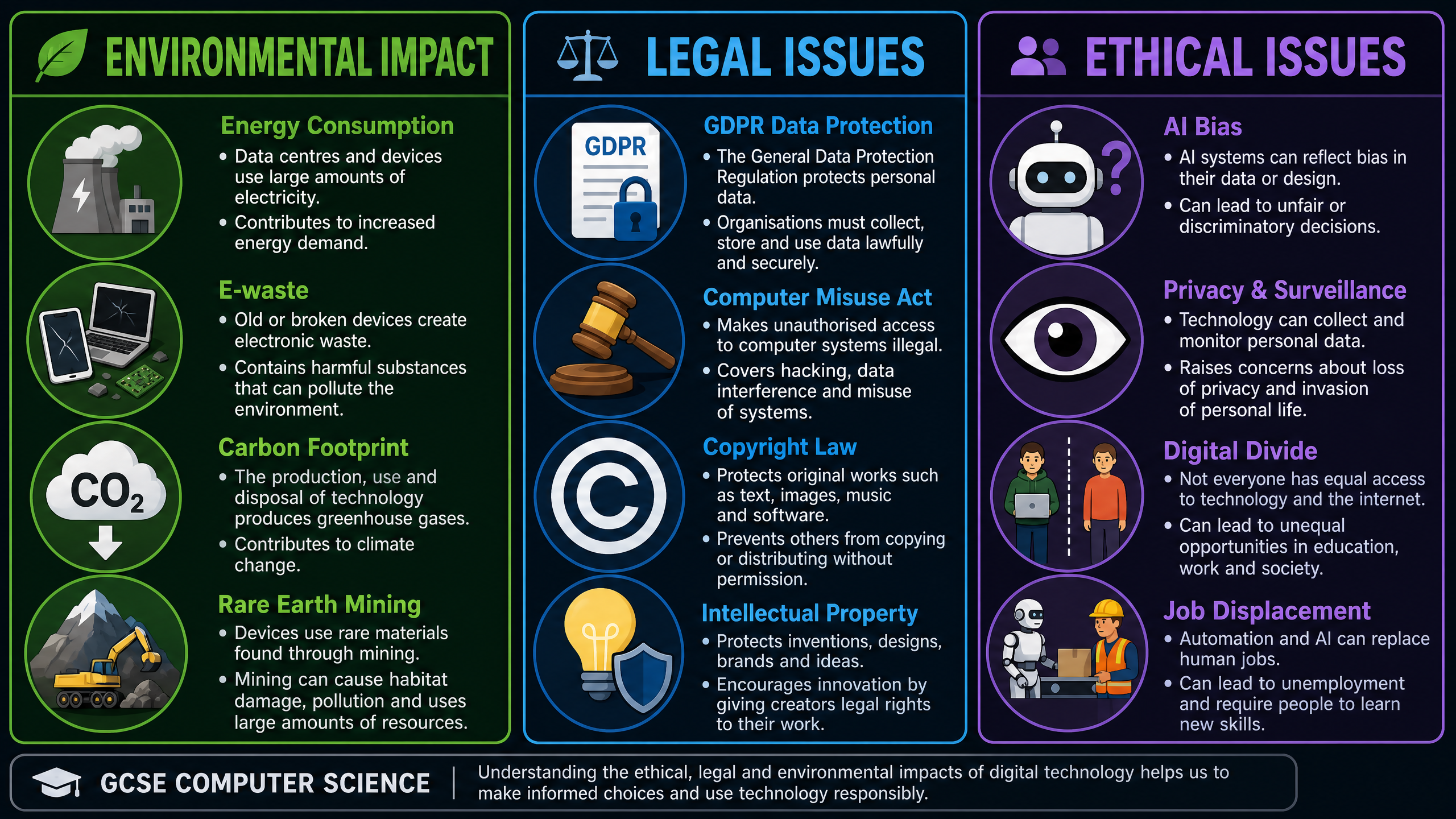
- Energy Consumption: Data centres require vast amounts of electricity for servers and cooling systems, contributing significantly to greenhouse gas emissions.
- E-waste: Discarded electronic devices often end up in landfills. They contain toxic chemicals (like lead and mercury) that can leach into soil and water.
- Resource Extraction: Manufacturing devices requires rare earth metals (like cobalt and lithium). Mining these causes habitat destruction and often involves poor labour conditions.
Example: A company upgrading its servers must consider how to securely and sustainably dispose of the old hardware to minimise e-waste.
Concept 2: Ethical and Legal Issues
Technology advances faster than the law, creating complex ethical dilemmas.
- Privacy vs. Convenience: We trade personal data for free services (like social media). This data is often used for targeted advertising, raising concerns about surveillance and consent.
- AI Bias: Algorithms are trained on historical data. If that data contains human biases, the AI will replicate and amplify them (e.g., biased facial recognition or hiring algorithms).
- The Digital Divide: The gap between those who have access to modern technology and those who do not, leading to inequalities in education and employment.
Concept 3: Legislation
You must know the specific names and purposes of key UK laws:
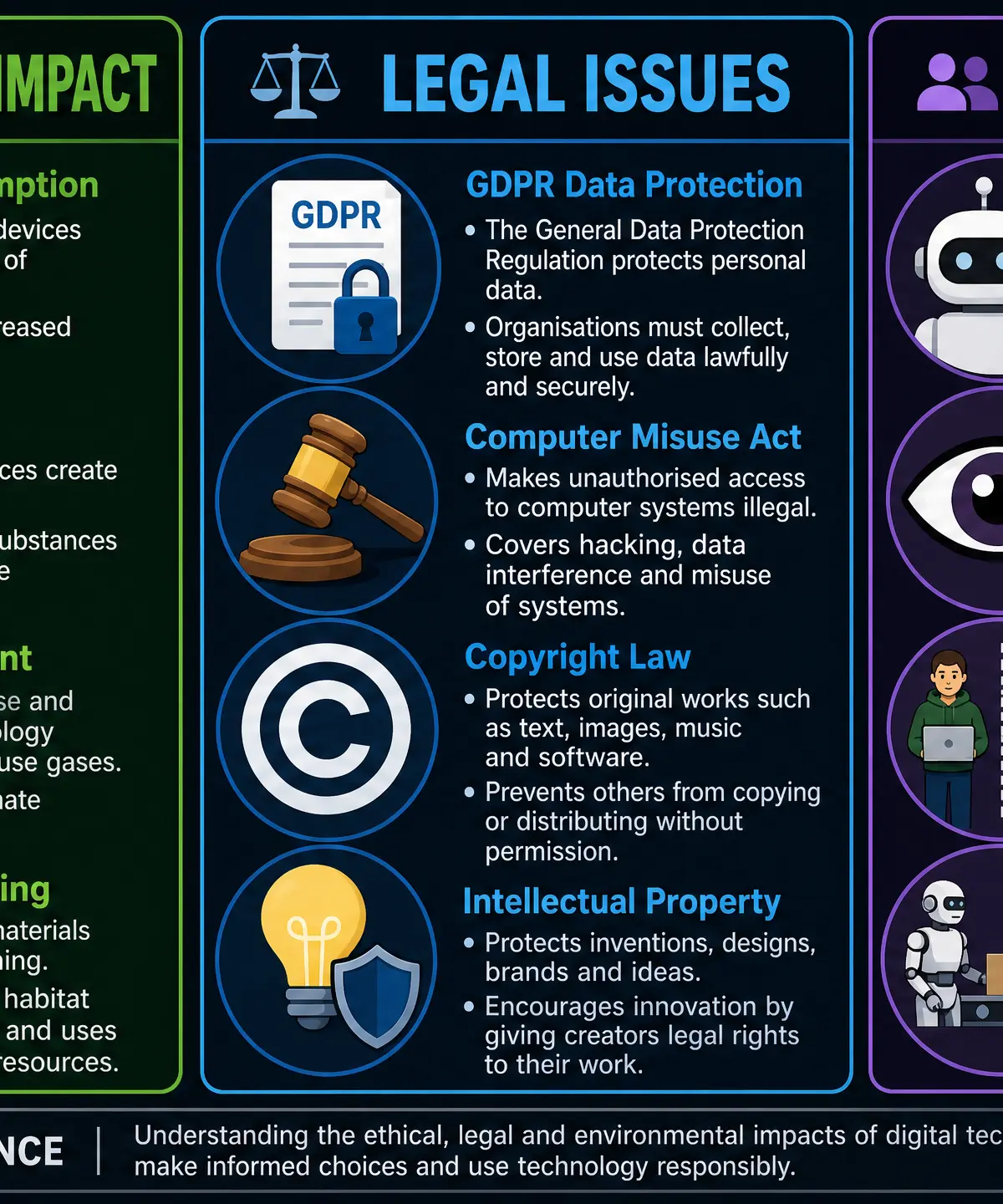
- Computer Misuse Act 1990: Makes it illegal to access computer systems without authorisation (hacking), access with intent to commit further offences, or modify data without permission (deploying malware).
- Data Protection Act 2018 (GDPR): Governs how organisations collect and process personal data. Data must be kept secure, accurate, and only used for its stated purpose.
- Copyright, Designs and Patents Act 1988: Protects intellectual property. It is illegal to copy, modify, or distribute software or media without the creator's permission.
Concept 4: Cybersecurity Threats
Systems are vulnerable to both technical attacks and human manipulation.
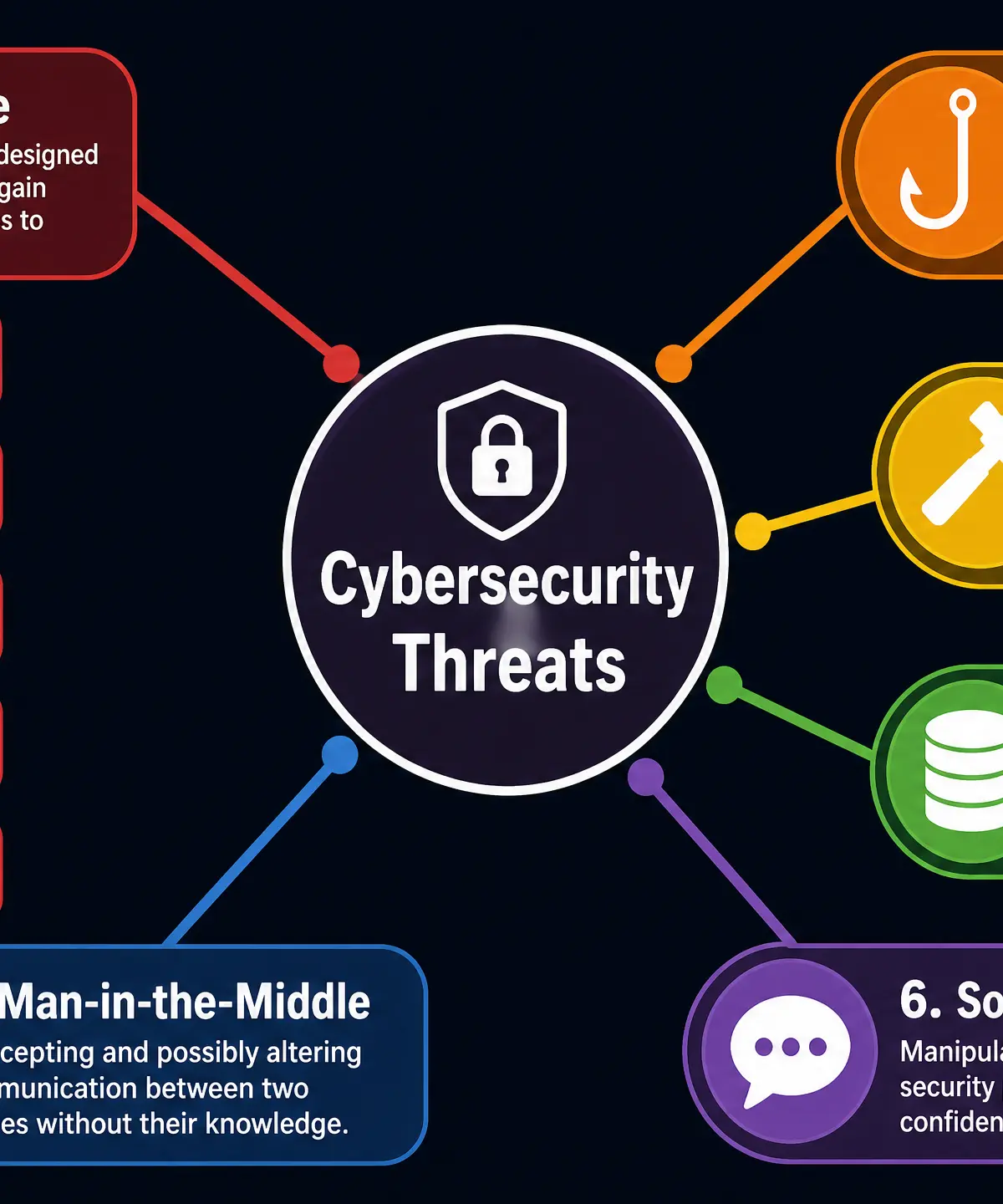
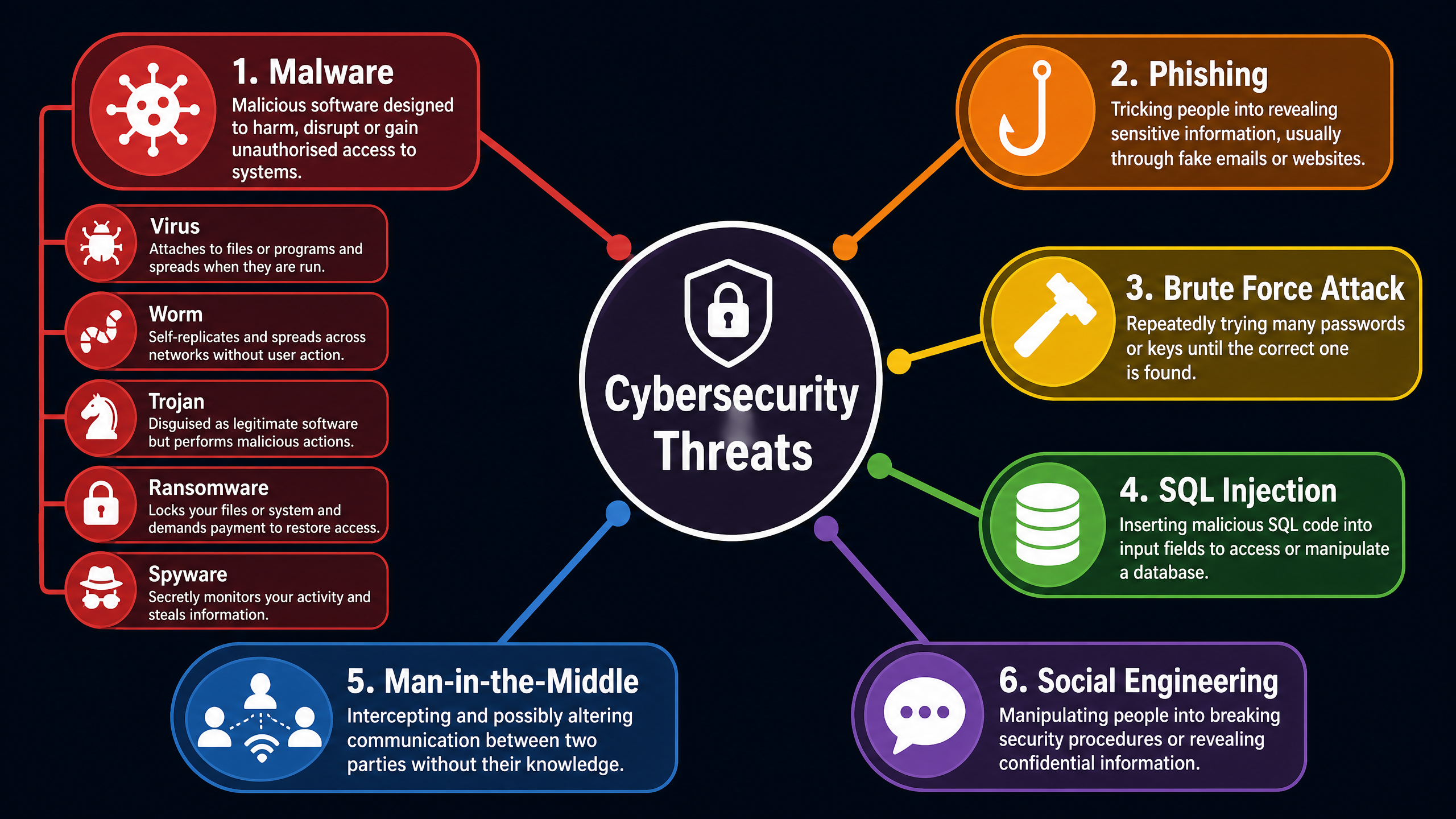
- Malware: Malicious software including viruses (need a host file), worms (self-replicating across networks), Trojans (disguised as legitimate software), ransomware (encrypts files for extortion), and spyware (secretly monitors activity).
- Social Engineering: Exploiting human psychology rather than technical flaws. Examples include phishing (fraudulent emails) and shoulder surfing (watching someone enter a PIN).
- Network Attacks: Brute force attacks (systematically trying all passwords), SQL injection (entering malicious database queries into input fields), and DDoS attacks (flooding a server with traffic to take it offline).
Concept 5: Protection Methods
Defending systems requires a multi-layered approach.
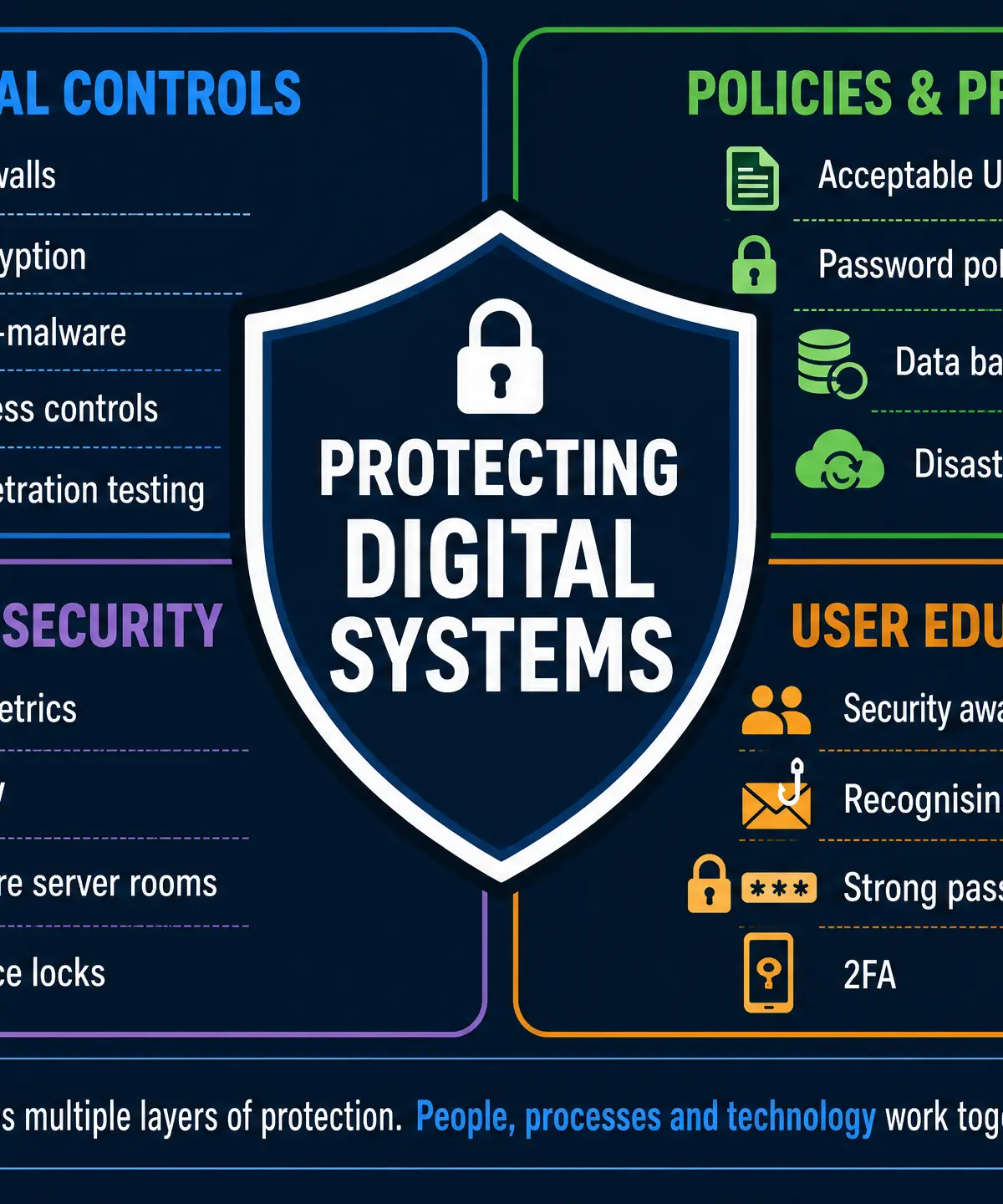
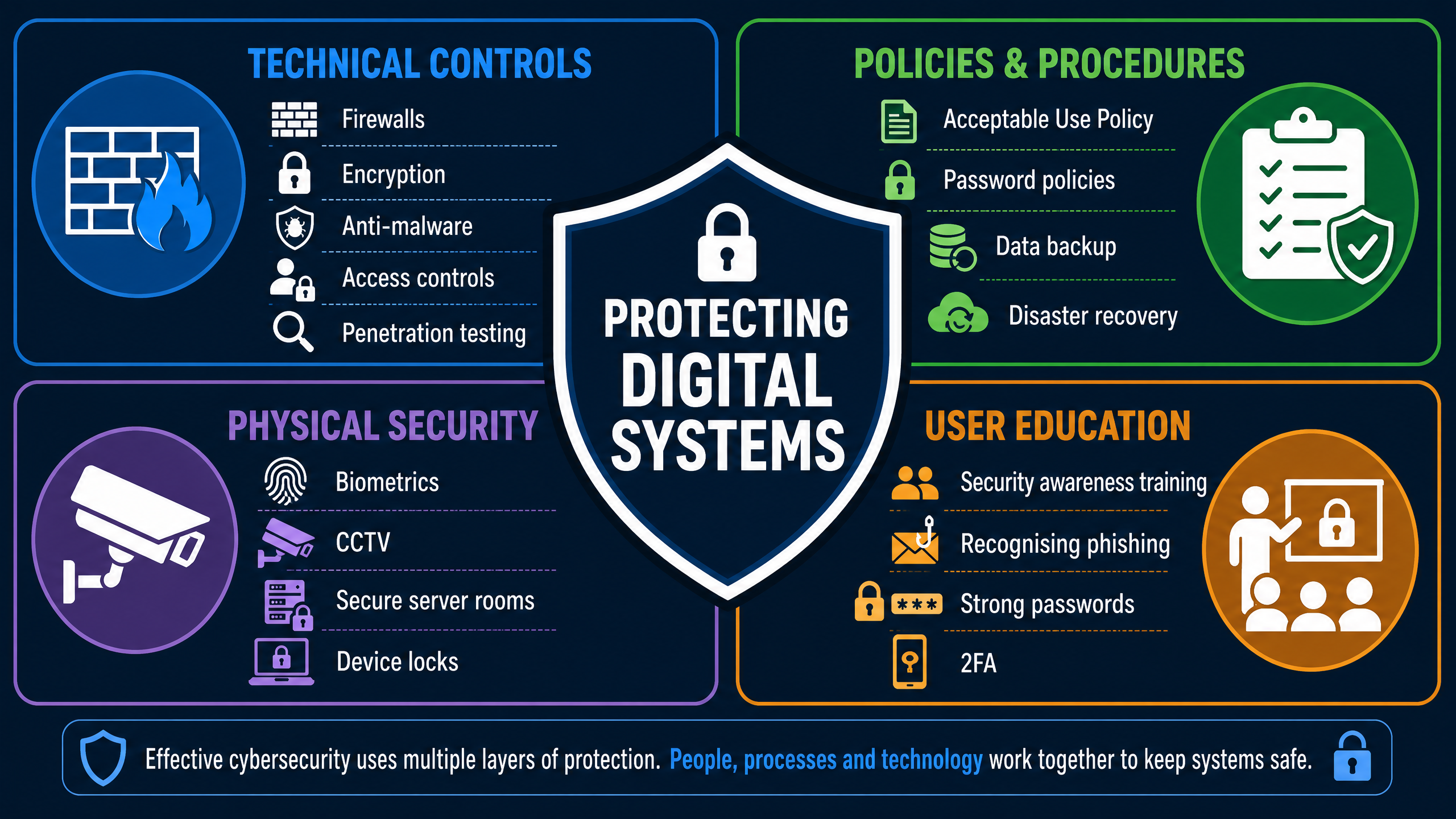
- Technical Controls: Firewalls (filter network traffic), encryption (scrambles data so it's unreadable without a key), and anti-malware software.
- Policies: Acceptable Use Policies (AUPs) dictate how employees can use company systems. Password policies enforce length and complexity.
- User Education: Training staff to recognise phishing emails and follow security protocols is often the most effective defence against social engineering.
Practical Applications
Understanding these issues is vital for anyone working in tech. A software developer must ensure their code complies with GDPR, while a network manager must configure firewalls to protect against malware and DDoS attacks.
Visual Resources
3 diagrams and illustrations
Interactive Diagrams
2 interactive diagrams to visualise key concepts
Conceptual Flow Outline
Flowchart illustrating a typical phishing attack sequence.
Conceptual Flow Outline
Classification of different malware types.
Worked Examples
3 worked examples — open one to explore the question and available guidance.
Practice Questions
Test your understanding — click to reveal model answers
State the name of the UK law that makes it illegal to access a computer system without authorisation. [1 mark]
Hint: Think about the act passed in 1990.
A student downloads a free game from an unofficial website. When they run the game, their files become locked and a message demands payment to unlock them. Identify the type of malware and explain how the student could have prevented this. [3 marks]
Hint: What type of malware demands a ransom?
Explain how a brute force attack works and describe one policy a network manager could implement to defend against it. [3 marks]
Hint: How does a hacker guess a password?
A smart speaker company collects audio recordings of users' voices to improve its voice recognition AI. Discuss the ethical and legal issues surrounding this practice. [6 marks]
Hint: Consider privacy, consent, and the Data Protection Act.
Explain the purpose of a firewall in a network. [2 marks]
Hint: What does a firewall do to incoming traffic?