OCR · GCSE · Computer Science
Course version: J277 · Version from Sept 2022
Wired and wireless networks, protocols and layers: Modes of connection Wired
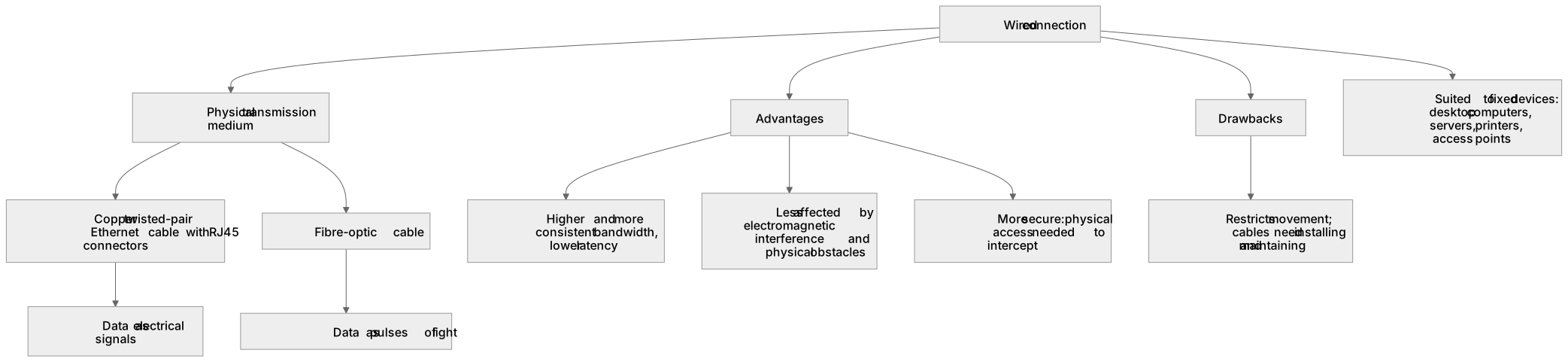
Wired connection means devices link using a physical cable, most commonly copper Ethernet cable such as Cat5e or Cat6 with RJ45 connectors, or fibre-optic cable for long distances and high bandwidth.
Checked against the OCR J277 specification on .
- Point 1 of 9
Study notes
From the checked teaching notes for this specification point.
The idea
Wired connection means devices link using a physical cable, most commonly copper Ethernet cable such as Cat5e or Cat6 with RJ45 connectors, or fibre-optic cable for long distances and high bandwidth. Data travels as electrical signals in copper or as light pulses in fibre, giving a stable, private medium that is hard to intercept without physical access. Wired links usually give higher and more consistent bandwidth, lower latency and less interference than wireless, which suits fixed devices such as desktop computers, servers, printers and access points. The trade-off is that cables restrict movement, need installation and can be costly or awkward to route. In an exam, describe the medium, the connector or cable type, and compare performance and security with wireless.
What earns the marks
- Wired connections use a physical transmission medium, typically copper twisted-pair Ethernet cable with RJ45 connectors, or fibre-optic cable.
- Data is transmitted as electrical signals along copper cable or as pulses of light along fibre-optic cable.
- Wired links generally provide higher bandwidth, more consistent data transfer rates and lower latency than wireless links.
- Wired connections are less affected by electromagnetic interference and physical obstacles than wireless signals.
- Wired networks are generally more secure because a device must gain physical access to the cable or a network point to intercept data.
- Wired connections restrict the movement of devices and require cables to be installed and maintained, which can be costly or impractical in some locations.
- Wired connections are well suited to fixed devices such as desktop computers, servers, printers and wireless access points.
Common mistakes and how to put them right
Saying wired connections are always faster in every situation.
Put it right by explaining that wired usually offers higher and more consistent bandwidth, but fibre and modern wireless standards can both be very fast.
Confusing the medium with the protocol.
Put it right by stating that the cable is the physical medium while Ethernet is the protocol that governs how data is sent over it.
Claiming wired networks cannot be intercepted at all.
Put it right by saying they are harder to intercept because physical access is needed, not that interception is impossible.
Exam tips
- Name the cable type and connector, for example copper Ethernet cable with RJ45 connectors, to show precise knowledge rather than just saying a wire.
- When comparing with wireless, structure your answer around bandwidth, latency, interference, security, cost and mobility.
- Use a scenario such as a school computer room or server room to justify why wired connections suit fixed, high-demand devices.
Try the lesson
The start of the Wired and wireless networks, protocols and layers: Modes of connection Wired lesson, made from checked teaching notes for this specification point.
Have a go first
Which type of cable is most commonly used to connect a computer to a wired local area network?
Listen
Wired connection means devices link using a physical cable, most commonly copper Ethernet cable such as Cat5e or Cat6 with RJ45 connectors, or fibre-optic cable for long distances and high bandwidth. Data travels as electrical signals in copper or as light pulses in fibre, giving a stable, private medium that is hard to intercept without physical access. Wired links usually give higher and more consistent bandwidth, lower latency and less interference than wireless, which suits fixed devices such as desktop computers, servers, printers and access points. The trade-off is that cables restrict movement, need installation and can be costly or awkward to route. In an exam, describe the medium, the connector or cable type, and compare performance and security with wireless. A strong answer earns marks for these points. Wired connections use a physical transmission medium, typically copper twisted-pair Ethernet cable with RJ45 connectors, or fibre-optic cable. Data is transmitted as electrical signals along copper cable or as pulses of light along fibre-optic cable. Wired links generally provide higher bandwidth, more consistent data transfer rates and lower latency than wireless links. Wired connections are less affected by electromagnetic interference and physical obstacles than wireless signals. A common slip: Saying wired connections are always faster in every situation. Instead, explaining that wired usually offers higher and more consistent bandwidth, but fibre and modern wireless standards can both be very fast. Exam tip: Name the cable type and connector, for example copper Ethernet cable with RJ45 connectors, to show precise knowledge rather than just saying a wire.
See it
Label the diagram
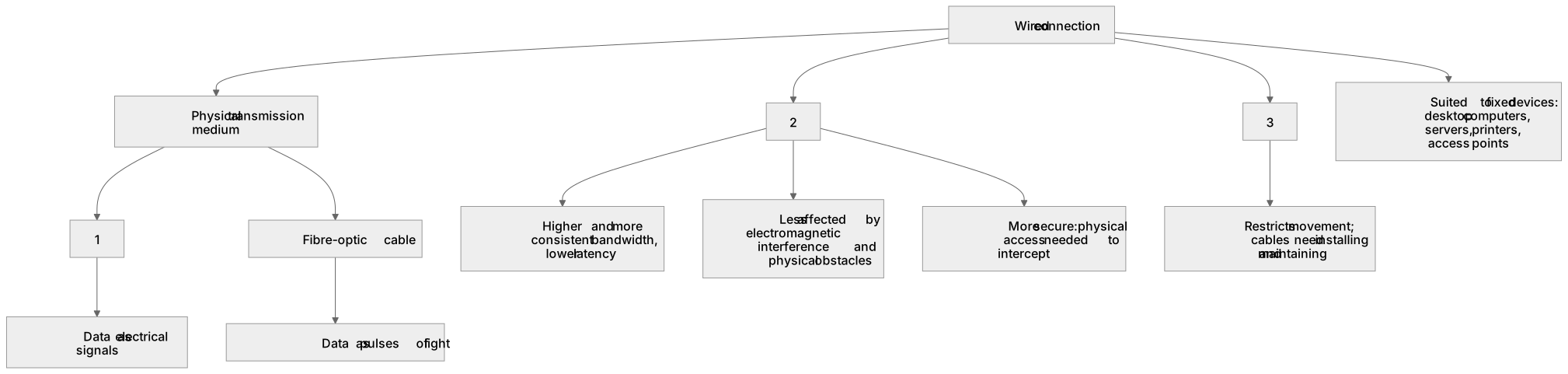
Some boxes have lost their names. Pick the right name for each number.
1Box 1
2Box 2
3Box 3
There is more to this lesson
The full lesson goes on to check your understanding and help you earn the marks. Create a free account to carry on, with your progress saved.
A week of Premium from your first lesson · Then the free plan continues · No card, no charge
Test your understanding of Wired and wireless networks, protocols and layers: Modes of connection Wired
Active recall beats re-reading. Take an instant quiz now to test what you’ve learned and lock it into long-term memory.
A week of Premium from your first lesson · Then the free plan continues · No card, no charge