10 Computer Science Quiz Questions with Answers

You've revised the definitions. You can explain what RAM means, recall the purpose of an algorithm and recognise a binary number. Then the question asks you to show your working, trace a loop or explain what happens when data moves across a network. Suddenly, knowing the keyword isn't enough.
That's where well-designed computer science quiz questions with answers help. The ten questions below move across memory, number bases, algorithms, validation, trace tables, cybersecurity, databases, compression and networking. Each answer shows the reasoning behind the mark, not just the final phrase, so you can spot the difference between remembering a fact and applying it.
If you're recovering lost ground, use the worked methods to rebuild one topic at a time. If you're aiming for the highest grades, pay close attention to command words, consequences and technical precision. Teachers can also use the explanations to judge whether an answer would stand up in GCSE or A-Level preparation, rather than accepting a vague response that only sounds right.
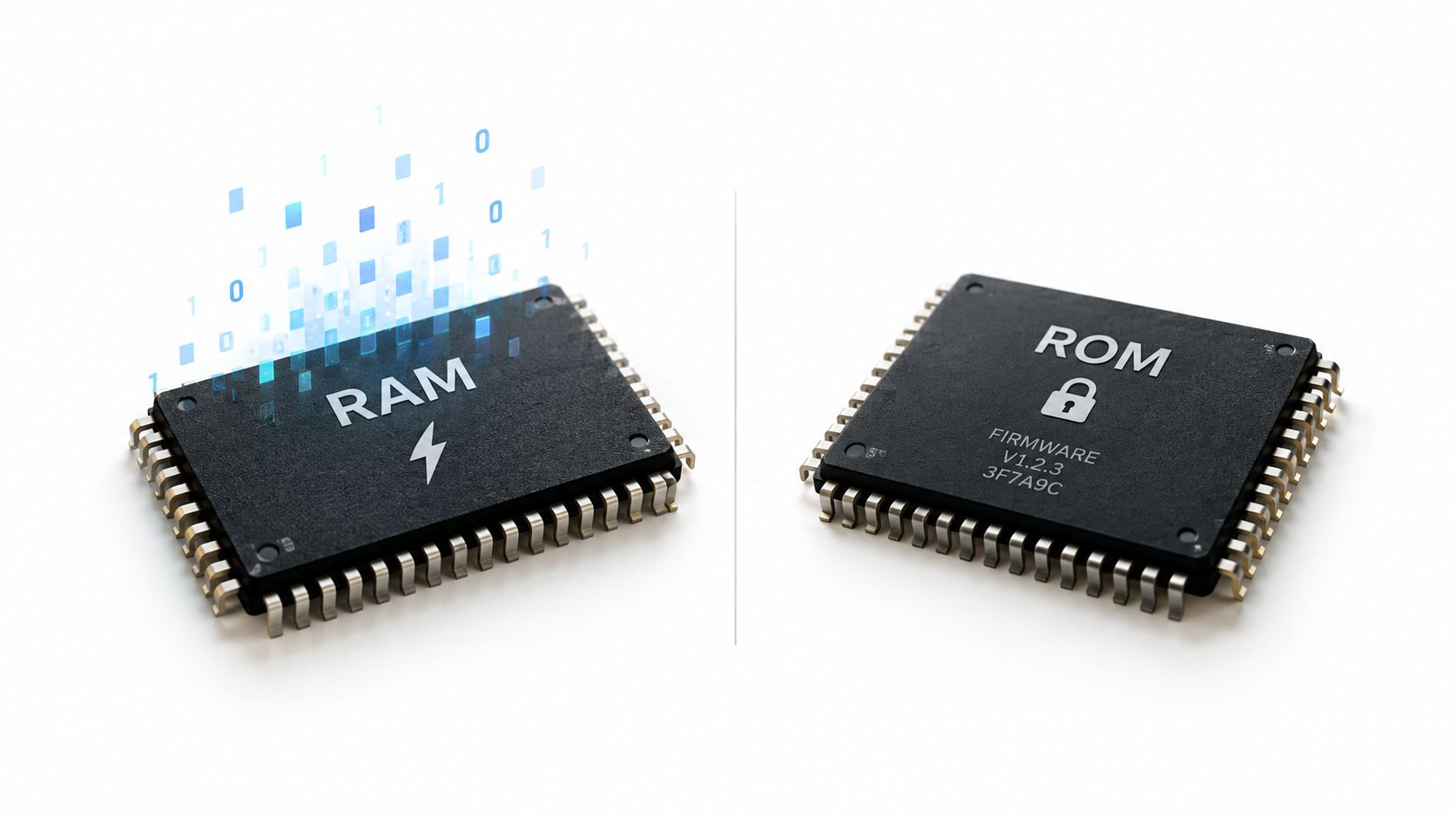
1. What is the difference between RAM and ROM?
Question: What is the difference between RAM and ROM?
Answer and reasoning
RAM, or Random Access Memory, is the computer's temporary working memory. It holds the programs and data that the processor is using while the device is switched on. RAM is volatile, which means its contents are lost when power is removed.
ROM, or Read-Only Memory, stores instructions that the computer needs to start and carry out basic hardware checks. It's non-volatile, so the instructions remain stored when the computer is turned off.
A useful example is editing a document in Microsoft Word. The running program and the document data being worked on are held in RAM. If the laptop loses power before you save, unsaved changes may disappear because they were only in working memory. Startup firmware, such as BIOS instructions that help the computer recognise connected hardware, is stored in ROM.
Exam wording: State both the storage behaviour and the purpose. “RAM is temporary” and “ROM is permanent” are useful starting points, but a stronger answer explains that RAM supports currently running programs while ROM contains startup instructions.
Don't confuse ROM with every storage device. A USB stick or SSD stores data non-volatilely, but the exam is asking about a computer's memory components and their roles. To place RAM and ROM beside other storage technologies, review hard drives SSDs and USBs.
Quick takeaway
Remember RAM equals working memory and ROM equals startup instructions. Ask yourself what would happen to the data if you switched off the laptop. If it disappears, it was volatile. If it remains, it was stored non-volatilely.
2. Convert the binary number 11010 to decimal
Question: Convert the binary number 11010 to decimal.
Worked method
Write the place values above the binary digits:
- 16: The left-hand digit is 1, so include 16.
- 8: The next digit is 1, so include 8.
- 4: The middle digit is 0, so include nothing.
- 2: The next digit is 1, so include 2.
- 1: The final digit is 0, so include nothing.
Now add the included values:
16 + 8 + 2 = 26
Therefore, 11010 in binary equals 26 in decimal.
Binary uses powers of two, just as decimal uses powers of ten. Each position doubles as you move from right to left. The safest method in an exam is to write the place values down, even if you think you can do the conversion mentally. That gives you visible working and makes it easier to find a misplaced digit.
Check your result
Convert 26 back into binary. The largest relevant power of two is 16, leaving 10. Include 8, leaving 2. Include 2, leaving 0. The 4 and 1 positions stay at zero, giving 11010.
This same positional idea appears when computers represent pixels, characters and network addresses. For extra exam-style practice, use GCSE Past Papers, but write out each calculation rather than checking only the final answer.
Speed matters less than reliable working: A correct place-value layout can earn method marks and protects you from adding a zero-position by mistake.
3. Explain what an algorithm is and give an example
Question: Explain what an algorithm is and give an example.
A clear definition
An algorithm is a finite, step-by-step set of instructions used to solve a problem or complete a task. The instructions need to be in an order that a person or computer can follow.
A recipe is a simple everyday example. To make a cake, you might collect the ingredients, measure them, mix them, place the mixture in a tin and bake it. The order matters. If you bake before mixing, or leave out an ingredient, the process won't produce the intended result.
That example earns more credit than just saying “an algorithm is like a recipe”. It defines the concept and explains how the steps produce an outcome.
From everyday tasks to computing
A computer science example could be binary search. The algorithm starts with an ordered list and checks the middle item. If the target is smaller, it searches the lower half. If the target is larger, it searches the upper half. It repeats this process until it finds the target or has no items left to check.
The key idea is that each decision reduces the remaining search area. A response aimed at higher marks can explain that the algorithm relies on the list being sorted. If the list isn't ordered, choosing the middle and discarding one side wouldn't be safe.
Sorting algorithms provide another familiar application. A program can arrange student records by surname, marks or candidate number, but it needs a defined sequence of comparisons and swaps to do so.
Examiner advice: Define the algorithm first, then give a specific example and explain why the steps must follow a logical order. Naming an algorithm without describing its operation leaves the application underdeveloped.
A strong answer connects instructions, order, decisions and the intended result. That's the move from recall to application.
4. What is meant by data validation and why is it important?
Question: What is meant by data validation and why is it important?
Answer in plain English
Data validation is the process of checking whether input is sensible and follows the rules expected by a system before the system processes or stores it. Validation can check a value's type, range, length or format.
For example, an online form might check that an email address contains an @ symbol. A shopping website could reject a birth date that lies in the future. A postcode field might accept only an input matching the required postcode pattern, while a bank system could reject letters in a cheque number field that should contain digits.
Validation doesn't prove that the information is true. A person could enter a correctly formatted but incorrect email address. The system has checked the input's structure, not whether the user gave the right real-world information.
Why systems use it
Invalid data can produce incorrect calculations, failed searches or confusing records. A range check can stop an impossible age from entering a form. A length check can prevent a username or password field from accepting input outside its allowed size. A format check can make sure a date or postcode follows the expected pattern.
Validation also supports security. Unexpected input can cause software to behave in unsafe ways, so rejecting data that doesn't follow the permitted rules reduces the chance that a system processes harmful content. In a coding answer, name the technique and connect it to the risk it reduces.
- Type check: Confirms that the input is the expected kind of data.
- Range check: Confirms that a number falls between allowed limits.
- Length check: Confirms that text isn't too short or too long.
- Format check: Confirms that characters follow a required pattern.
Important distinction: Validation checks whether data is reasonable. Verification checks whether data was entered or copied accurately. They aren't interchangeable terms.
5. Draw and label a trace table for this code snippet
Question: Draw and label a trace table for a short program that changes variables inside a loop.
A trace table records the value of each variable as a program executes. It gives you a controlled way to follow assignments, conditions, repetition and output. You shouldn't try to hold every changing value in your head.
Worked approach
Suppose a program starts with total = 0, then repeats a calculation that adds the current counter to total. Set up the headings before tracing:
The important point isn't the particular values. It's the order of execution. The counter changes, then the new counter value is added to the running total. If the program contains an if statement, record which branch executes and update only the variables affected by that branch.
Include variables that don't change as well. Their repeated value helps prove that you followed every line. Label each loop iteration clearly, especially when the same statements execute several times.
Avoiding trace-table errors
Students often jump directly to the final output or update a variable before the line that changes it has run. Another common mistake is forgetting that an assignment replaces the old value, while an accumulator expression uses the old value to calculate a new one.
Use one row for the initial state, then one row for each meaningful execution step or iteration. If the question asks for output, write it at the exact point where the program produces it.
You can practise this method with Exam Practice for GCSE, but always trace by hand first. The skill being assessed is your understanding of program flow, not your ability to recognise a displayed final value.
Here's a short visual explanation to reinforce the idea of following program state step by step.
6. What is cybersecurity and name three common threats
Question: What is cybersecurity, and what are three common threats?
Answer and examples
Cybersecurity is the practice of protecting computers, networks and data from unauthorised access, damage or disruption. A high-quality response names threats and explains how each one works.
- Malware: Malicious software, such as a virus or ransomware, can damage files, disrupt a system or make data unavailable. Anti-malware software, updates and safe downloads reduce exposure.
- Phishing: An attacker sends a fake message that appears to come from a trusted organisation. The aim is to trick someone into revealing a password, opening a harmful attachment or visiting a fraudulent website. Checking the sender, link and request independently helps prevent success.
- Brute-force attack: An attacker repeatedly tries passwords until one works. Strong, unique passwords and account lockout controls make repeated guessing more difficult.
Other valid threats include a man-in-the-middle attack, where an attacker intercepts data travelling between two parties, and social engineering, where the attacker manipulates a person, perhaps by pretending to be technical support.
Build the explanation
For each threat, give three linked parts: what it is, how it operates and what happens if it succeeds. “Phishing is a cyber threat” is too vague. “A fake email imitates a trusted service to steal login details” gives the mechanism and consequence.
A rounded answer includes prevention: Don't stop at naming the attack. Link phishing to user awareness, brute force to stronger passwords and malware to updates, scanning and cautious downloads.
Cybersecurity questions often reward precise cause and effect. A stolen password can lead to unauthorised account access. Ransomware can prevent the owner from opening files. Intercepted communication can expose information in transit. For focused preparation, use practical revision for GCSE cybersecurity.
7. Convert the decimal number 42 to hexadecimal
Question: Convert decimal 42 to hexadecimal.
Worked method
Hexadecimal is base 16. Its digits run from 0 to 9, then use letters for values above 9:
- A = 10
- B = 11
- C = 12
- D = 13
- E = 14
- F = 15
Divide 42 by 16. The result is 2 with a remainder of 10. The 2 becomes the sixteens digit, and the remainder 10 becomes A.
So:
42 decimal = 2A hexadecimal
Check the answer using place values:
2 × 16 + A × 1 = 32 + 10 = 42
Why hexadecimal is useful
Computers represent data in binary, but long binary strings are difficult for people to read. Hexadecimal gives a more compact representation because each hexadecimal digit corresponds to a group of four binary bits. You'll see hexadecimal in memory addresses, colour codes and character representations.
A web colour such as #FF0000 uses hexadecimal notation. The letters aren't decoration. They represent values from 10 to 15, so forgetting the A to F mapping can turn a correct division method into an incorrect final answer.
For larger values, divide by 16 repeatedly and record each remainder. Read the remainders from bottom to top. Always check by converting the hexadecimal result back into decimal, especially when a remainder becomes a letter.
Reliable method: Write the quotient and remainder separately. The quotient gives the higher-place digit, while the remainder gives the lower-place digit.
8. What is a database and what is the difference between a primary key and a foreign key?
Question: What is a database, and how do a primary key and a foreign key differ?
Answer through a school-record example
A database is an organised collection of structured data that can be stored, searched and updated electronically. A school might use separate tables for students and grades.
In a Students table, StudentID can act as the primary key. It uniquely identifies each student record within that table. No two student records should share the same primary-key value.
A Grades table might also contain StudentID, but there it acts as a foreign key. It refers to the primary key in the Students table and connects a grade to the correct student.
The relationship means the database doesn't need to repeat the student's full name and contact details every time a grade is stored. The key creates a link between tables and helps maintain consistency.
Keep the terms separate
Think of the primary key as the table's unique identifier. Think of the foreign key as a reference that points from one table to a related table.
A library system uses the same idea. BookID could uniquely identify a book in a Books table, while a Copies table could use BookID to show which title each physical copy belongs to. An online shop might connect customer records to orders in a similar way.
- Primary key: Unique within its own table.
- Foreign key: Stores a value that refers to a key in another table.
- Relationship: Allows connected records to be retrieved without unnecessary duplication.
A foreign key doesn't normally need to be unique, because several grades can belong to one student or several copies can belong to one book. That distinction often separates a secure definition from a memorised but incomplete one.
You can also browse this database tag index for related database prompts, then practise drawing the tables and the relationship between their key fields.
9. Explain what compression means and describe the difference between lossy and lossless compression
Question: Explain compression and describe the difference between lossy and lossless compression.
The central distinction
Compression reduces the amount of storage space needed for a file and can make transmission more efficient. The method chosen depends on whether the original data must be reconstructed perfectly.
Lossless compression preserves all the original information. When the file is decompressed, it can be restored exactly. A ZIP archive is a familiar example. PNG images also use lossless compression, which is useful when every detail must remain accurate.
Lossy compression permanently removes some information to create a smaller file. A JPEG image may discard visual detail that people are less likely to notice. MP3 audio can remove frequencies that listeners may not hear easily. The result can be much smaller, but repeated processing or aggressive compression can reduce quality.
Choose the method for the purpose
Use lossless compression for source code, text documents and files where one missing character could change the meaning or make the file unusable. Use lossy compression for photos, music and video when a reduction in quality is acceptable in exchange for a smaller file.
The strongest answers state the trade-off directly:
Lossless means larger files but perfect reconstruction. Lossy means smaller files but some permanent loss of quality or data.
Don't describe lossy compression as “bad”. A streaming service or photo-sharing app may choose it because smaller files transfer more easily. Don't describe lossless compression as always better either. If the priority is a compact media file and the lost detail isn't noticeable, lossy compression may be the practical choice.
Memory aid: Lossless has no loss of original data. Lossy sacrifices some data for size.
For full marks, name at least one concrete example of each type and explain why the intended user would choose it. That final purpose statement turns two definitions into an applied answer.
10. Describe what TCP/IP is and explain why it's important for internet communication
Question: Describe TCP/IP and explain why it's important for communication over the internet.
Separate the two protocols
TCP/IP is a suite of communication protocols used to transfer data across networks, including the internet. The two names describe different responsibilities.
IP, or Internet Protocol, provides addressing and routing. It helps data move towards the correct destination by using network addresses. You can compare an IP address with a postal address. Without a destination address, the network wouldn't know where to send the packets.
TCP, or Transmission Control Protocol, supports reliable delivery. It breaks data into packets, checks that packets arrive and are usable, arranges them in the correct order and requests missing data again when necessary.
When you send an email, IP helps route packets to the relevant server, while TCP helps ensure the message is reconstructed correctly. The same division of responsibility applies when a program exchanges data with a remote service.
Why the combination matters
Different devices and networks need a shared set of rules. TCP/IP allows hardware and networks made by different manufacturers to communicate using standardised procedures. It also separates tasks, so addressing and routing can be handled independently from reliable delivery.
For an A-Level response, describe TCP/IP as a layered model or protocol suite rather than treating it as one single operation. A short answer can still earn useful credit if it clearly assigns routing to IP and reliable, ordered transmission to TCP.
- IP handles: Addressing and routing packets.
- TCP handles: Reliable delivery, ordering and retransmission.
- Together they provide: A common method for internet communication across different systems.
Exam technique: Don't write that TCP “finds the destination”. That's IP's role. Don't write that IP guarantees delivery. That's TCP's responsibility.
10 CS Quiz Q&A Comparison
| Topic | 🔄 Implementation complexity | ⚡ Resource requirements | 📊 Expected outcomes | 💡 Ideal use cases / tips | ⭐ Key advantages |
|---|---|---|---|---|---|
| What is the difference between RAM and ROM? | Low, simple conceptual distinction | Minimal, conceptual examples or device photos | Clear understanding of volatile vs non‑volatile memory | Basic computer architecture questions; relate to saving/booting | Foundational concept; easy to verify |
| Convert binary 11010 to decimal | Low, methodical place‑value steps | Minimal, paper/pencil; no calculator needed | Accurate base‑2 to base‑10 conversion (26) | Data representation practice; networking basics; practise speed | Deterministic process; repeatable skill |
| Explain what an algorithm is and give an example | Low–Medium, definition plus worked example | Minimal, choose a familiar real‑world example | Shows ability to decompose and order steps | Programming foundations; use recipes or search/sort examples | Flexible; demonstrates problem‑solving |
| What is meant by data validation and why is it important? | Medium, multiple validation types to describe | Low–Medium, examples or simple code snippets | Demonstrates robustness, error prevention, security awareness | Form handling, input sanitisation, exam answers should include checks+benefit | Practical, directly observable in apps |
| Draw and label a trace table for this code snippet | Medium–High, careful step‑by‑step tracing | Time and focus, set up table and iterate lines | Precise record of variable states and program flow | Debugging, exam code tracing; set up columns before starting | Unambiguous answers; earns method marks |
| What is cybersecurity and name three common threats | Medium, define + explain threats clearly | Moderate, up‑to‑date examples improve answers | Demonstrates threat awareness and prevention strategies | Real‑world scenarios (phishing, malware, brute force) | Highly engaging; links to many topics |
| Convert decimal 42 to hexadecimal | Low, division/remainder method | Minimal, pen/paper; remember A–F mapping | Correct base‑10 to base‑16 result (2A) | Memory addresses, colour codes; show division steps | Systematic once learned; widely used in computing |
| What is a database and difference between primary & foreign key? | Medium, conceptual plus relationship examples | Low, diagrams or table examples helpful | Understands data integrity and table relationships | Database design, SQL questions; draw simple ER diagram | Prevents duplication; enforces referential integrity |
| Explain compression and difference between lossy & lossless | Medium, trade‑offs and examples required | Low–Medium, examples (ZIP, JPEG, MP3) | Shows when to preserve data vs when to accept quality loss | Multimedia vs documents; state examples and trade‑offs | Reduces storage/transfer; practical real‑world impact |
| Describe TCP/IP and why it's important for internet communication | Medium–High, layered concepts and interaction | Moderate, diagrams/analogies (postal system) aid explanation | Shows routing, addressing, and reliable delivery concepts | Networking questions; use TCP vs IP separation and examples | Fundamental, standardised protocol suite for the Internet |
Make Every Answer Earn Its Marks
These ten questions work best as a routine, not as a page to read once and forget. Start by hiding the answers and responding from memory. For definitions, write a complete sentence. For calculations, show the place values or remainders. For algorithms and cybersecurity, explain the process and consequence rather than listing a keyword.
When you trace code, draw the table before you execute the first line. Record the initial state, update one variable at a time and label every loop iteration. When you finish, compare your result with the worked explanation and identify the exact missing mark point. Don't rewrite an entire page if only one detail was absent.
Your error log should describe the misconception, not just the topic. “Databases” is too broad to guide your next session. “I called a foreign key unique” tells you what to practise. Other useful labels include confusing validation with verification, treating RAM as long-term storage, mixing up lossy and lossless compression, assigning routing to TCP instead of IP, or converting a hexadecimal remainder without changing 10 into A.
After correcting an answer, revisit it through mixed-topic practice. A binary calculation beside a database definition forces you to change mode, just as a real paper may move from recall to application. GCSE Computer Science is a mainstream UK school subject rather than a niche option. In England, GCSE Computer Science was the 16th most popular GCSE, taken by 13.4% of the cohort, while A-Level Computer Science was the 18th most popular A level, taken by 6% of the cohort. Those figures are reported in the BCS review of computing qualifications in England, and they help explain why precise revision resources matter to a large assessment community.
Question format matters too. Research reviewed by Cambridge Assessment found that changing the format of a GCSE or IGCSE computer science question changes its cognitive demand, as described in the Ofqual review of GCSE Computer Science. Multiple-choice recall, short explanation, programming trace and extended response shouldn't be treated as identical practice. A question bank should make you retrieve the fact, apply it to a scenario and explain the reasoning in the form the exam expects.
The UK qualification system has also changed relatively recently. Computing at School was founded in 2008, the first GCSE Computing trials began in 2011, and the new computing programme of study came into effect in 2014, according to the BCS timeline linked above. GCSE Computer Science entries then rose from 76,180 in 2020 to 93,985 in 2024, an increase of more than 23%, while OCR reported that around 57% of providers offered A-Level Computer Science in 2023 in its review of the subject's growth. That expansion means your revision needs to follow current specification language rather than relying on old worksheets with unclear terminology.
Exam-board details make that especially important. AQA's GCSE Computer Science 8525 uses two written papers, with each paper worth 50% of the GCSE, as shown in the AQA specification overview. OCR J277 includes multiple-choice, short-response and extended-response questions, including an 8-mark extended response question, according to the OCR specification. WJEC uses a digital examination and an on-screen programming examination, each worth 50% and 80 marks, with assessment objectives weighted 30% AO1, 40% AO2 and 30% AO3, as set out in the WJEC GCSE Computer Science specification.
Use those differences to choose practice deliberately. If you're rebuilding confidence, begin with one definition and one worked calculation. If you're pushing for top grades, add trace tables, longer explanations and unfamiliar scenarios. Teachers can ask students to underline the command word, circle the technical terms and annotate where each mark point appears.
MasteryMind is one optional way for UK GCSE and A-Level learners to practise examiner-aligned computer science questions, including trace tables, binary and hexadecimal problems, algorithms and networks. Its feedback can show the steps behind an answer and its topic tracking can help you return to misconceptions, but it shouldn't replace writing the answer yourself or understanding the method.
Use MasteryMind to practise UK GCSE and A-Level computer science questions with step-by-step feedback on trace tables, binary, hexadecimal, algorithms and networks. Start with a mixed quiz, review the exact mark points you missed and return to the topics that still need work.
Ready to master this topic?
Practise with quizzes, blurt exercises and exam questions on MasteryMind.
7 days Premium · Then free forever · No card, no charge