GCSE Computer Science Trace Tables Explained
You're in the exam hall, staring at a block of pseudocode. The question asks for the final output, but the algorithm contains a loop, an IF statement and several changing variables. You try to follow everything in your head, then one value changes and the whole calculation becomes difficult to trust.
That's exactly where GCSE Computer Science trace tables help. They turn a moving algorithm into a clear record of what each variable contains at each stage. You don't need to rely on memory or guess the answer. You simulate the computer's actions carefully, one instruction at a time.
Understanding Trace Tables in GCSE Computer Science
A trace table is a grid used to record how variable values change while an algorithm runs. You usually create a column for each important variable, then add values as the computer processes instructions, conditions and loops.
The table gives you a physical version of the computer's working memory. Instead of trying to remember that total changed before count, and that the IF statement only ran after the loop condition was checked, you write each state down. This makes complicated code much easier to follow.
Core idea: A trace table isn't a copy of the program. It's a record of the program's changing state.
AQA describes trace tables as a way to run through an algorithm and simulate how a computer executes code. Its guidance explains that the technique shows changes to variables, conditions and outputs step by step, with time moving from left to right and then from top to bottom. You can read the AQA GCSE Computer Science trace table guidance for the exam-board explanation.
That execution order matters because GCSE questions test whether you understand what the algorithm does, not whether you can recognise familiar keywords. A loop might run again after a value changes, or an output might only appear when a condition becomes true. A trace table makes those decisions visible.
Trace tables are also used across the UK GCSE Computer Science exam-board environment. BBC Bitesize-aligned Edexcel revision material explains that students enter a change each time a variable changes and record the instruction involved. It also presents trace tables as a way to compare what a variable should contain with what the program really produces. That makes the method useful for both output questions and debugging questions.
Students who are rebuilding their confidence can use the same approach when learning how to revise OCR GCSE flowcharts. Teachers can reinforce it as a practical routine: read, record, update and check. Once that routine becomes automatic, trace-table questions feel far less mysterious.
Setting Up Your First Trace Table
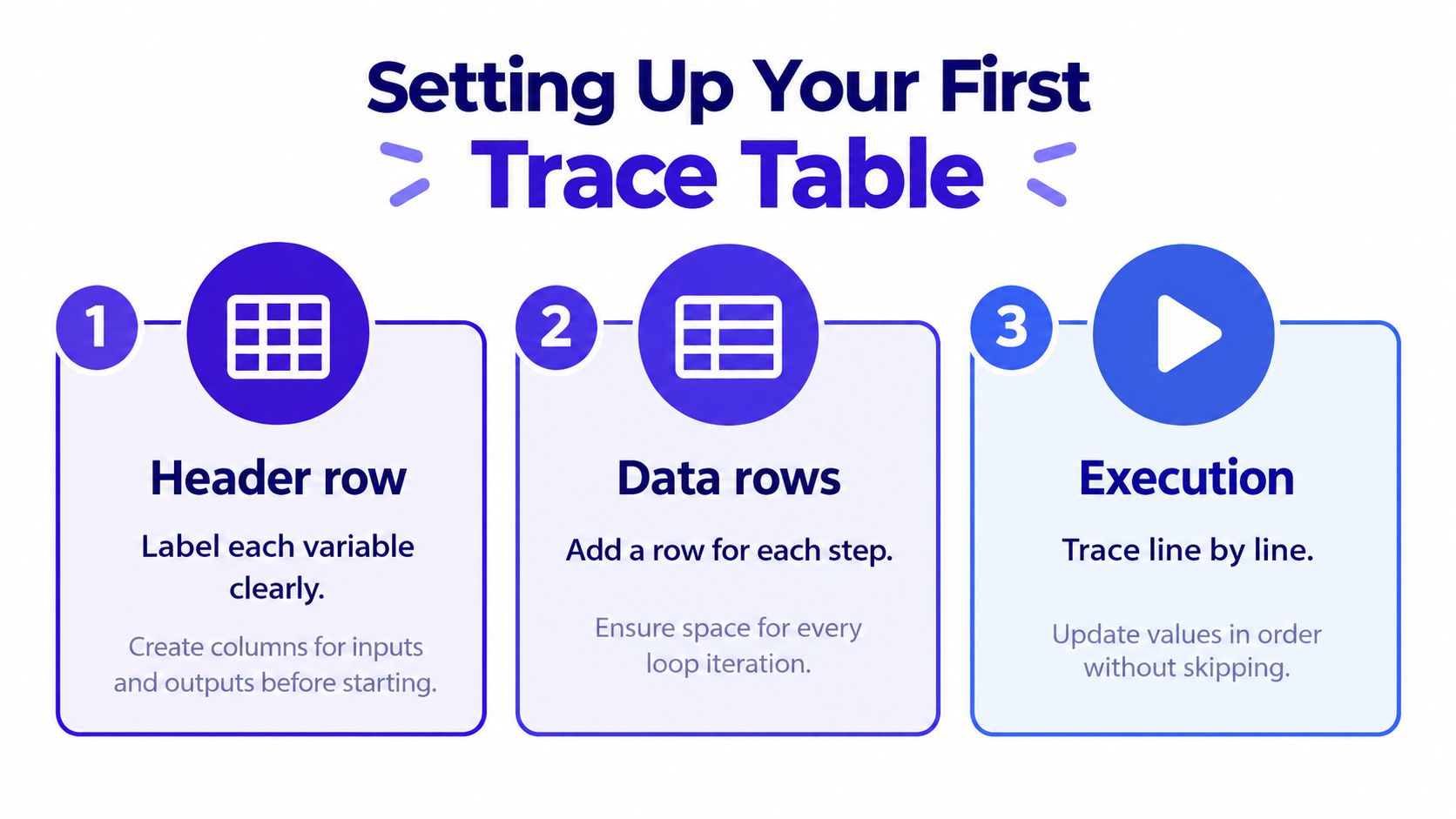
A messy table creates avoidable mistakes before you've even started tracing. Spend a short moment setting up the grid properly, then use the same layout throughout the question.
Choose useful columns
Start by identifying the variables whose values change or affect the result. These might include a counter, an accumulator such as total, a temporary value, a Boolean flag or an output variable.
You don't always need a column for every name in the code. AQA specifically notes that not every variable, condition or output needs to be included. The point is to track the parts of the algorithm that help you understand its execution, not to reproduce every line mechanically.
A useful first layout might contain:
- Instruction or iteration: Record where the value came from, so you can follow the order.
- Changing variables: Give each important variable its own clearly labelled column.
- Output: Add this when the algorithm displays or returns a result.
If the question provides line or instruction numbers, use them. If it refers to loop iterations, record those instead. This creates an audit trail, which is particularly helpful if you make a mistake and need to work out where your answer first went wrong.
Follow the direction of time
The golden rule is simple: time moves left to right and then top to bottom. Values across a row belong to the same stage of execution. Once you move to the next row, you're recording a later stage.
Don't fill a column from top to bottom based on what you think the final values should be. Read the algorithm in execution order, then update the relevant cells. MasteryMind programming revision materials can support practice with the wider programming ideas that appear alongside tracing.
Leave enough space for each loop iteration. If you're working on paper, draw a larger table than you think you need. A cramped grid encourages skipped steps, unclear corrections and values written in the wrong row.
Practical rule: If you can't point to the instruction that caused a value to change, don't write the new value yet.
Tracing a Loop Step by Step
A loop becomes manageable when you treat every pass as a small sequence of events. Don't jump from the starting values to the final output. Act as if you're the computer and process one instruction at a time.
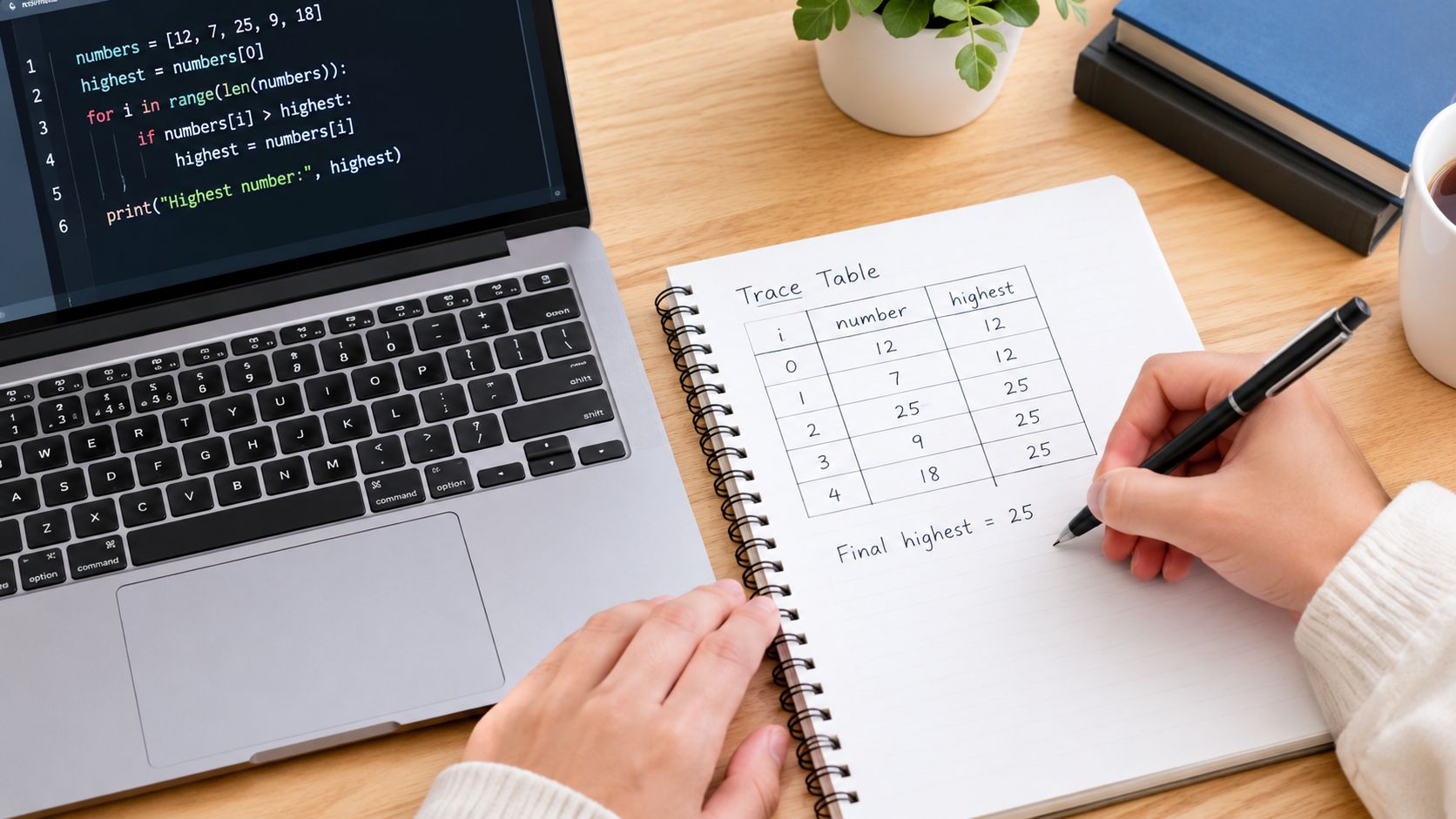
Consider a highest-number algorithm. It receives a series of inputs, keeps the largest value seen so far in highest, and compares each new input with that stored value. The table needs columns for the input, highest and the instruction or iteration being followed.
At the beginning, write the initial value of highest. Then process the first input. Ask one question: is this input larger than the current value of highest? If the answer is yes, replace the old value in the next relevant cell. If the answer is no, carry the existing value forward because it hasn't changed.
The same process continues for each input:
- Read the next input. Put it in the input column.
- Evaluate the condition. Decide whether the comparison is true or false.
- Update only when needed. Change
highestif the condition requires it. - Keep unchanged values clear. Carry the current state forward rather than inventing a new change.
- Record the final output. Add the result only when the algorithm reaches its output instruction.
The important detail is that the table records state changes, not random snapshots. BBC's Edexcel revision guidance explains that the instruction number should be recorded when a variable changes, and that students should update the table when values change. This prevents you from filling every cell automatically and losing sight of the logic.
For an exam-style highest-number algorithm, independent GCSE revision material describes tracing ten inputs before the final largest value is output. That means you need to count the loop passes carefully rather than assuming that the loop has finished after the first few inputs. You can practise this style with the Edexcel constructs notes, especially when comparing conditions and loops.
Here's a useful way to narrate each pass in your head:
- “The input is read.”
- “The condition is checked.”
- “The stored value changes,” or “the stored value stays the same.”
- “The loop moves to its next pass.”
This short narration slows you down without wasting time. It also helps you handle an IF statement inside a loop. The condition must be evaluated before you decide whether a variable changes. Never update a value because the loop has reached another row.
You can use the following video as another visual explanation of the tracing process. Watch for the order in which values are recorded, not just the final answer.
Avoiding Common Mistakes and Meeting Examiner Expectations
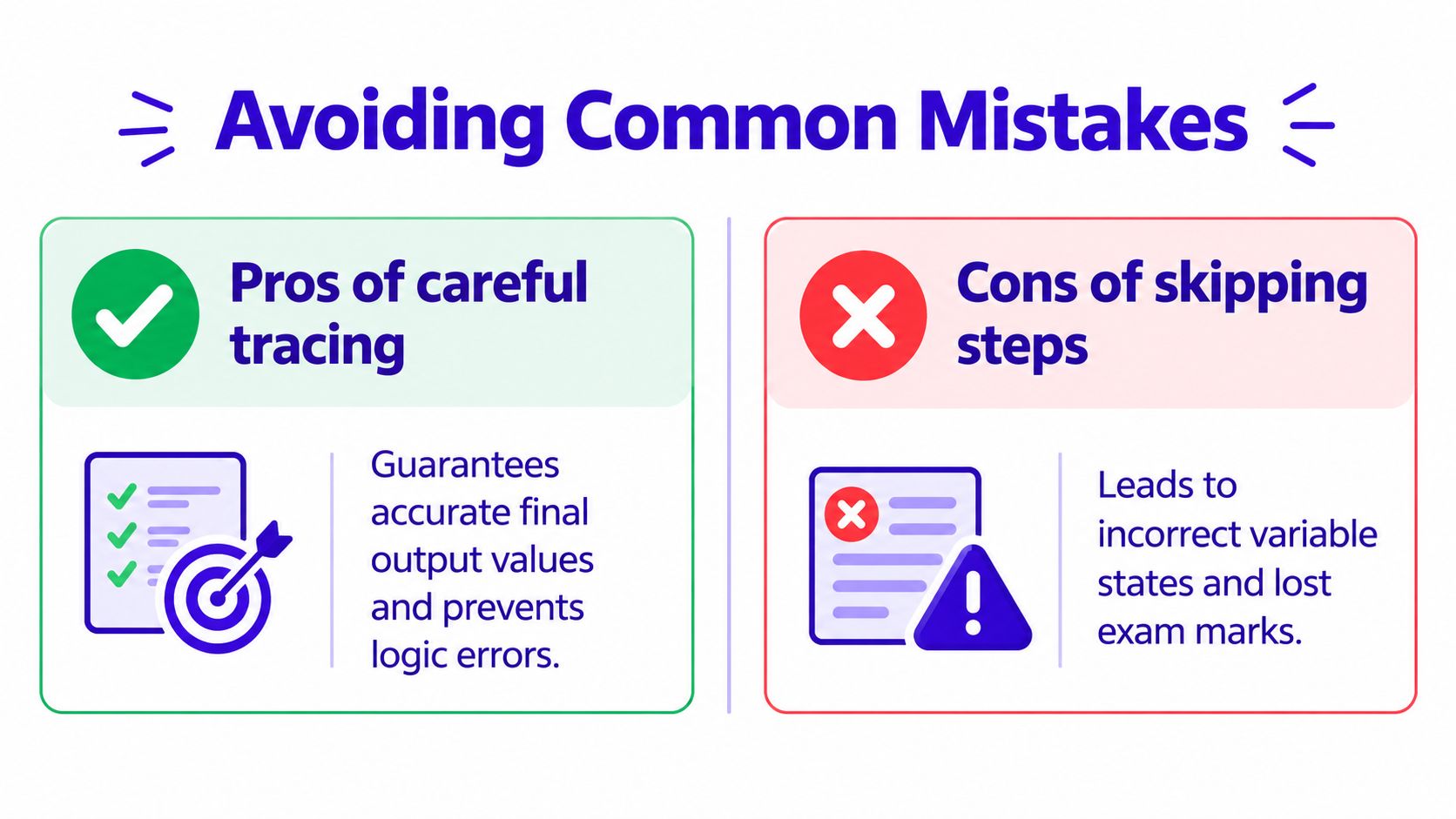
A student can understand what a loop does and still lose marks by recording its execution in the wrong order. For example, they might write the newest values above the earlier ones, skip a condition, or continue adding rows after the loop has finished. Trace-table questions test careful following of instructions, not just recognition of the final answer.
AQA's examination report identifies two frequent problems. Students sometimes auto-complete rows or values without checking whether a variable has changed. They may also complete columns “up rather than down”, reversing the order of execution and allowing one early mistake to affect every later entry. The AQA trace-table revision advice summarises these concerns and the systematic approach expected in practice.
Protect the order of execution
Treat the algorithm like a set of instructions being read aloud. Follow each instruction in sequence. If the code checks a condition, evaluate it before deciding what happens next. If it changes a variable, record the new value. If it returns to the loop, begin the next pass only after checking the loop condition.
Use this checklist for common traps:
- Skipping initialisation: Record starting values before the first input or loop pass.
- Changing the wrong variable: Identify whether the instruction changes
count,total,highestor another variable. - Ignoring false conditions: A false
IFcondition is still a decision. Record the result, even when no variable changes. - Adding an extra loop pass: Check the condition at the correct point before creating another row.
- Writing upwards: Put each newer state below the previous state unless the question specifies another layout.
Understand partial credit
A trace table can contain an error and still show creditworthy method. The key is to make the execution order clear and continue working rather than abandoning the question after one arithmetic slip. AQA's examination material on trace tables also supports the principle of showing systematic working.
If one value is wrong, continue from the value you recorded. Keep each later step in the correct sequence and complete as much of the table as you can. A rushed final guess gives the examiner little evidence of your method. A readable table shows which instructions you followed and where the mistake occurred.
Exam technique: A clear table with one isolated mistake is safer than a rushed answer that gives only a guessed final output.
Students should aim for a fully accurate table, while also protecting available marks through organised, sequential working. AQA's trace-table guidance reinforces that approach.
Spotting Logic Errors Like a Programmer
A trace table is also a debugging tool. Instead of asking only, “What output will this algorithm produce?”, ask, “What should this variable contain at this point, and what does the program contain?”
Start by writing the intended behaviour in plain language. For a highest-number algorithm, the stored value should represent the largest input seen so far. If your completed table shows a smaller value after a larger input has been processed, the problem lies somewhere before or during that comparison.
Compare expected and actual behaviour
The table helps you narrow down the faulty instruction:
| What you expected | What the table shows | Likely area to inspect |
|---|---|---|
| The stored value changes after a larger input | The stored value stays the same | The comparison or assignment |
| The loop processes every required input | The final input is missed | The loop condition or update |
| The counter moves steadily | The counter repeats or jumps | The counter assignment |
| The output matches the final state | The output uses an earlier state | The output instruction |
This comparison works because each row preserves the algorithm's state. You can locate the first point where the actual behaviour differs from the intended behaviour, then inspect the instruction responsible.
Off-by-one errors often appear at the boundary of a loop. The algorithm may stop too soon or continue for an unwanted pass because the condition uses the wrong comparison. An incorrectly initialised variable creates a different problem, because every later decision may be based on an unsuitable starting state.
Use the table to test one change at a time. Don't rewrite the whole algorithm immediately. Identify the first incorrect state, check the instruction immediately before it and then trace forward again. This is the same disciplined thinking programmers use when debugging real code.
Building Confidence for Your Computer Science Exam
Reading an explanation won't make trace tables automatic. You need repeated practice that starts with simple instruction sequences and gradually introduces more decisions.
Begin with code that changes one variable at a time. Then practise a single loop, followed by loops containing IF statements, lists and more than one changing variable. Leave nested loops until you're comfortable recording the outer and inner execution order.
A focused revision routine might look like this:
- Trace: Complete one short algorithm without looking at a solution.
- Explain: Describe why each value changed or stayed the same.
- Check: Compare your table with the mark scheme or worked answer.
- Record: Add the specific mistake to a revision log.
- Repeat: Attempt a similar question later without copying the earlier method blindly.
Past-paper practice is especially useful because it shows how exam boards phrase instructions and award marks. Don't just check the final output. Look at whether your table follows the correct order, includes the necessary variables and records the important changes.
Adaptive revision tools can add targeted practice to this routine. Online Revision for GCSE includes curriculum-aligned questions and examiner-style feedback, with computer science tasks such as trace tables and binary and hexadecimal problems. That gives students a way to practise independently, while teachers can use structured feedback to identify whether a class is struggling with conditions, loops or execution order.
You don't need to be naturally brilliant at programming to improve. A trace table rewards patience, organisation and accurate reading. Those are learnable exam skills.
MasteryMind offers GCSE Computer Science practice with step-by-step feedback on tasks such as trace tables, aligned to UK exam-board preparation. Visit MasteryMind to practise execution order, identify recurring mistakes and turn careful tracing into reliable exam marks.
Ready to master this topic?
Practise with quizzes, blurt exercises and exam questions on MasteryMind.
7 days Premium · Then free forever · No card, no charge