OCR · GCSE · Computer Science
Flowcharts and Pseudocode
Master the art of algorithmic thinking for your OCR GCSE Computer Science exam. This guide breaks down how to design solutions using flowcharts and pseudocode, turning complex problems into simple, logical steps that will earn you maximum marks in Component 02.
- 8 min read
- 3 worked examples
- 5 practice questions
- 7 key terms
Study Notes
Overview
Welcome to the definitive guide for OCR GCSE Computer Science Topic 6.4: Flowcharts and Pseudocode. This topic is the bedrock of algorithmic thinking and a high-value area in Component 02, where a significant portion of marks are awarded for designing, interpreting, and refining algorithms. Here, we will deconstruct the two primary methods of representing algorithms: the visual language of flowcharts and the structured English of OCR Reference Language (pseudocode). Mastering this topic is not just about memorising symbols; it’s about learning to think like a programmer—logically, sequentially, and precisely. You will learn how to break down complex problems into manageable steps and express your solutions in a way that is clear, unambiguous, and directly aligned with the OCR mark scheme. Expect to see questions asking you to create flowcharts from scratch, write pseudocode for a given scenario, or trace the execution of an existing algorithm to find its output or identify errors.

Key Concepts
Concept 1: Algorithmic Representation
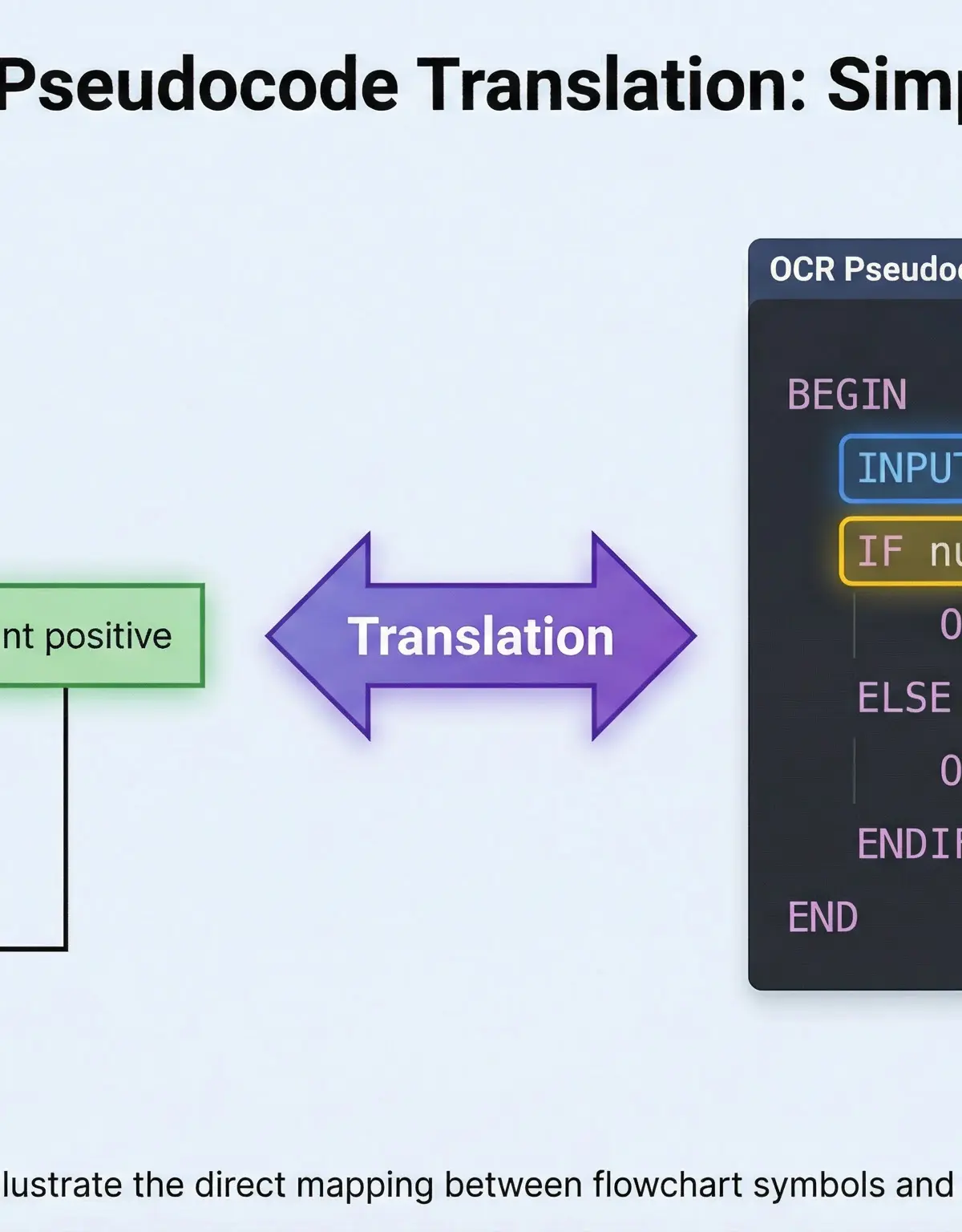
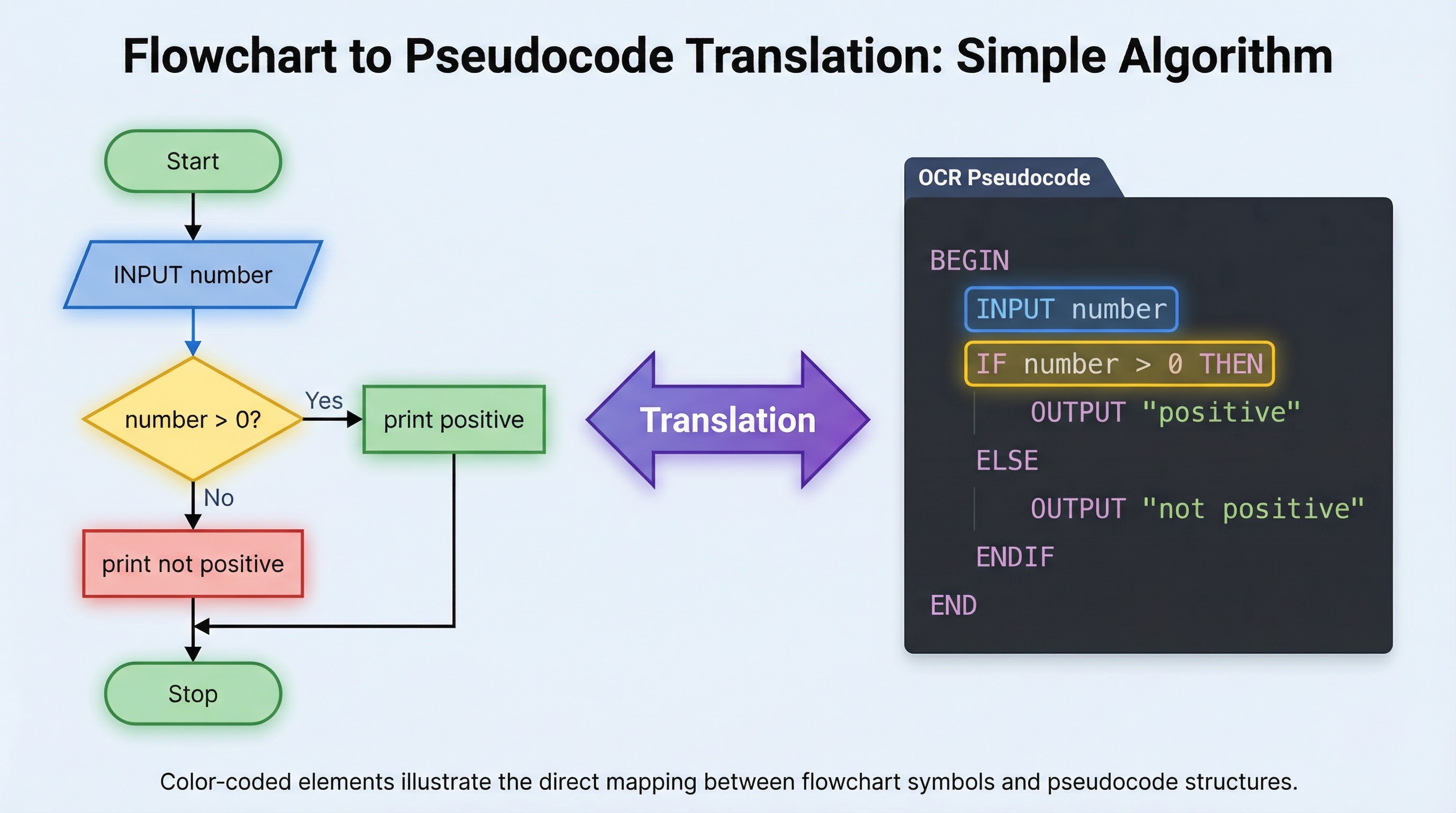
An algorithm is a finite sequence of well-defined, computer-implementable instructions to solve a class of problems or to perform a computation. To communicate an algorithm, we need a clear and unambiguous representation. In OCR GCSE Computer Science, the two key methods are flowcharts and pseudocode.
- Flowcharts: A visual, diagrammatic representation of an algorithm. They use standard symbols to denote different types of instructions and arrows to show the flow of control. They are excellent for visualising the logic and structure of simple to moderately complex algorithms.
- Pseudocode (OCR Reference Language): A text-based, structured English representation of an algorithm. It is not a real programming language but uses keywords and indentation to describe the logic of a program in a way that is easy for humans to read and can be readily translated into a high-level programming language like Python.
Concept 2: Standard Flowchart Symbols
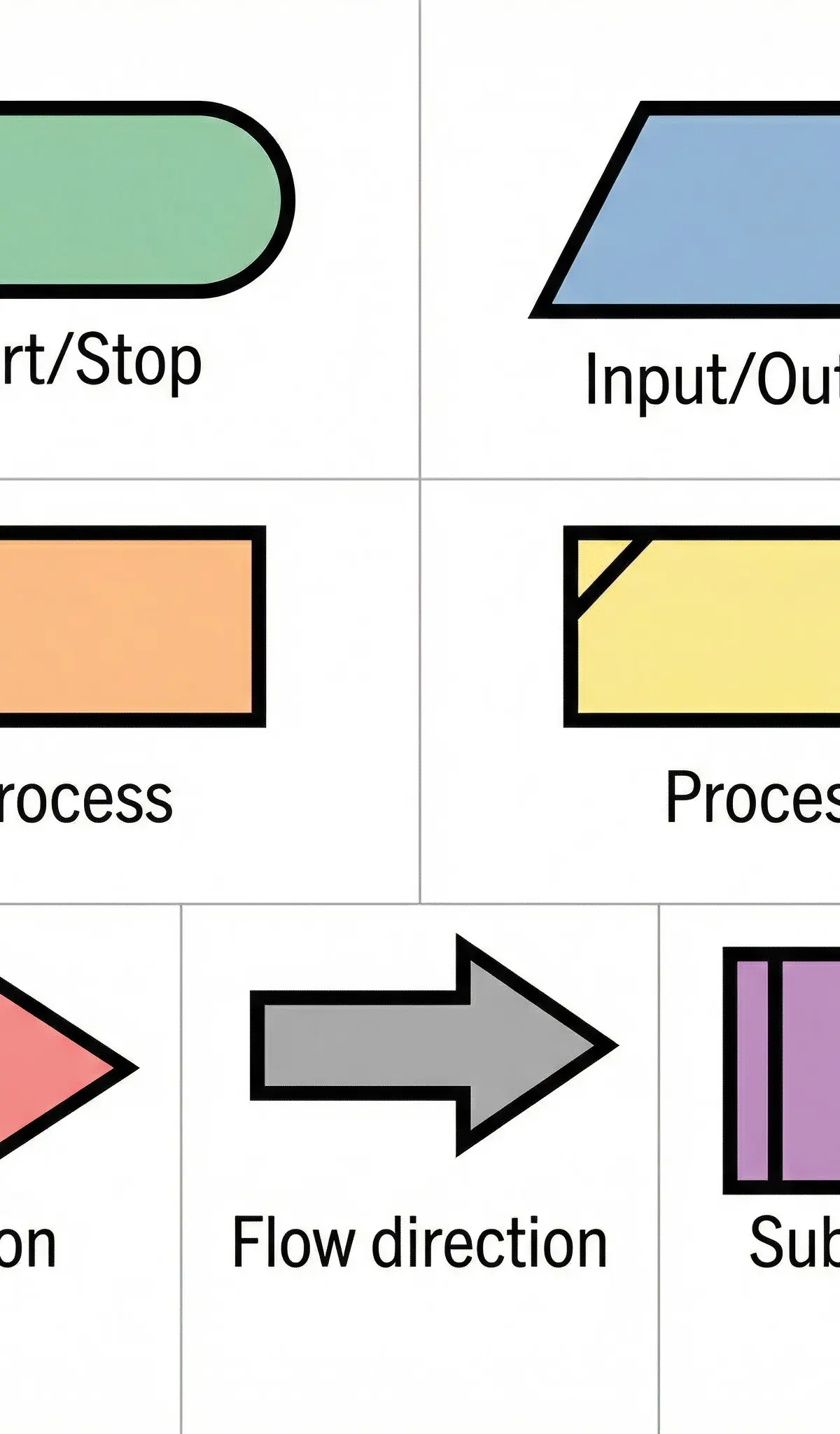
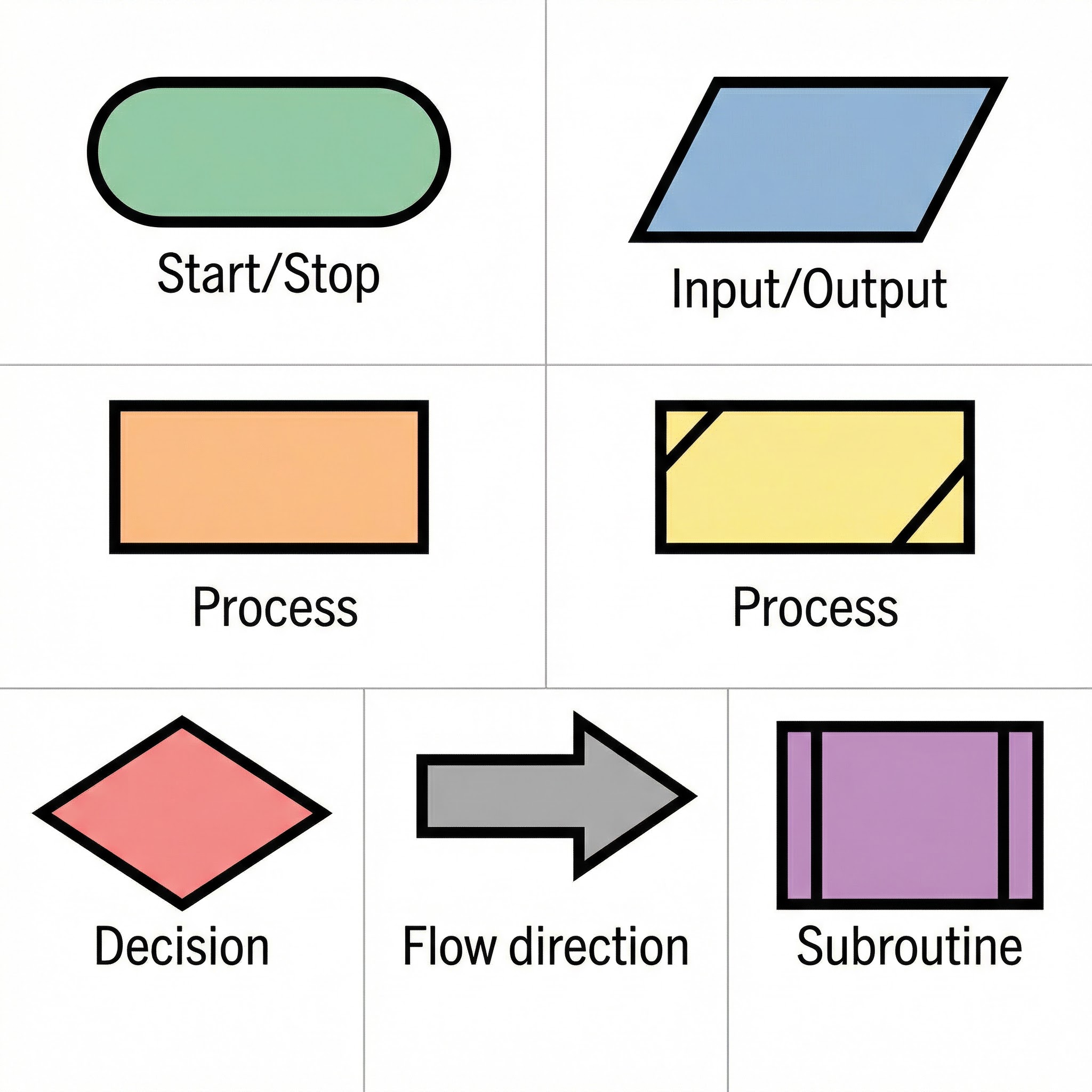
Examiners award marks for the correct use of standard flowchart symbols. Using the wrong symbol for an operation is a common mistake that leads to lost marks. You must memorise these.
| Symbol Shape | Name | Purpose | Examiner Tip |
|---|---|---|---|
| Oval/Terminator | Start/Stop | Indicates the beginning and end of the algorithm. | Every flowchart must have exactly one Start and at least one Stop. |
| Parallelogram | Input/Output | Used for any operation that involves getting data from the user (INPUT) or displaying data to the user (OUTPUT/PRINT). | Crucial: Do not use a rectangle for this. This is the most common error. |
| Rectangle | Process | Represents any calculation, assignment of a value to a variable, or other data manipulation. (e.g., count = count + 1) | Any action that changes the state of a variable goes here. |
| Diamond | Decision | Represents a point where a decision is made. The question is written inside, and there are always two paths out: 'Yes'/'True' and 'No'/'False'. | Ensure both exit paths are labelled and lead somewhere. |
| Arrow | Flow Line | Connects the symbols and indicates the direction of flow through the algorithm. | Arrows must not cross. Use connectors if the diagram is complex. |
| Rectangle with double vertical lines | Subroutine/Sub-program | Represents a call to a separate, pre-defined algorithm or function. | Used in more complex designs to show modularity. |
Concept 3: The Three Basic Programming Constructs
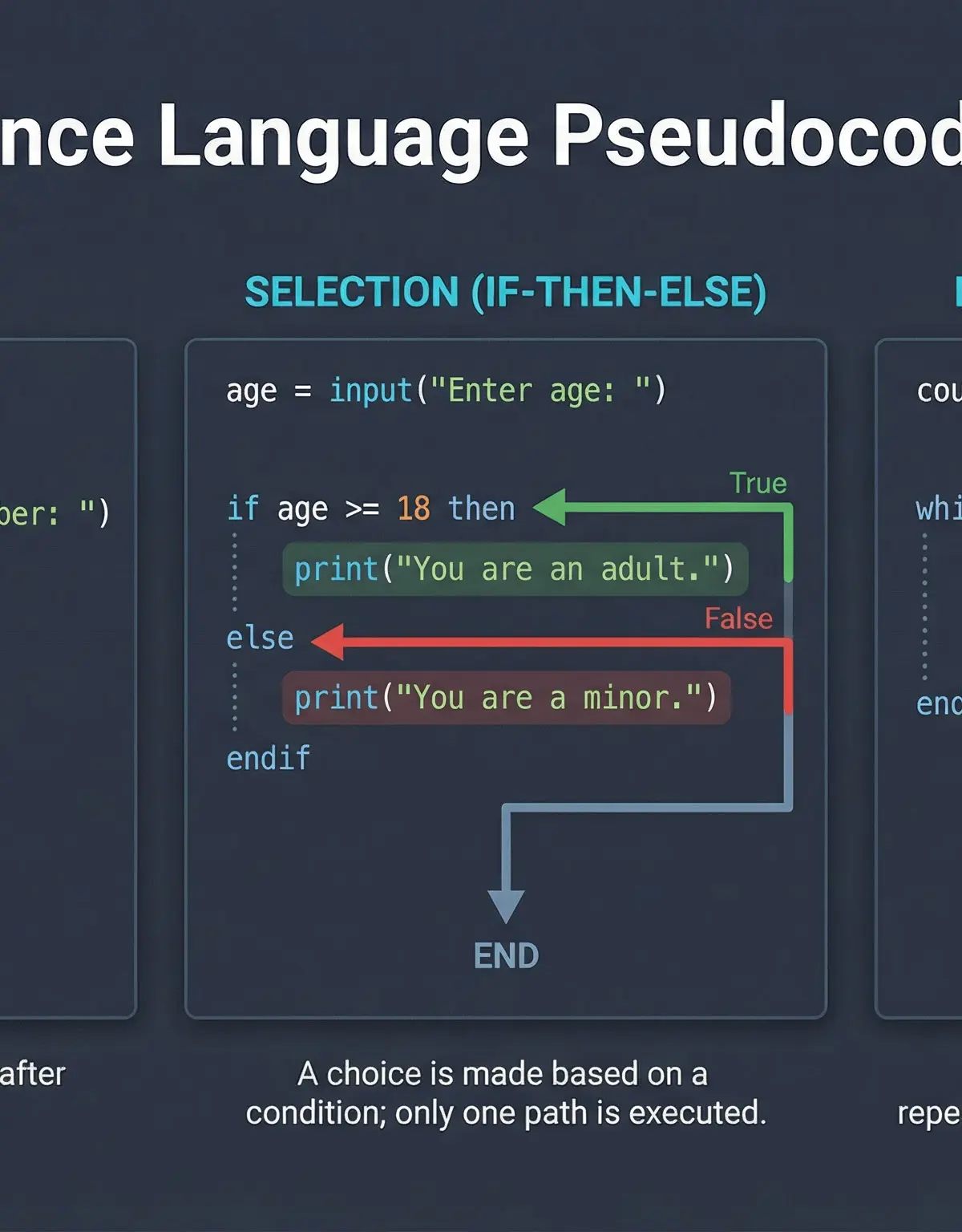
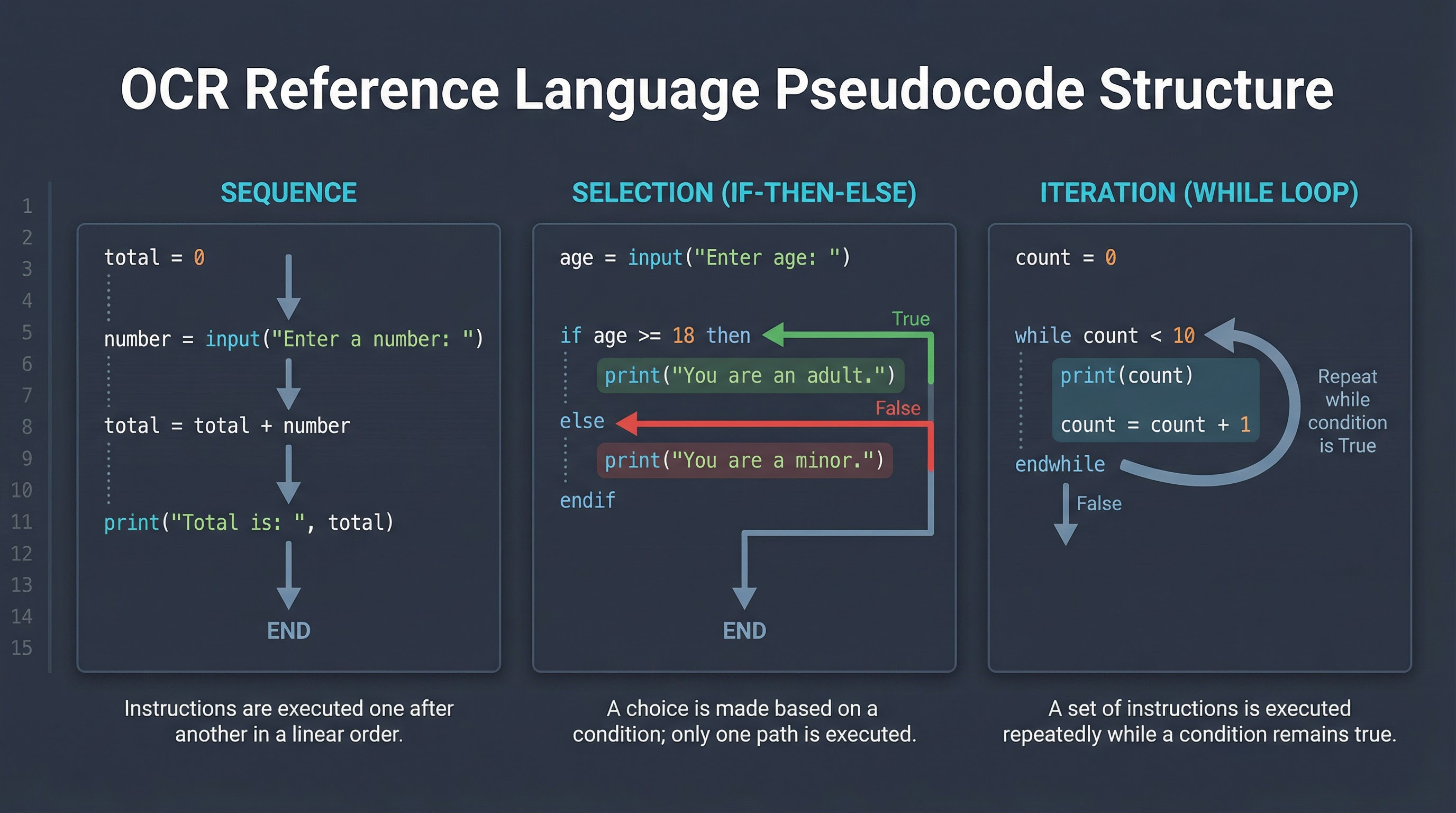
All algorithms, no matter how complex, are built from three basic logical structures: Sequence, Selection, and Iteration. You must be able to represent these in both flowcharts and pseudocode.
-
Sequence: This is the simplest construct. Instructions are executed one after another in a linear order. In a flowchart, this is shown by a series of symbols connected by arrows pointing downwards.
Pseudocode Example:
name = input("Enter your name: ")
print("Hello, " + name) -
Selection: This construct is used to make a choice between two or more paths based on a condition. It is represented by a diamond symbol in a flowchart and by
IF...THEN...ELSE...ENDIFin pseudocode.Pseudocode Example:
age = input("Enter your age: ")
if age >= 18 then
print("You are an adult.")
else
print("You are a minor.")
endifExaminer's Note: Credit is given for correct indentation within the
IFandELSEblocks. It demonstrates your understanding of code structure. -
Iteration: This construct involves repeating a block of code. This is also known as a loop. There are two main types of iteration tested at GCSE:
-
Condition-Controlled Iteration (WHILE loop): The loop repeats as long as a condition is true. The condition is checked at the start of each iteration. In pseudocode, this is
WHILE...DO...ENDWHILE.Pseudocode Example:
count = 0
while count < 5 do
print("Hello")
count = count + 1
endwhile -
Count-Controlled Iteration (FOR loop): The loop repeats a fixed number of times. In pseudocode, this is
FOR...TO...NEXT.Pseudocode Example:
for i = 1 to 5
print("Hello")
next i
-
Mathematical/Scientific Relationships
While this topic is about logic, you'll frequently use mathematical and boolean operators within your algorithms. Understanding the distinction is vital.
- Assignment Operator (
=): Used to assign a value to a variable.x = 5means 'x is set to 5'. - Comparison Operators: Used in decision-making (selection) and iteration. They compare two values and result in a Boolean value (True or False).
| Operator | Meaning | Pseudocode Example |
|---|---|---|
== | Equal to | if password == "secret" then |
!= or <> | Not equal to | while answer != "quit" do |
> | Greater than | if score > 100 then |
< | Less than | if temperature < 0 then |
>= | Greater than or equal to | if age >= 18 then |
<= | Less than or equal to | if count <= 10 then |
- Arithmetic Operators: Used for calculations within process boxes.
| Operator | Meaning | Pseudocode Example |
|---|---|---|
+ | Addition | total = price + tax |
- | Subtraction | change = paid - cost |
* | Multiplication | area = length * width |
/ | Division | average = total / count |
MOD | Modulus (remainder) | remainder = total MOD 2 |
DIV | Integer Division (quotient) | quotient = 10 DIV 3 (result is 3) |
Examiner's Note: A common error is confusing MOD and DIV. 10 MOD 3 is 1 (the remainder), whereas 10 DIV 3 is 3 (the whole number result of the division).
Practical Applications
Flowcharts and pseudocode are not just academic exercises; they are fundamental tools used in the real world of software development. Before writing a single line of code, a development team will often map out the logic of a complex system using these tools. For example:
- ATM Software: The logic for an ATM (Enter PIN, check balance, dispense cash) is first designed as a flowchart to ensure all possible scenarios (correct PIN, wrong PIN, insufficient funds) are handled correctly.
- E-commerce Websites: The checkout process on a website is an algorithm. It involves sequence (add to cart, enter address), selection (is the item in stock?), and iteration (process each item in the cart). This logic is designed and refined using pseudocode before being implemented.
- Game Development: The AI for a computer-controlled character in a game is an algorithm. For example, a flowchart could map out its behaviour:
IF player is visible THEN attack ELSE patrol.
Visual Resources
3 diagrams and illustrations
Interactive Diagrams
2 interactive diagrams to visualise key concepts
Conceptual Flow Outline
A simple flowchart demonstrating selection. It checks if a test score is a pass or fail.
Conceptual Flow Outline
A flowchart showing a condition-controlled (WHILE) loop that prints a message three times.
Worked Examples
3 worked examples — open one to explore the question and available guidance.
Practice Questions
Test your understanding — click to reveal model answers
Draw a flowchart for an algorithm that asks for two numbers, and then outputs the larger of the two.
Hint: You will need one decision diamond to compare the two numbers.
Write an algorithm using pseudocode to find the total of 10 numbers entered by a user.
Hint: Use a FOR loop to repeat the input process 10 times and a variable to keep a running total.
A simple validation algorithm is required. Write an algorithm using pseudocode that repeatedly asks a user to enter a number until they enter a number between 1 and 10 (inclusive).
Hint: Use a WHILE loop. The loop should continue WHILE the number is invalid.
Complete the trace table for the following algorithm, showing the final output.
a = 5
b = 3
while a > b
print(a)
a = a - 1
b = b + 1
endwhile
| a | b | Output |
|---|---|---|
| 5 | 3 | |
Hint: Go through the loop one line at a time, updating the values of 'a' and 'b' in a new row for each change.
A cinema has a discount for children (under 16) and seniors (65 and over). Write an algorithm using pseudocode that takes a person's age and outputs either "Discount applies" or "Full price".
Hint: You can check both discount conditions in a single IF statement using a logical operator.