Pearson Edexcel · GCSE · Computer Science
Programming
Master the core of GCSE Computer Science with this comprehensive guide to programming in Python 3. From basic sequence to complex file handling, learn the exact skills and examiner-approved techniques needed to write robust code and secure top marks in your onscreen assessment.
- 6 min read
- 3 worked examples
- 5 practice questions
- 6 key terms
Study Notes
Overview
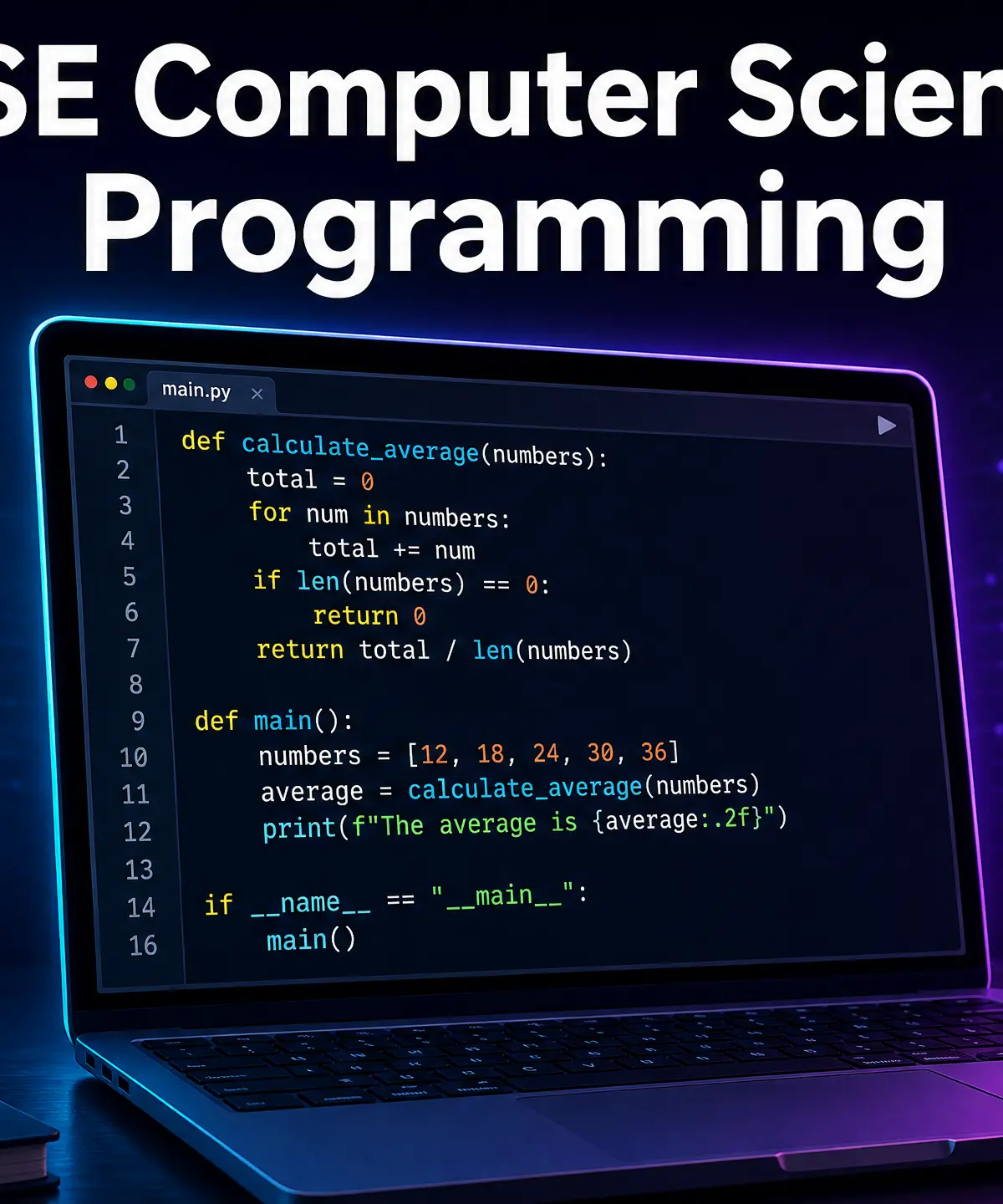
Programming is the beating heart of GCSE Computer Science. It transforms theoretical computational thinking into practical, working solutions. In this topic, you will move beyond understanding how computers work and learn how to make them work for you using Python 3.
This unit is crucial because it bridges the gap between problem-solving (decomposition and abstraction) and implementation. You will be assessed on your ability to design, write, test, and refine code in a live, two-hour onscreen assessment. Examiners are looking for more than just code that runs; they want to see robust, readable, and efficient solutions.
Typical exam questions range from tracing the output of short algorithms and identifying errors, to writing complete subprograms or file-handling routines from scratch. Mastering this topic also provides synoptic links to algorithms, data representation, and system security.
Key Concepts
Concept 1: The Three Programming Constructs
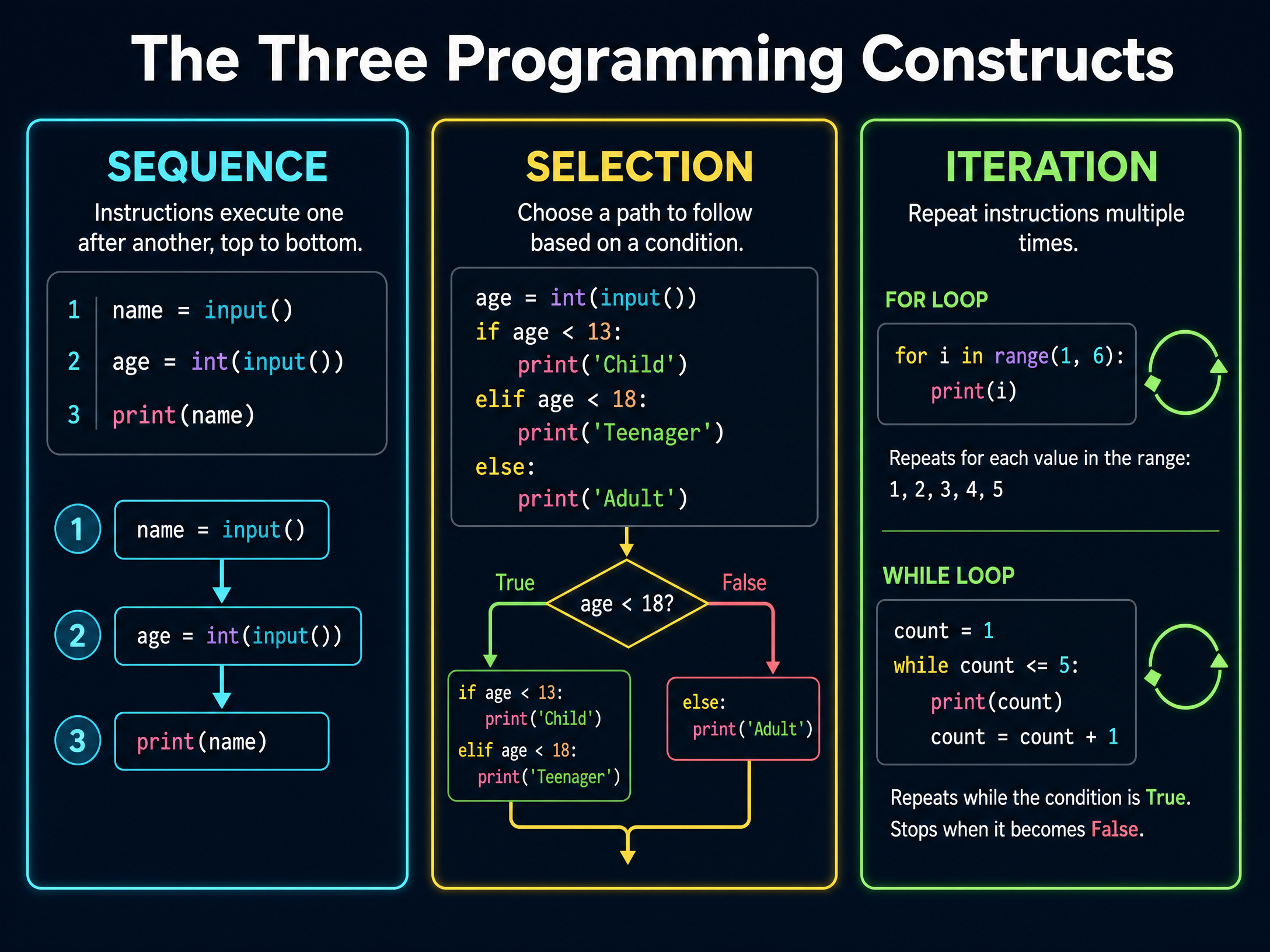
Every program ever written, from a simple calculator to a complex 3D game, is built using just three fundamental building blocks: Sequence, Selection, and Iteration.
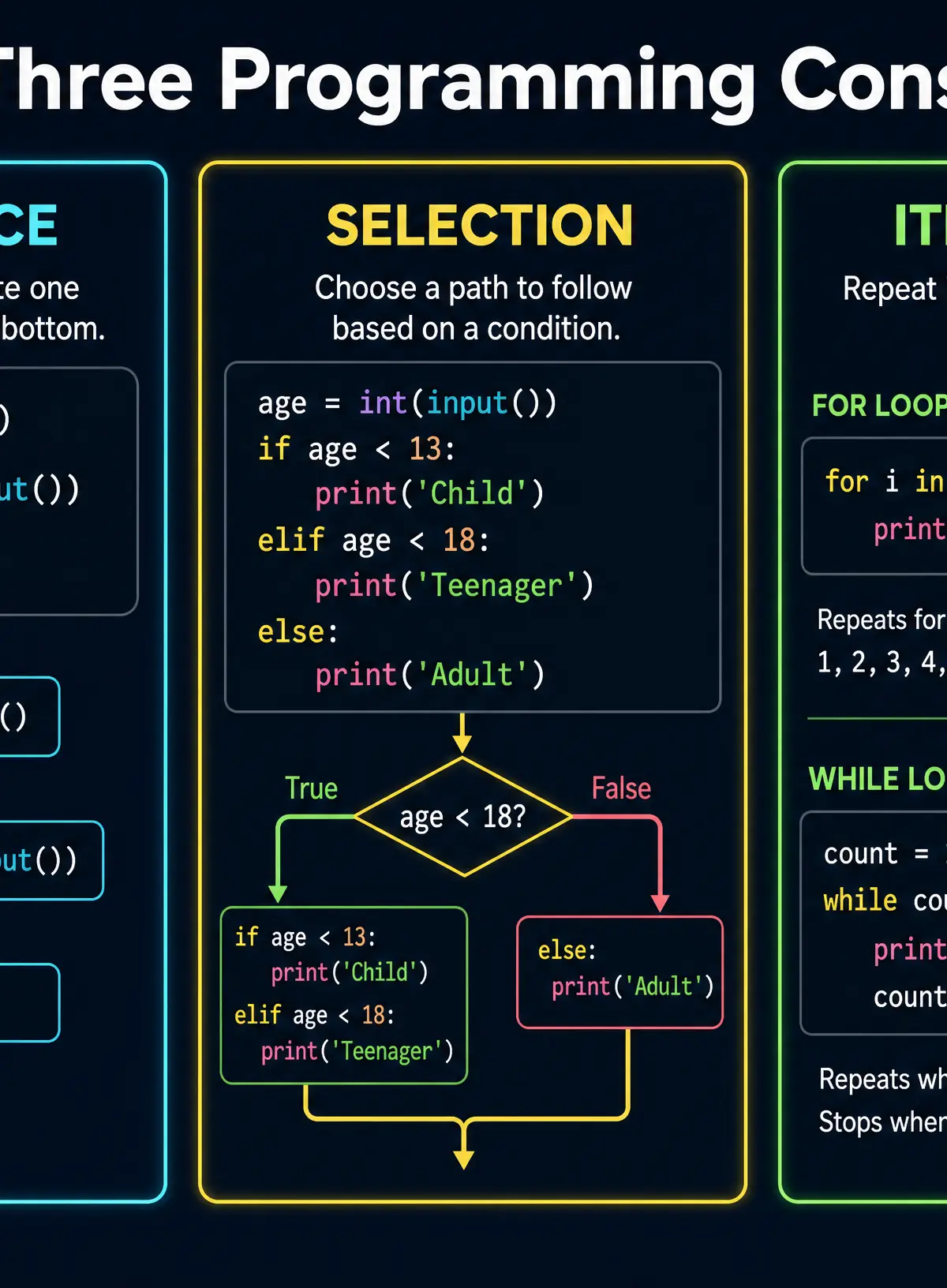
- Sequence is the simplest construct. Instructions are executed one after the other, in order, from top to bottom. If you get the sequence wrong, the program will execute the wrong logic.
- Selection allows your program to make decisions based on conditions (evaluating to True or False). In Python, this is implemented using
if,elif, andelsestatements. It allows the program to branch into different paths. - Iteration is the process of repeating instructions. Python uses
forloops (count-controlled, when you know how many times to repeat) andwhileloops (condition-controlled, repeating until a condition changes).
Example: A program asking for a password uses sequence to ask the question, selection to check if the password is correct, and iteration (a while loop) to keep asking until the correct password is provided.
Concept 2: Subprograms (Functions vs Procedures)
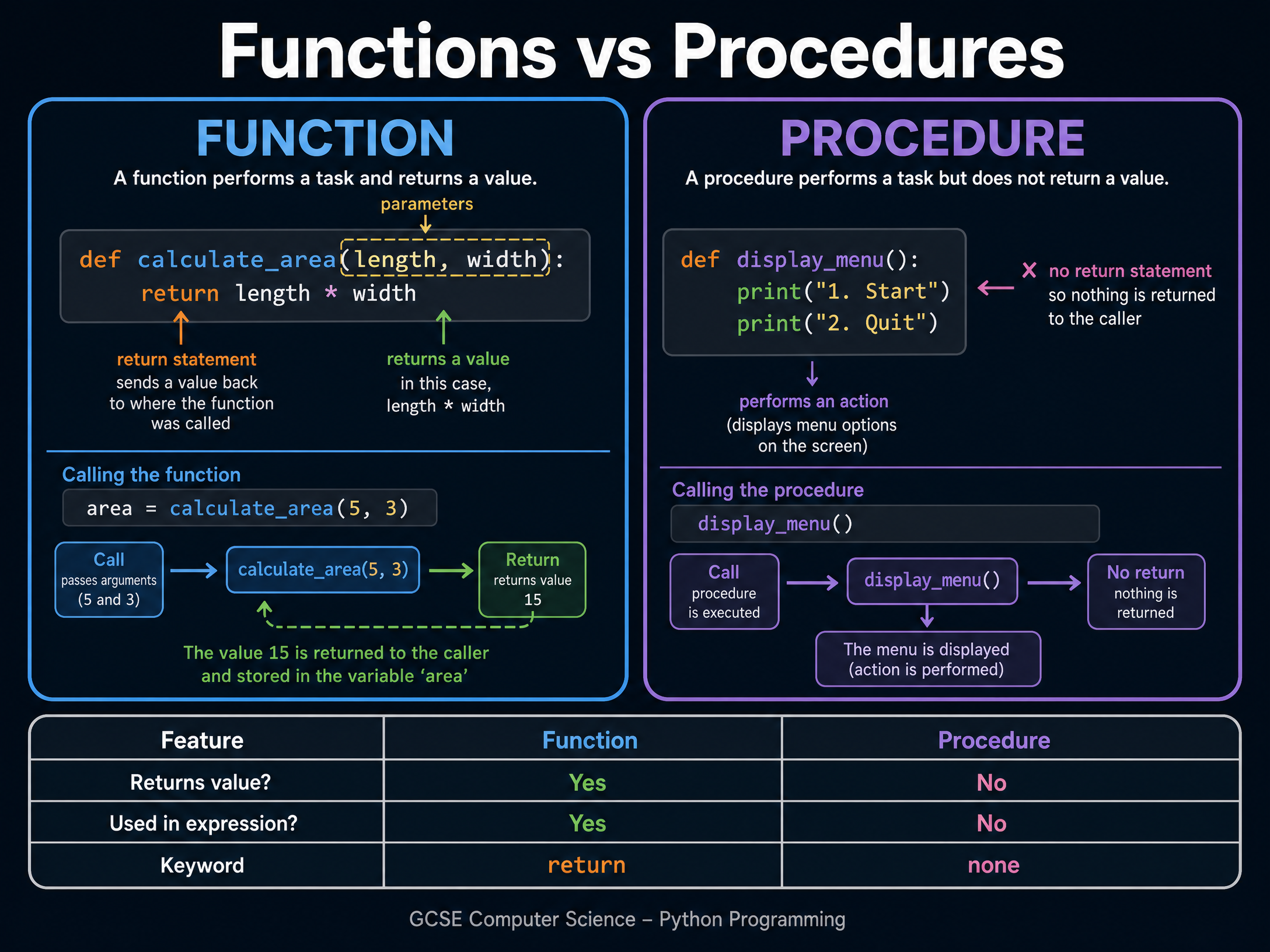
As programs grow larger, writing all the code in one long block becomes unmanageable. We use decomposition to break the problem down into smaller, manageable chunks called subprograms.
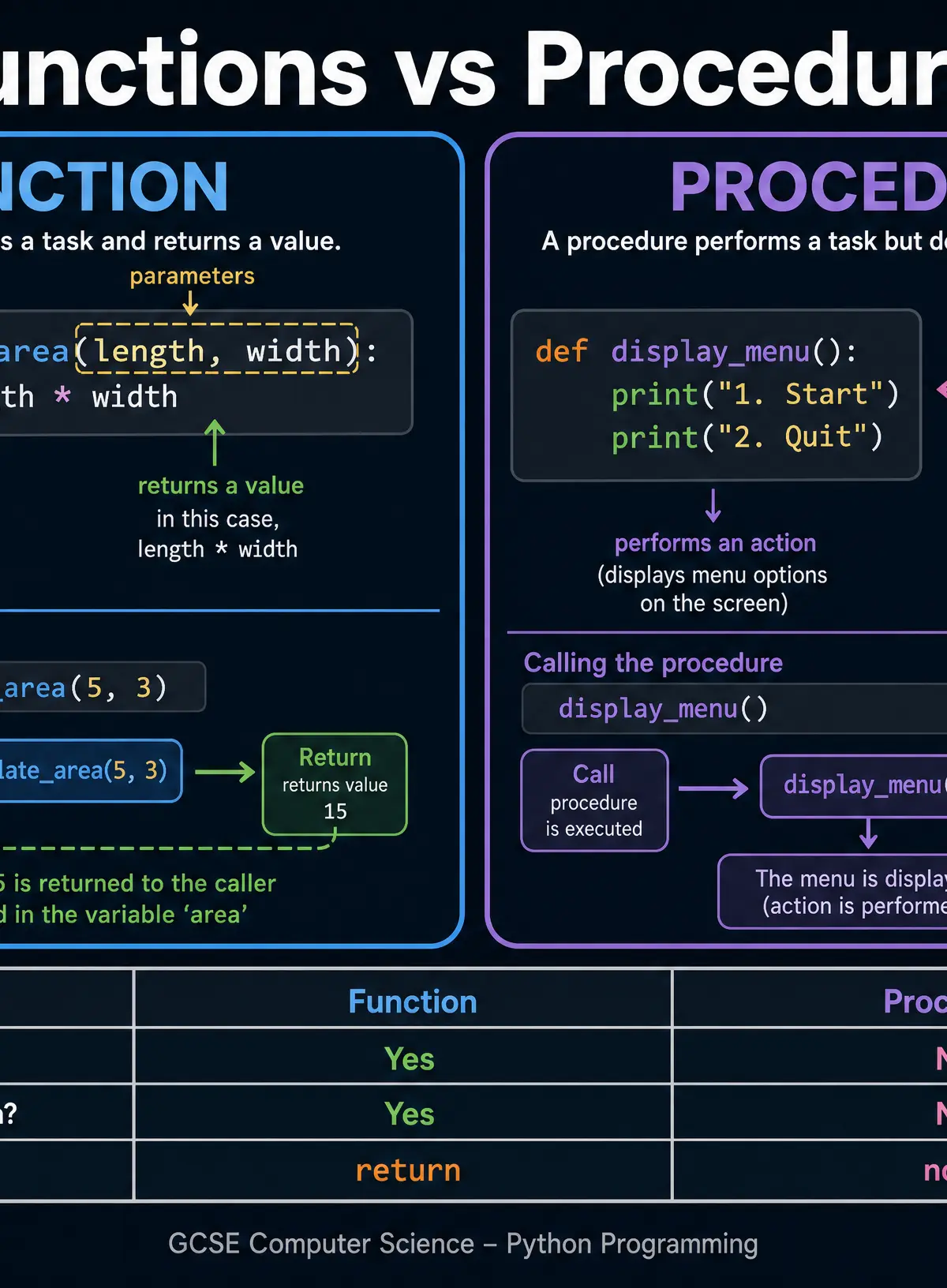
In Python, there are two types of subprograms:
- Functions: Perform a specific task AND return a value to the main program using the
returnkeyword. - Procedures: Perform a specific task but DO NOT return a value. They simply execute an action, like printing a menu to the screen.
Examiners frequently test your understanding of this distinction. If a question asks you to write a function, omitting the return statement will cost you marks.
Concept 3: Data Types and Structures
Variables are named memory locations used to store data while a program is running. You must use the correct data type for the data you are storing:
- Integer (
int): Whole numbers (e.g., 42, -5). - Real/Float (
float): Numbers with a decimal point (e.g., 3.14). - String (
str): Text, enclosed in quotation marks (e.g., "Hello"). - Boolean (
bool): Can only hold one of two values:TrueorFalse.
When you need to store multiple related items under a single identifier, you use a data structure. Python uses Lists (often referred to as arrays in other languages). Lists are zero-indexed, meaning the first item is at position 0.
Concept 4: Error Types and Debugging
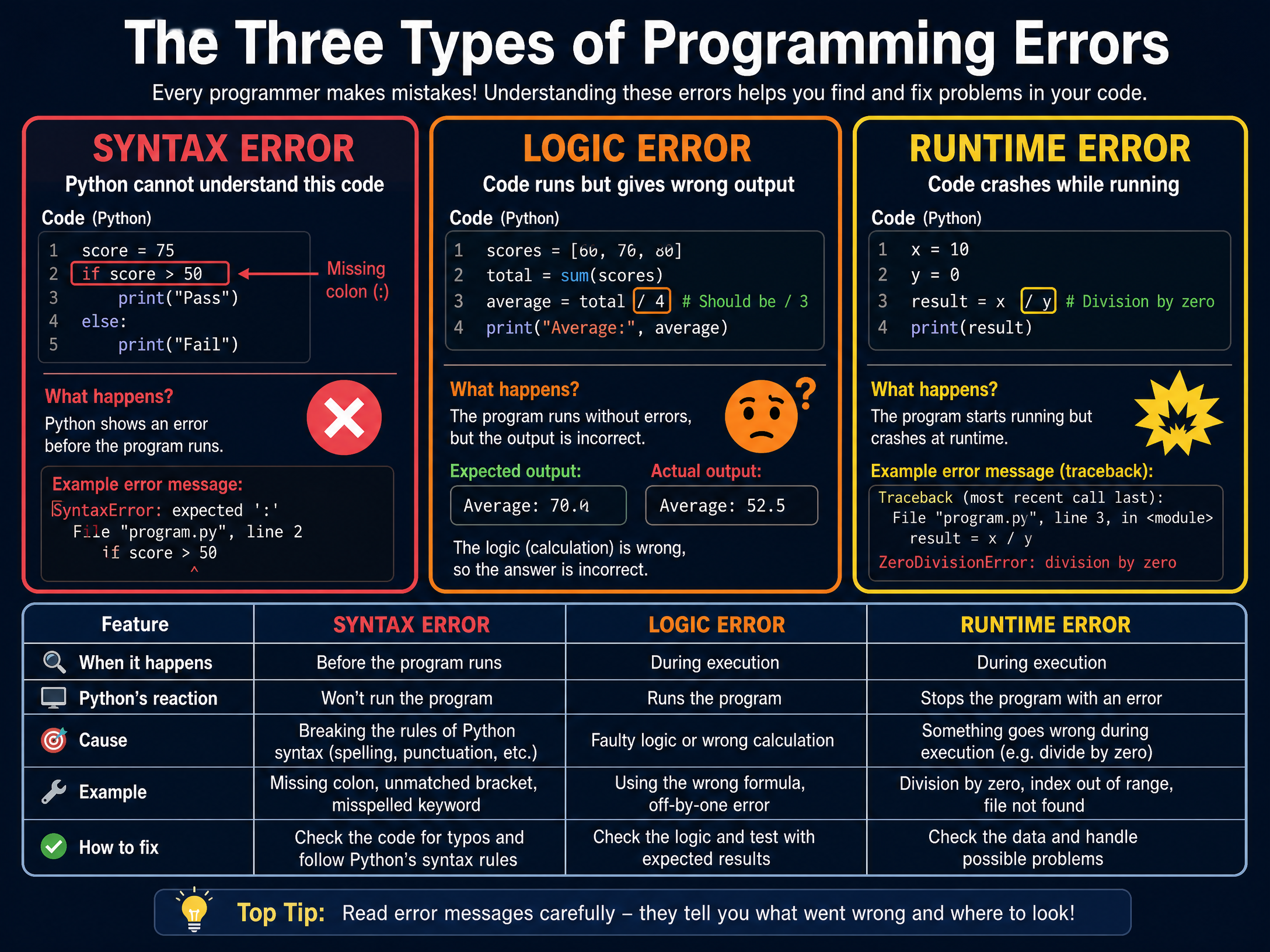
No programmer writes perfect code first time. You must be able to identify and fix three types of errors:
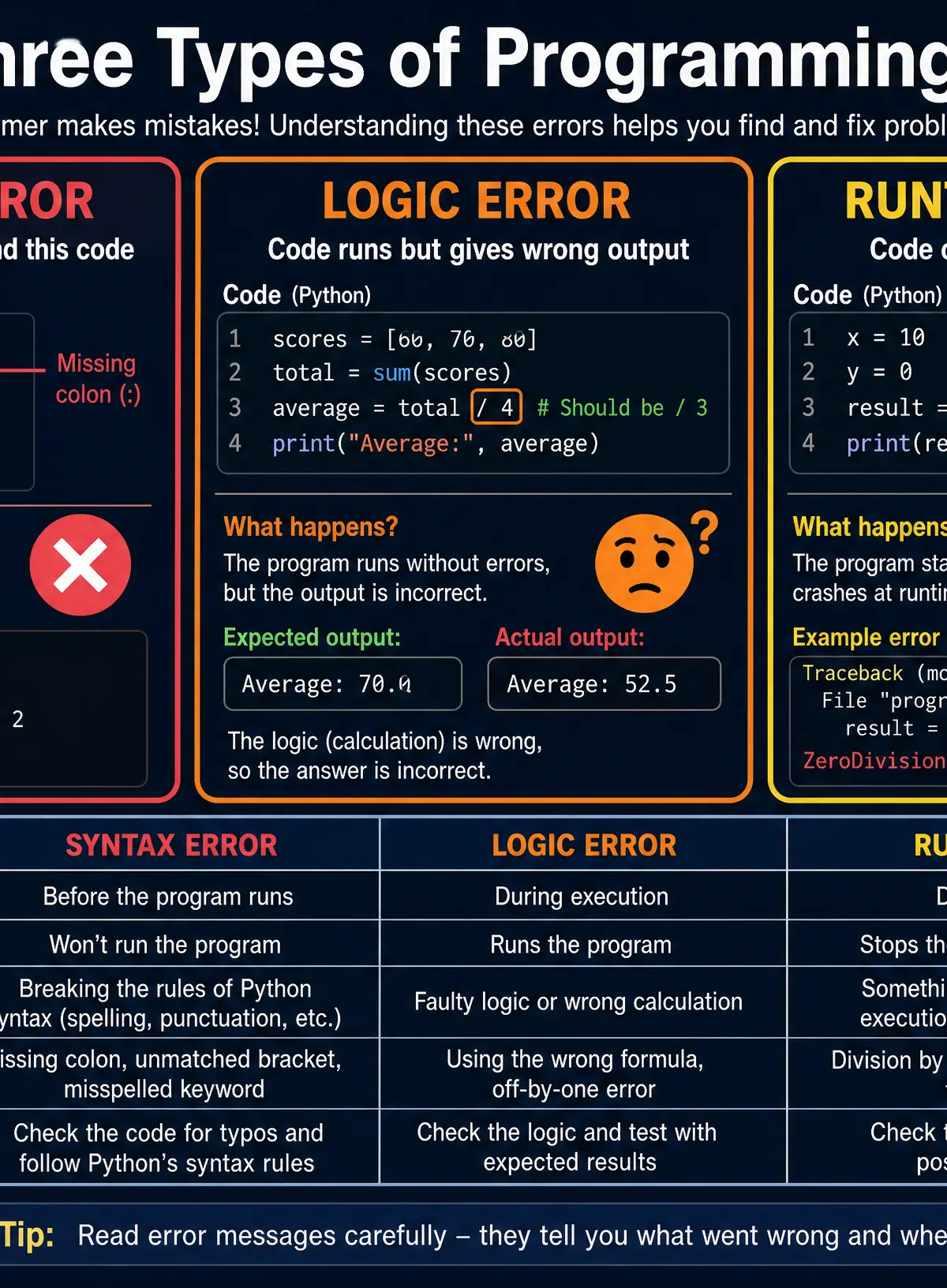
- Syntax Errors: Breaking the grammatical rules of the programming language (e.g., missing a colon
:or a bracket). The code will not run at all. - Logic Errors: The code runs without crashing, but produces the wrong output because the underlying algorithm is flawed (e.g., adding instead of subtracting).
- Runtime Errors: The code is syntactically correct but crashes while running due to an impossible operation (e.g., trying to divide by zero or opening a file that doesn't exist).
Practical Applications
File Handling
Programs need to save data permanently; otherwise, everything is lost when the program closes. You must know how to read from and write to CSV (Comma Separated Values) text files.
Key Python commands:
file = open("data.csv", "r")- Opens for reading.file = open("data.csv", "w")- Opens for writing (overwrites existing data).file = open("data.csv", "a")- Opens for appending (adds to the end).file.close()- Always close files to free up system resources.
Input Validation
Robust programs don't crash when users enter silly data. Input validation uses iteration (while loops) to repeatedly ask for input until the user provides valid data (e.g., a number between 1 and 10). This is a critical skill for the exam.
Listen to the Podcast Revision Episode
Reinforce your learning by listening to our 3-minute revision podcast covering all these concepts, common mistakes, and a quick-fire quiz!

Visual Resources
3 diagrams and illustrations
Interactive Diagrams
2 interactive diagrams to visualise key concepts
Conceptual Flow Outline
Flowchart demonstrating a typical input validation loop (Iteration and Selection).
Conceptual Flow Outline
How data flows into and out of a Function.
Worked Examples
3 worked examples — open one to explore the question and available guidance.
Practice Questions
Test your understanding — click to reveal model answers
State the data type that would be most appropriate to store a person's telephone number, and justify your choice. (2 marks)
Hint: Think about whether you ever need to do maths with a phone number, and what character phone numbers often start with.
Write a Python program that asks the user to input the temperature in Celsius. If the temperature is below 0, output 'Freezing'. If it is between 0 and 100 inclusive, output 'Liquid'. If it is above 100, output 'Boiling'. (4 marks)
Hint: You will need to use an if/elif/else structure and remember to cast your input.
A text file called scores.txt contains a list of high scores, one on each line. Write a Python program that reads the file, calculates the total of all the scores, and prints the total. (5 marks)
Hint: You need to open the file, loop through it, cast each line to an integer, add it to a running total, and then close the file.
Explain the difference between a local variable and a global variable. (2 marks)
Hint: Think about where the variable is created and where it can be seen by the program.
Look at the following code:
python
for i in range(1, 4):
print(i * 2)
State the exact output of this code. (3 marks)
Hint: Remember how the `range()` function works in Python. Does it include the stop number?