OCR · GCSE · Computer Science
Central Processing Unit (CPU)
Unlock top marks in your OCR GCSE Computer Science exam by mastering the Central Processing Unit (CPU). This guide breaks down the essential components, demystifies the Fetch-Execute cycle, and reveals exactly how factors like clock speed, cache, and cores impact performance, giving you the examiner's perspective on what earns credit."
- 7 min read
- 3 worked examples
- 5 practice questions
Study Notes
Overview
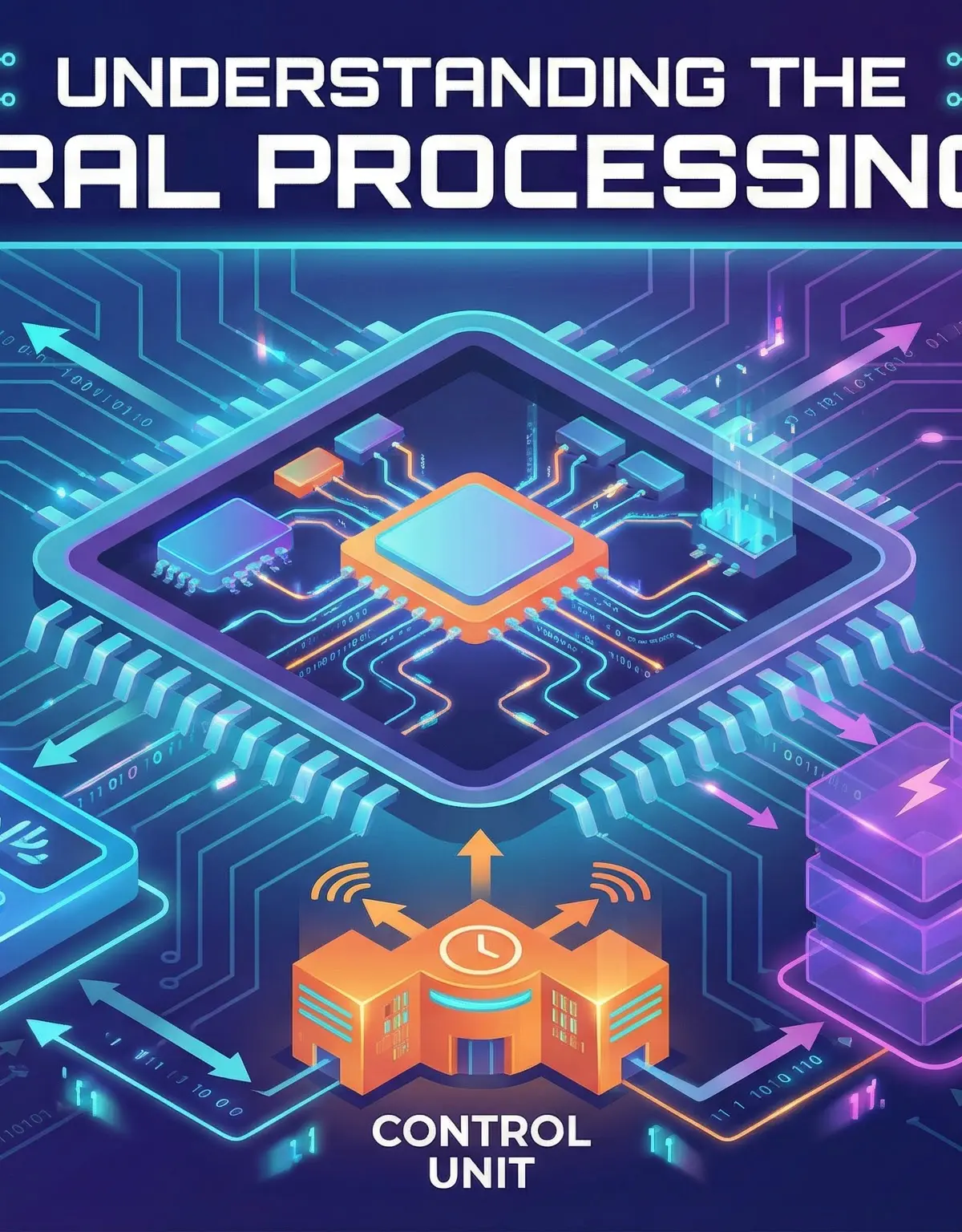
The Central Processing Unit (CPU) is the core component of any computer system, often described as its 'brain'. For the OCR J277 specification, a deep understanding of the CPU isn't just background knowledge—it's a significant source of marks in Paper 1, 'Computer Systems'. This topic, 'Systems Architecture' (1.1), requires you to know the precise functions of the CPU's internal components, trace the journey of an instruction through the Fetch-Execute cycle, and analyse how different factors affect a CPU's performance. Exam questions frequently ask candidates to 'describe' the cycle using specific register names or 'explain' why increasing cache size improves speed. Mastering this topic provides a foundational understanding of how software commands are turned into physical actions, linking directly to concepts like memory management and embedded systems, which are also key parts of the specification.
Key Concepts
1. The Von Neumann Architecture
The Von Neumann architecture is a fundamental concept that underpins most modern computers. Its key principle is that both program instructions and the data those instructions use are stored together in the same main memory (RAM). The CPU fetches these instructions and data from memory to execute them. This is different from other architectures, like the Harvard architecture (often found in specialised embedded systems), where instructions and data are stored in separate memories.
Why it matters: For your exam, you must understand that the CPU continuously retrieves instructions and data from the same place. This is why the Fetch-Execute cycle is so important—it's the process of fetching from this unified memory.
2. Core CPU Components
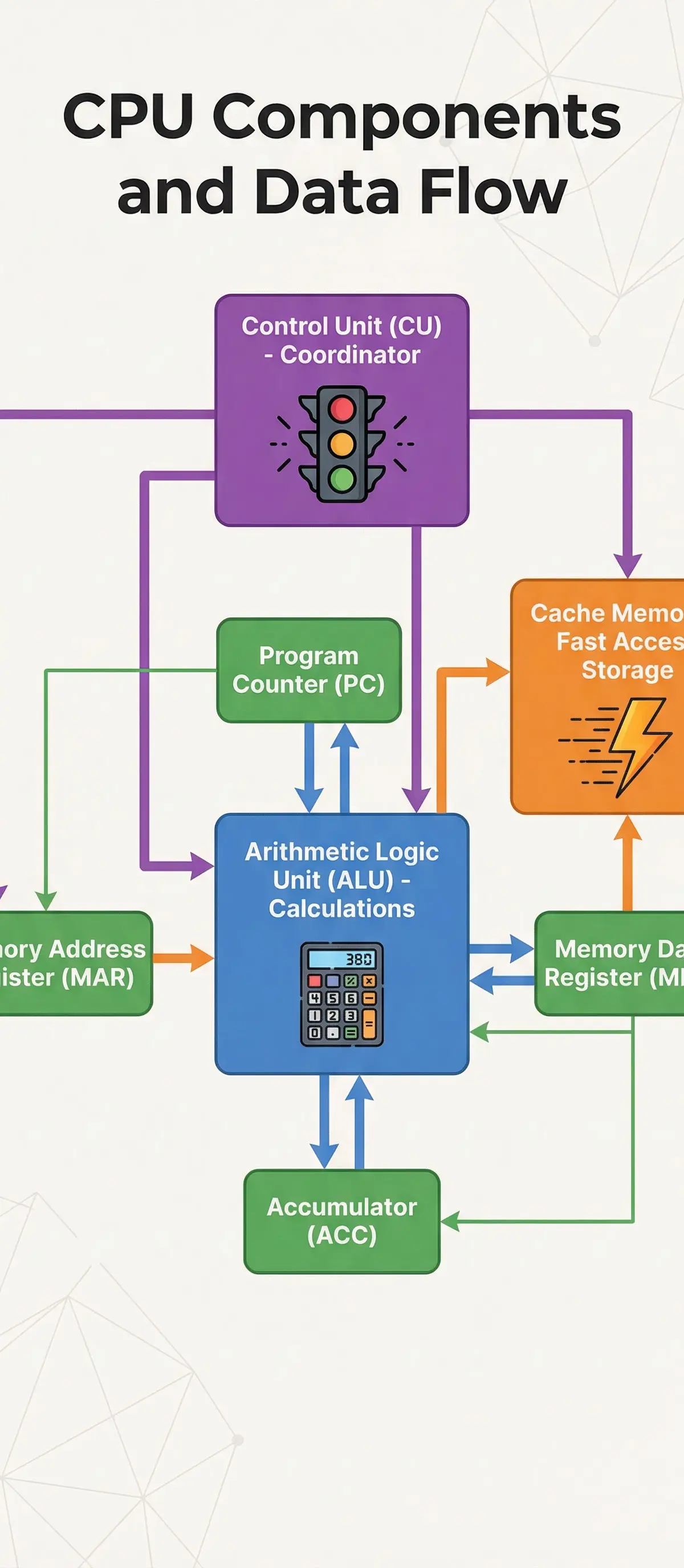
The CPU itself is comprised of several key parts working in harmony. You need to know their names and specific roles.
-
Control Unit (CU): The CU acts as the director or 'traffic cop' of the CPU. It doesn't perform any calculations itself. Instead, it decodes instructions and sends out control signals to the other components, coordinating their actions. It manages the flow of data and ensures each part of the CPU does its job at the right time. Credit is given for explaining that the CU transmits control signals to coordinate data movement.
-
Arithmetic Logic Unit (ALU): This is the calculator of the CPU. The ALU performs all mathematical calculations (like addition, subtraction) and logical operations (like AND, OR, NOT, and comparisons such as 'is X greater than Y?').
-
Cache: Cache is a small, extremely fast area of memory located on or very close to the CPU. It stores frequently used instructions and data that the CPU is likely to need again soon. Because cache is much faster than RAM, using it saves the CPU from having to make a slow trip to main memory. A key marking point is stating that Cache is faster than RAM and stores frequently used instructions.
3. Key Registers
Registers are tiny, super-fast storage locations within the CPU itself, each with a very specific job. Using their acronyms in your exam answers is essential.
-
Program Counter (PC): Holds the memory address of the next instruction to be fetched. This is a crucial detail; candidates who state it holds the 'current' instruction will not be awarded the mark.
-
Memory Address Register (MAR): Holds the address of the memory location the CPU currently needs to access (either to read from or write to). The PC copies its address here to start the fetch process.
-
Memory Data Register (MDR): This register acts as a temporary holding area or 'doorway' for any data or instruction coming from or going to main memory. When an instruction is fetched, it's loaded into the MDR.
-
Accumulator (ACC): A special-purpose register found within the ALU. It stores the intermediate results of calculations. For example, if the ALU is calculating
3 + 4 + 5, the ACC would store the result of3 + 4(which is 7) before the final addition is performed.
4. The Fetch-Execute Cycle
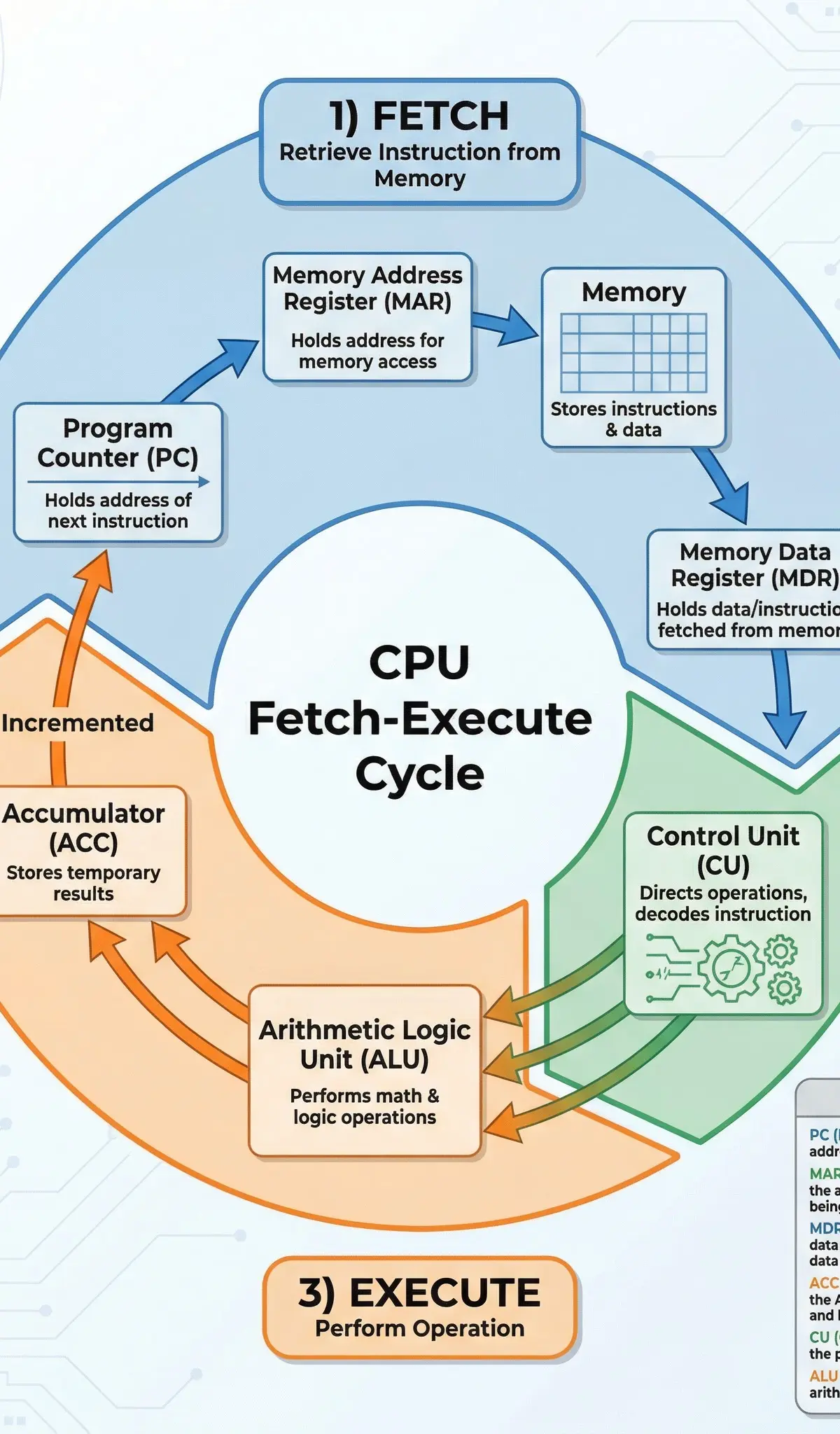
This is the fundamental process the CPU uses to execute instructions. It's a continuous loop, and you must be able to describe each stage precisely.
-
Fetch: The address from the Program Counter (PC) is copied to the Memory Address Register (MAR). The instruction at that address in memory is then copied to the Memory Data Register (MDR). Simultaneously, the Program Counter (PC) is incremented to point to the next instruction, ready for the next cycle. A common mistake is forgetting to mention the PC incrementing.
-
Decode: The Control Unit (CU) examines the instruction in the MDR. It interprets what needs to be done and sends control signals to the relevant components (like the ALU).
-
Execute: The instruction is carried out. This could be a calculation by the ALU, a data transfer between registers, or loading/saving data from memory. The result of an ALU calculation is stored in the Accumulator.
This cycle repeats billions of times per second.
5. Factors Affecting CPU Performance
Examiners will often ask you to explain how certain characteristics affect CPU performance. You need to go beyond simple statements and explain why.
-
Clock Speed: Measured in Hertz (Hz), this is the number of Fetch-Execute cycles the CPU can perform per second (e.g., a 3.4 GHz CPU runs 3.4 billion cycles per second). Higher clock speed means more instructions can be executed per second, leading to faster performance.
-
Number of Cores: A core is an independent processing unit within the CPU. A multi-core CPU (e.g., quad-core) can execute multiple instructions simultaneously. However, this only improves performance if the software is designed for parallel processing (i.e., the task can be split up and worked on by multiple cores at once). A common pitfall is stating that doubling cores doubles speed, which is not always true.
-
Cache Size: A larger cache can hold more frequently used instructions and data. This means the CPU has to access slow RAM less often, reducing processing delays and improving overall speed. This is known as increasing the 'hit rate' (the chance that the data needed is already in the cache).
Practical Applications
Embedded Systems
An embedded system is a computer system with a dedicated function that is part of a larger mechanical or electrical system. Unlike a general-purpose PC, it is designed to do one specific job. Examples include the controller in a washing machine, the engine management system in a car, or the flight controller in a drone. They often use CPUs with lower clock speeds and less RAM because their tasks are predictable and less demanding. Credit is given for linking the 'dedicated function' to a specific device in an exam scenario.

Worked Examples
3 worked examples — open one to explore the question and available guidance.
Practice Questions
Test your understanding — click to reveal model answers
State the name of the register that holds the address of the next instruction to be executed. [1 mark]
Hint: Which register always points one step ahead of the current operation?
Describe how cache size affects CPU performance. [3 marks]
Hint: Think about where the CPU gets its data from and the relative speeds of different memory types.
Compare the roles of the Memory Address Register (MAR) and the Memory Data Register (MDR). [4 marks]
Hint: Think about the type of information each one holds and the direction of data flow.
A games console manufacturer is designing a new machine. They can either use a CPU with a higher clock speed or a CPU with more cores. Evaluate these two options. [6 marks]
Hint: Consider the pros and cons of each. Think about the types of tasks a games console performs.
Explain the role of the accumulator. [2 marks]
Hint: Where is it located and what does it store?