OCR · GCSE · Computer Science
Programming Constructs (Sequence, Selection, Iteration)
Master the three fundamental building blocks of all programs: Sequence, Selection, and Iteration. This guide will equip you with the core knowledge to excel in OCR GCSE Computer Science Paper 2, turning abstract concepts into concrete marks."
- 5 min read
- 3 worked examples
- 5 practice questions
Study Notes
Overview
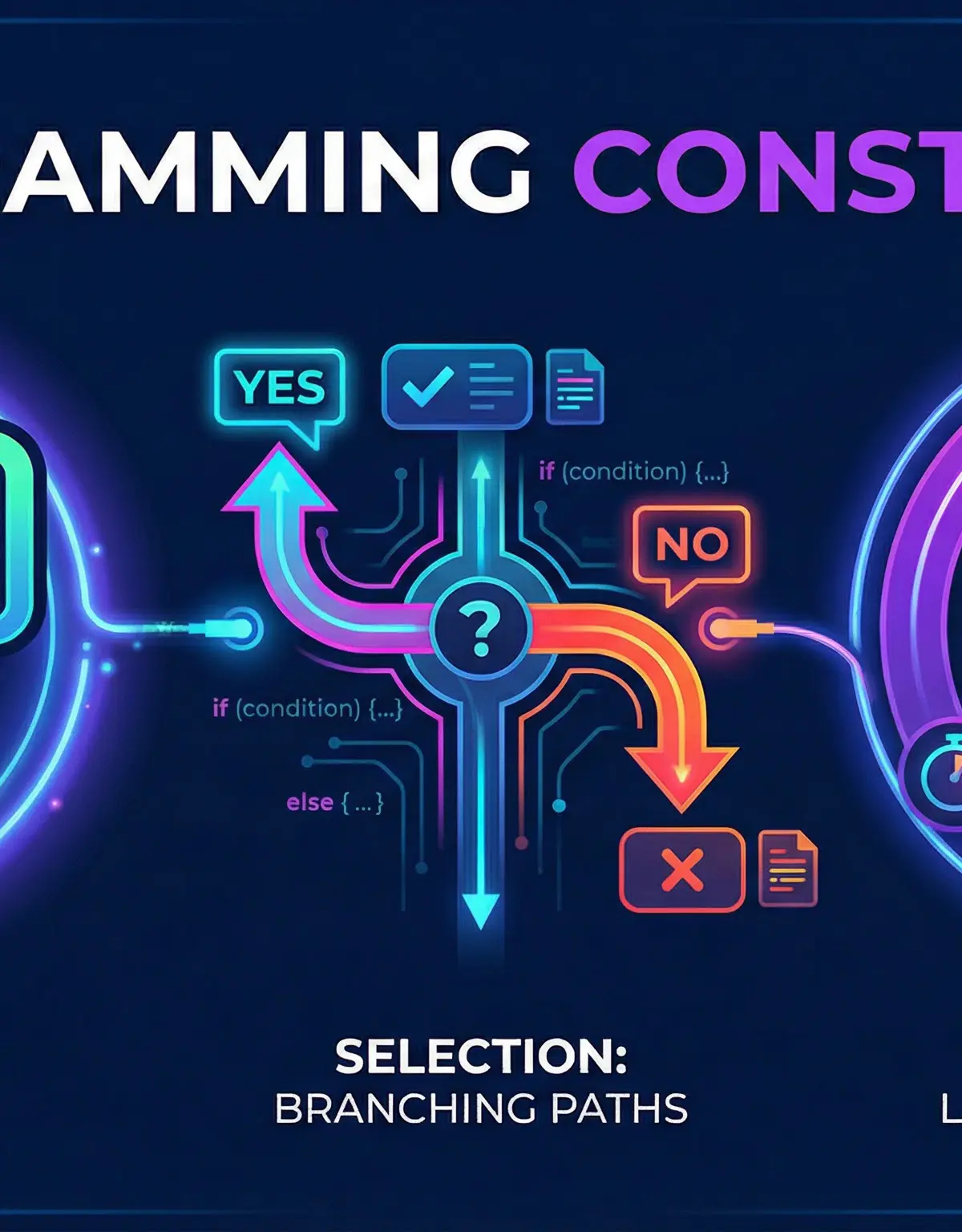
Welcome to the core of programming! Programming constructs are the fundamental building blocks that control the flow of execution in any algorithm. For your OCR GCSE Computer Science exam, mastering these is non-negotiable. They are the essential tools you'll use to solve problems, write algorithms, and understand how software works. This topic, specification reference 5.1, is primarily assessed in Paper 2, where you will be required to read, write, and debug code. Understanding Sequence, Selection, and Iteration deeply allows you to construct logical, efficient, and robust solutions. Expect to see these concepts in everything from short 'what is the output?' questions to longer, 6-mark 'write an algorithm' tasks. This guide will break down each construct, showing you how to secure every possible mark.

Key Concepts
Concept 1: Sequence
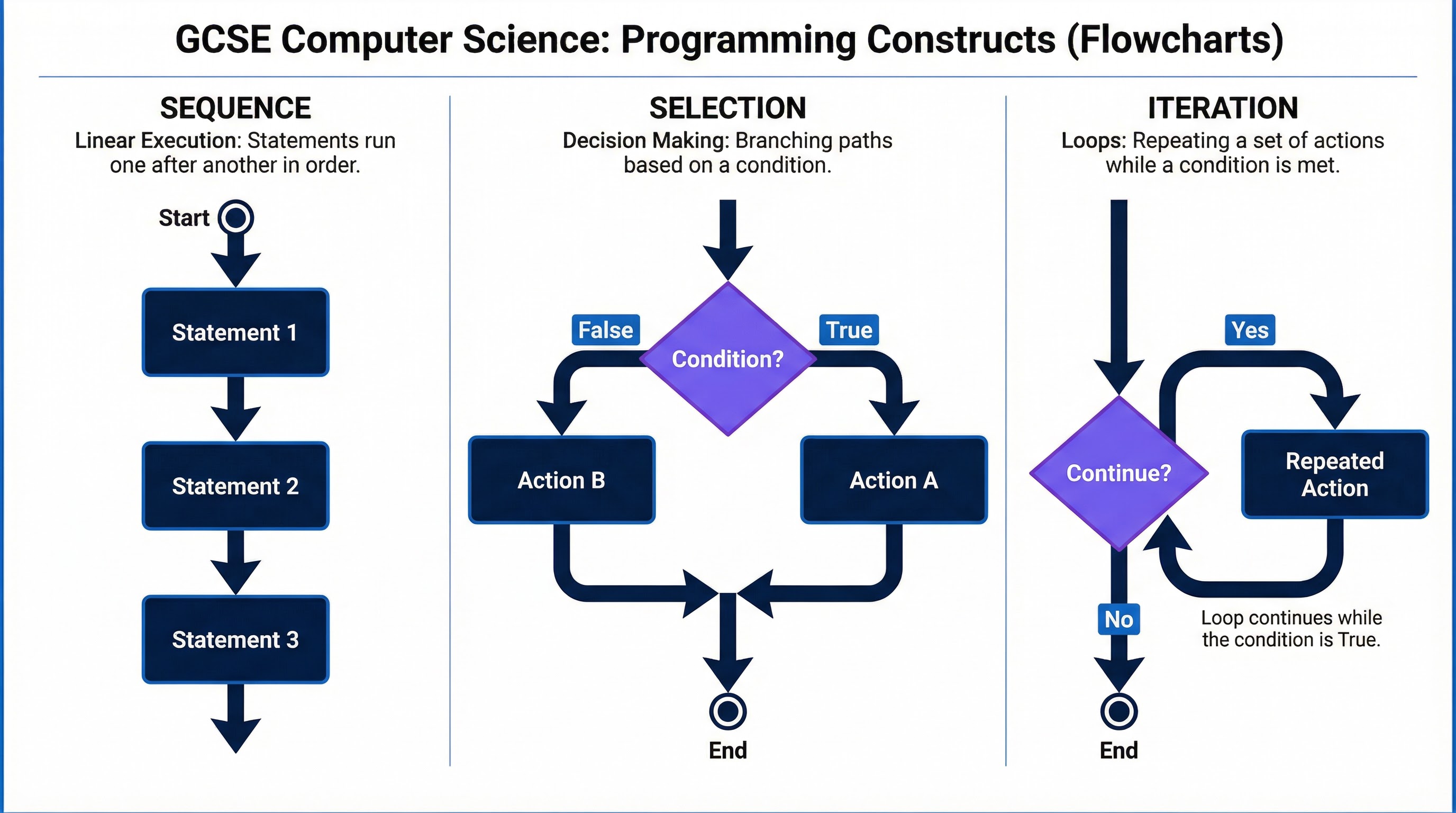
Sequence is the most straightforward construct. It means that instructions in a program are executed one after another, in the precise order they are written, from top to bottom. There is no deviation or jumping around. Think of it like a simple recipe: you must complete step 1 before you can start step 2. This linear flow is the default in most programming languages.
Example:
In Python, the following code demonstrates sequence:
python
name = "Ada Lovelace"
print("Hello, " + name)
print("Welcome to Computer Science!")
The program will first assign the string "Ada Lovelace" to the variable name, then it will print the hello message, and finally, it will print the welcome message. The order is fixed and predictable.
Concept 2: Selection
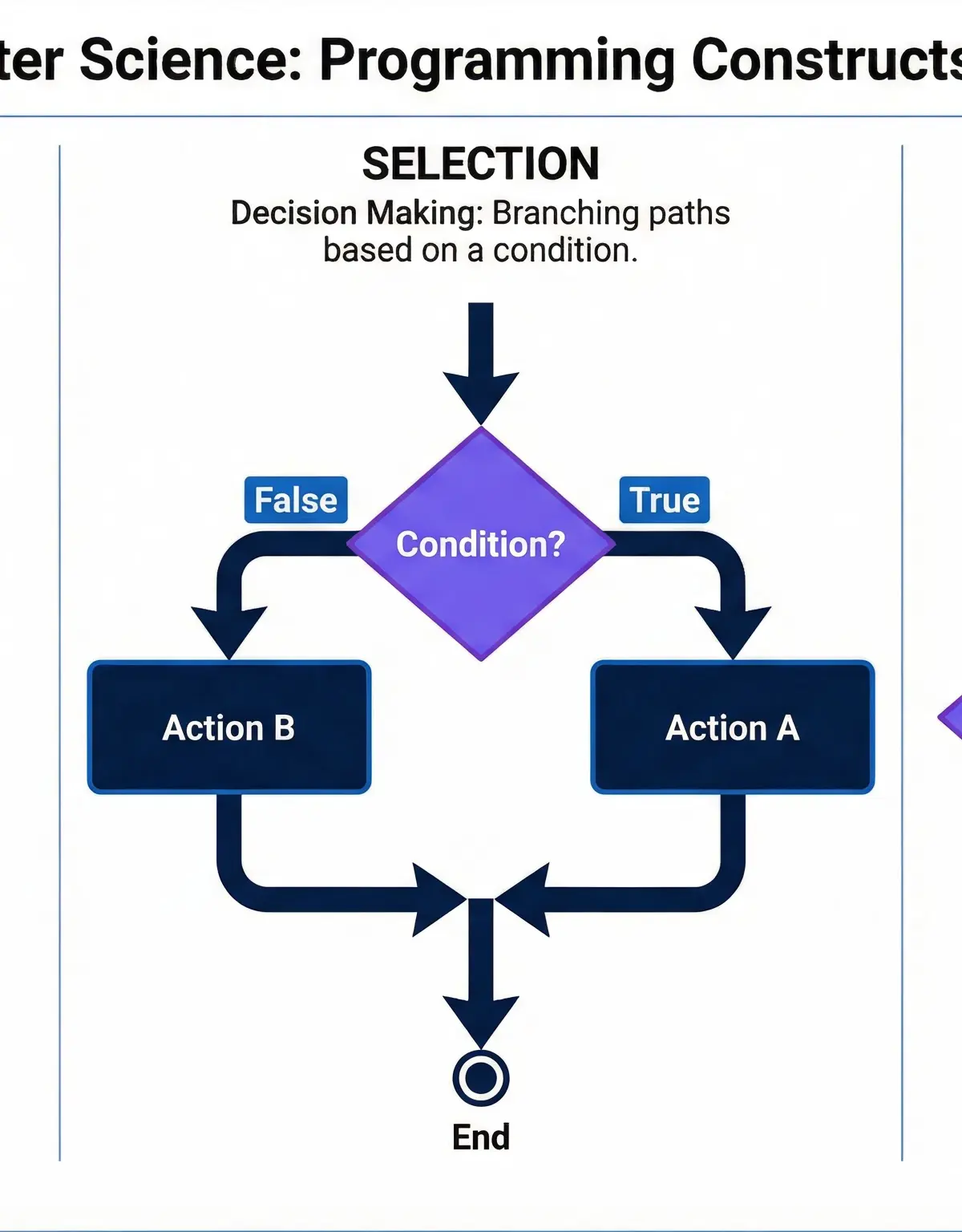
Selection allows a program to make decisions. It provides a way to choose between different paths of execution based on whether a certain condition is met (evaluates to true or false). This is how programs become responsive and intelligent. The primary tools for selection are IF, ELSE, and ELIF (Else If) statements.
Example:
Imagine a program that checks if a user is old enough to vote.
python
age = int(input("Enter your age: "))
if age >= 18:
print("You are eligible to vote.")
else:
print("You are not yet eligible to vote.")
The program checks the condition age >= 18. If this is true, one block of code runs. If it is false, the else block runs. Credit is often given for correctly structuring the if-else block and using the correct comparison operator (>=).
Concept 3: Iteration
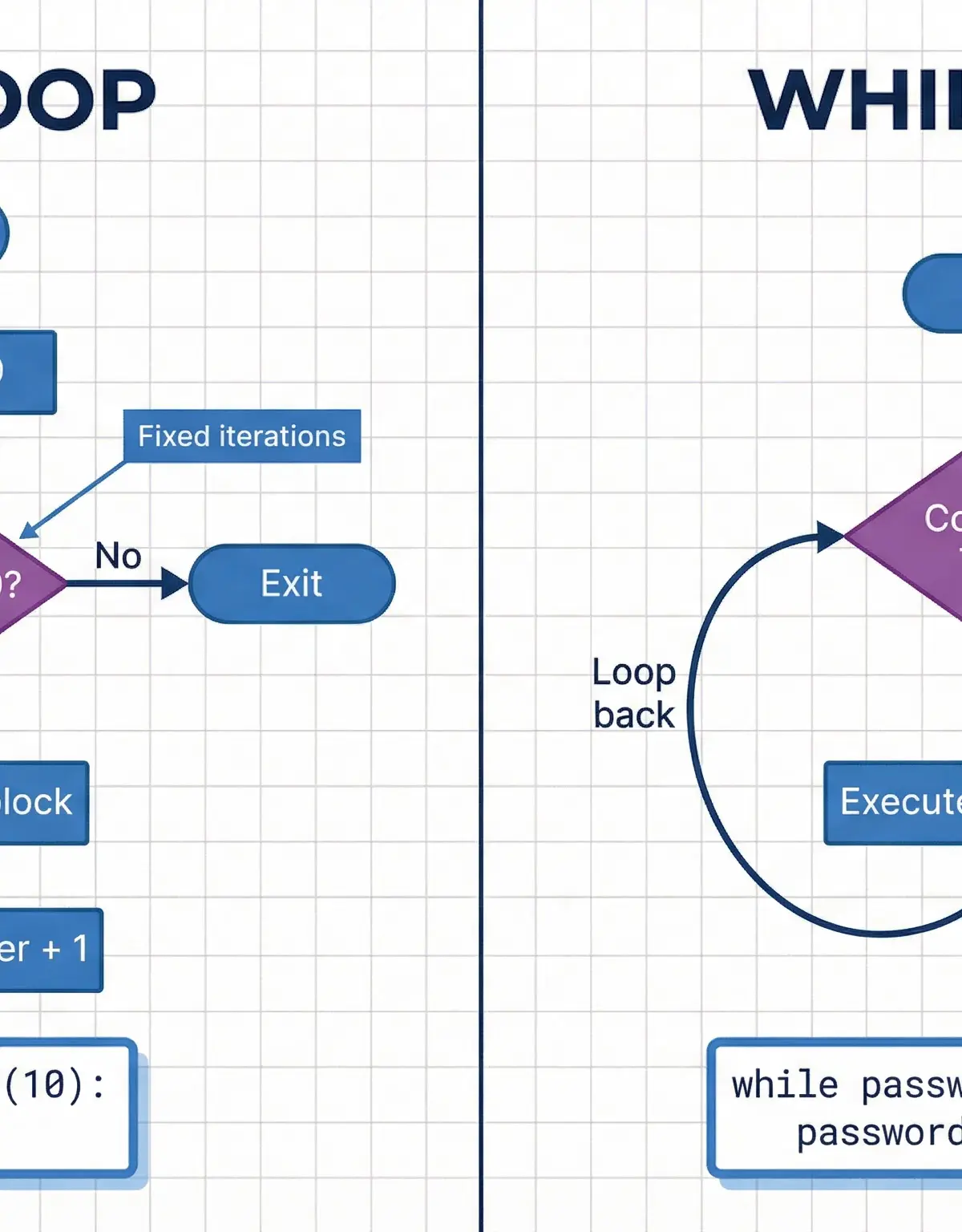
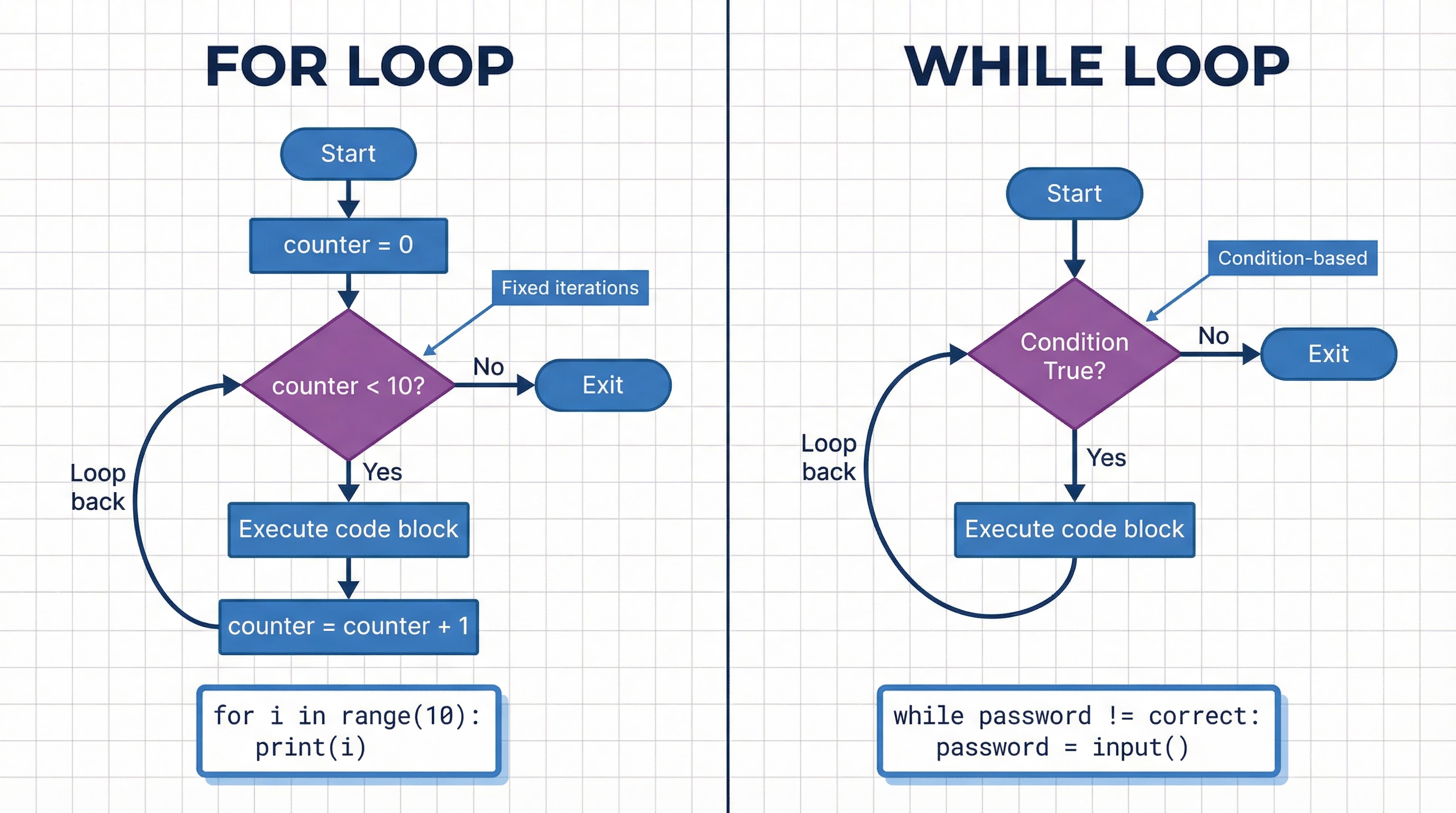
Iteration means repeating a block of code multiple times. This is also known as looping. Iteration is incredibly powerful for processing collections of data or performing an action until a specific goal is reached. The two main types of loops you must know for your exam are FOR loops and WHILE loops.
- Count-Controlled Iteration (FOR Loops): Used when you know in advance exactly how many times you need to repeat the loop. For example, to process every item in a list of 5 items, or to repeat an action 10 times.
- Condition-Controlled Iteration (WHILE Loops): Used when you need to repeat a loop as long as a certain condition is true. You don't necessarily know how many times it will run. For example, looping until a user enters a correct password.
Example:
A FOR loop to print numbers 0 to 4:
python
for i in range(5):
print(i)
A WHILE loop to achieve the same result:
python
i = 0
while i < 5:
print(i)
i = i + 1
Notice the WHILE loop needs a counter to be initialised before the loop and incremented inside the loop. Forgetting to increment the counter (i = i + 1) would create an infinite loop, a common mistake examiners look for.
Mathematical/Scientific Relationships
While programming constructs are logical, not mathematical, they are used to implement mathematical relationships. For example, you might use a loop to calculate a factorial or a selection statement to determine if a number is positive, negative, or zero. The key is understanding how to translate a mathematical rule into a logical sequence of code.
- Modulus Operator (
%): This is crucial for iteration and selection. It gives the remainder of a division. For example,10 % 3is1. It's often used to check for even/odd numbers (number % 2 == 0) or other divisibility tests.
Practical Applications
- User Input Validation: Using a
WHILEloop to repeatedly ask a user for input until they enter something valid (e.g., a number between 1 and 10). This is a classic exam scenario. - Menu Systems: Using selection (
if/elif/else) to respond to a user's choice from a menu of options. - Data Processing: Using a
FORloop to iterate through a list of names, an array of sensor readings, or the lines in a text file to process each one. - Game Development: A game's main loop is a large
WHILEloop (while game_is_running:). Inside, selection determines what happens when a player presses a key, and sequence controls the order of drawing graphics and updating game state.
"
Worked Examples
3 worked examples — open one to explore the question and available guidance.
Practice Questions
Test your understanding — click to reveal model answers
State the most appropriate programming construct (sequence, selection, or iteration) for each of the following scenarios.
Hint: Think about whether the action is a simple list of steps, a choice, or a repetition.
A program needs to ask a user for their favourite colour 5 times. Which type of loop is most appropriate and why?
Hint: Is the number of repetitions known before the loop starts?
Identify the error in the following algorithm. Explain why it is an error.
Write an algorithm that asks the user to enter numbers. The user can enter as many numbers as they like. To stop, they must enter -1. The algorithm should then output the total of all the numbers entered (not including -1).
Hint: You will need a running total and a condition-controlled loop. Think about when to check the condition.
Compare the use of a FOR loop and a WHILE loop in programming. You should refer to the terms count-controlled and condition-controlled in your answer.
Hint: Think about similarities and differences. When would you definitely use one over the other?