OCR · GCSE · Computer Science
Threats to Computer Systems and Networks (Malware, Phishing, Hacking)
This guide provides a comprehensive overview of threats to computer systems and networks, a crucial topic for the OCR GCSE Computer Science exam. It covers malware, social engineering, and other cyber attacks, with a focus on exam technique and mark-scoring strategies."
- 8 min read
- 3 worked examples
- 5 practice questions
Study Notes

Overview
Welcome to your in-depth guide to Section 1.4 of the OCR J277 specification: Threats to Computer Systems and Networks. This topic is a cornerstone of modern computer science and a favorite among examiners because it tests your ability to apply knowledge to real-world scenarios. In this guide, we will dissect the various forms of malware, unravel the deceptive tactics of social engineering, and explore other significant threats like SQL injection and DDoS attacks. You will not only learn the definitions but also understand the mechanics of these threats and, crucially, the prevention methods that earn marks in the exam. Expect to see questions ranging from simple 1-mark definitions to complex 8-mark evaluation tasks, so a solid grasp of this content is essential for achieving a top grade.
Key Concepts
Concept 1: Malware
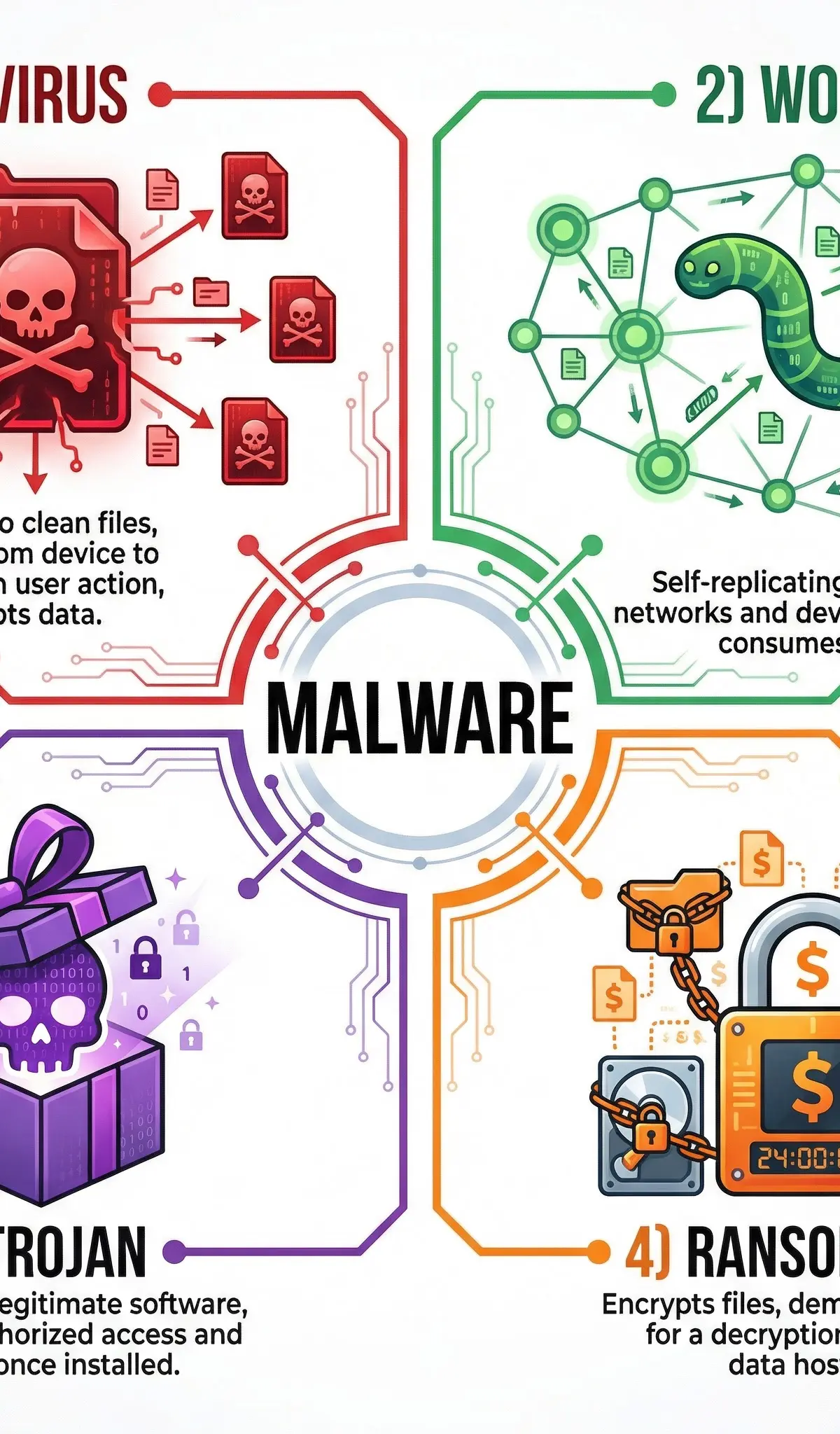
Malware, short for malicious software, is any software intentionally designed to cause disruption to a computer, server, client, or computer network. For your OCR exam, you need to know four key types. It is vital that you can distinguish between them, as examiners often create scenarios where you must identify the specific type of malware involved.
-
Virus: A virus is a piece of malicious code that replicates by attaching itself to another program or file. It requires human intervention to spread, such as a user opening an infected email attachment or running a compromised program. Once active, it can corrupt or delete data, and spread to other files on the system. Think of it like a biological virus; it needs a host to survive and spread.
-
Worm: Unlike a virus, a worm is a standalone piece of malware that can replicate and spread independently across networks without any user action. It exploits vulnerabilities in network protocols to travel from one computer to another. Worms often consume significant bandwidth and can slow down or crash entire networks. A classic exam scenario might describe a network becoming progressively slower without anyone opening any strange files – this points to a worm.
-
Trojan Horse: A Trojan is malware disguised as legitimate software. Users are tricked into downloading and installing it, believing it to be a useful application, such as a game or utility. Once installed, it does not self-replicate but instead performs malicious actions, such as creating a backdoor for a hacker to gain access, stealing personal data, or installing other forms of malware. The name comes from the ancient Greek story of the wooden horse that was used to invade the city of Troy.
-
Ransomware: This is a particularly nasty type of malware that encrypts a user's files, making them inaccessible. The attacker then demands a ransom payment, usually in cryptocurrency, in exchange for the decryption key. For full marks, you must mention both the encryption of data and the demand for payment. This is a very common topic in recent exam papers.
Concept 2: Social Engineering
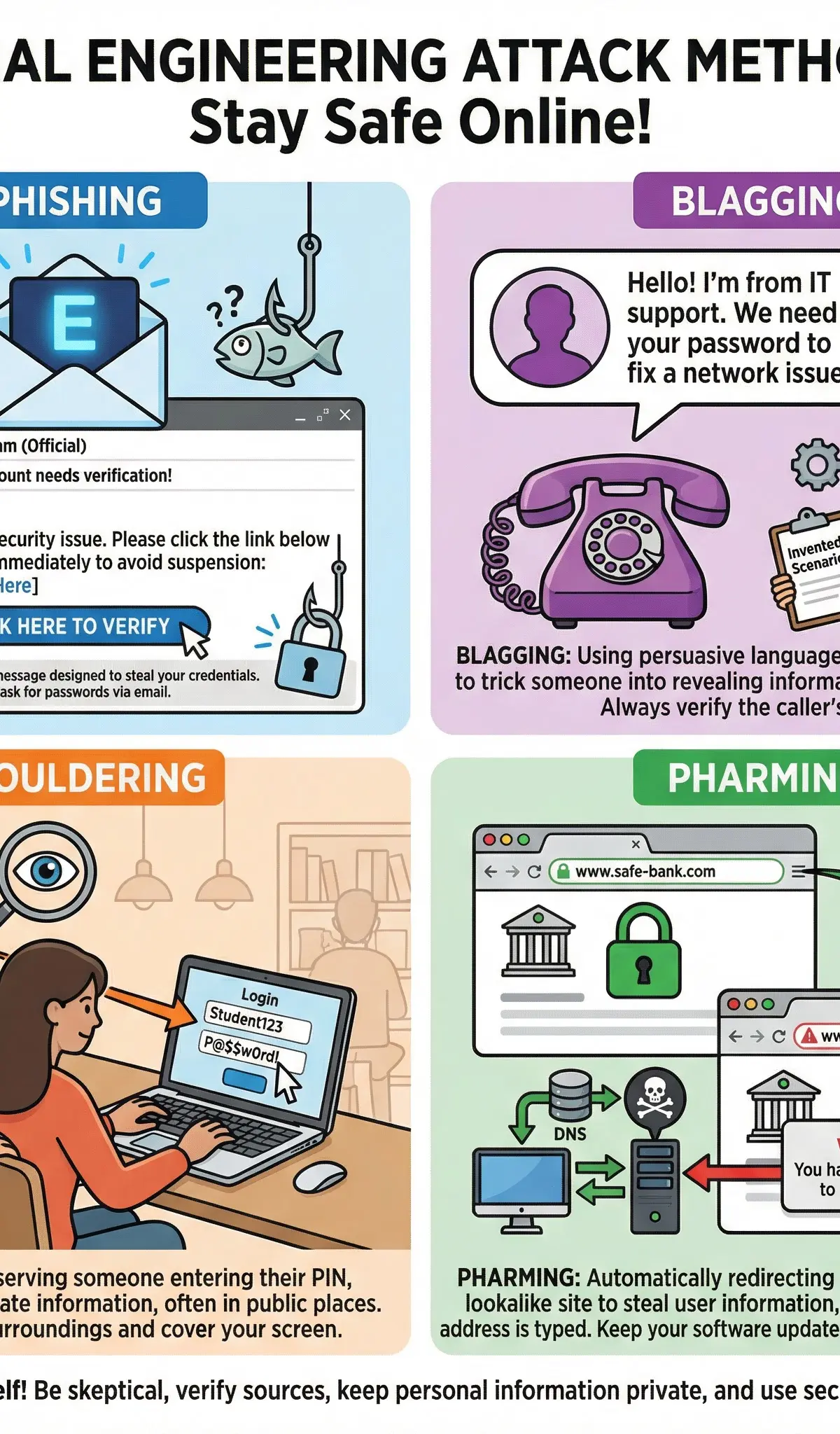
Social engineering is the art of manipulating people into divulging confidential information or performing actions that compromise security. It exploits human psychology rather than technical vulnerabilities. People are often the weakest point in a security system.
-
Phishing: This is the most common form of social engineering. Attackers send fraudulent emails or messages that appear to be from a reputable source (e.g., a bank, a social media platform). These messages aim to trick the recipient into clicking a malicious link or revealing sensitive information like passwords or credit card numbers. Telltale signs include a sense of urgency, generic greetings, and poor grammar.
-
Blagging (Pretexting): Blagging involves creating and using an invented scenario to engage a targeted victim in a way that increases the chance the victim will divulge information or perform actions that would be unlikely in ordinary circumstances. For example, an attacker might call an employee and pretend to be from the IT helpdesk to trick them into revealing their password.
-
Shouldering (or Shoulder Surfing): This is a direct observation technique, where an attacker looks over a person's shoulder to obtain information such as PINs, passwords, or other confidential data being entered into a device. It is most common in crowded public places.
-
Pharming: This is a more technical attack that redirects a user from a legitimate website to a fraudulent one, even if the correct URL is typed in. This can be achieved by compromising a DNS server or modifying the 'hosts' file on a victim's computer. The fake website is designed to look identical to the real one to steal login credentials.
Concept 3: Other Threats
-
SQL Injection: This is a code injection technique used to attack data-driven applications. Malicious SQL statements are inserted into an entry field for execution (e.g., to dump the database contents to the attacker). A successful SQL injection exploit can read sensitive data from the database, modify database data, and execute administration operations on the database. The primary prevention method is input sanitisation or input validation, which involves checking and cleaning all data inputs before they are processed by the system.
-
Distributed Denial of Service (DDoS) Attack: In a DDoS attack, the attacker uses multiple compromised computer systems (a 'botnet') to flood a target server or network with an overwhelming amount of traffic. This makes the server or network resource unavailable to legitimate users. To get the marks, you must explain that the attack comes from multiple, distributed sources, overwhelming the target.
Practical Applications
These threats are not just theoretical concepts; they have major real-world consequences. The 2017 WannaCry ransomware attack affected over 200,000 computers across 150 countries, causing massive disruption to organisations like the UK's National Health Service (NHS). Understanding how phishing emails led to data breaches at major corporations helps to contextualise the importance of user education. These examples can be used in your exam answers to demonstrate a deeper understanding (AO3).
Network Security Measures
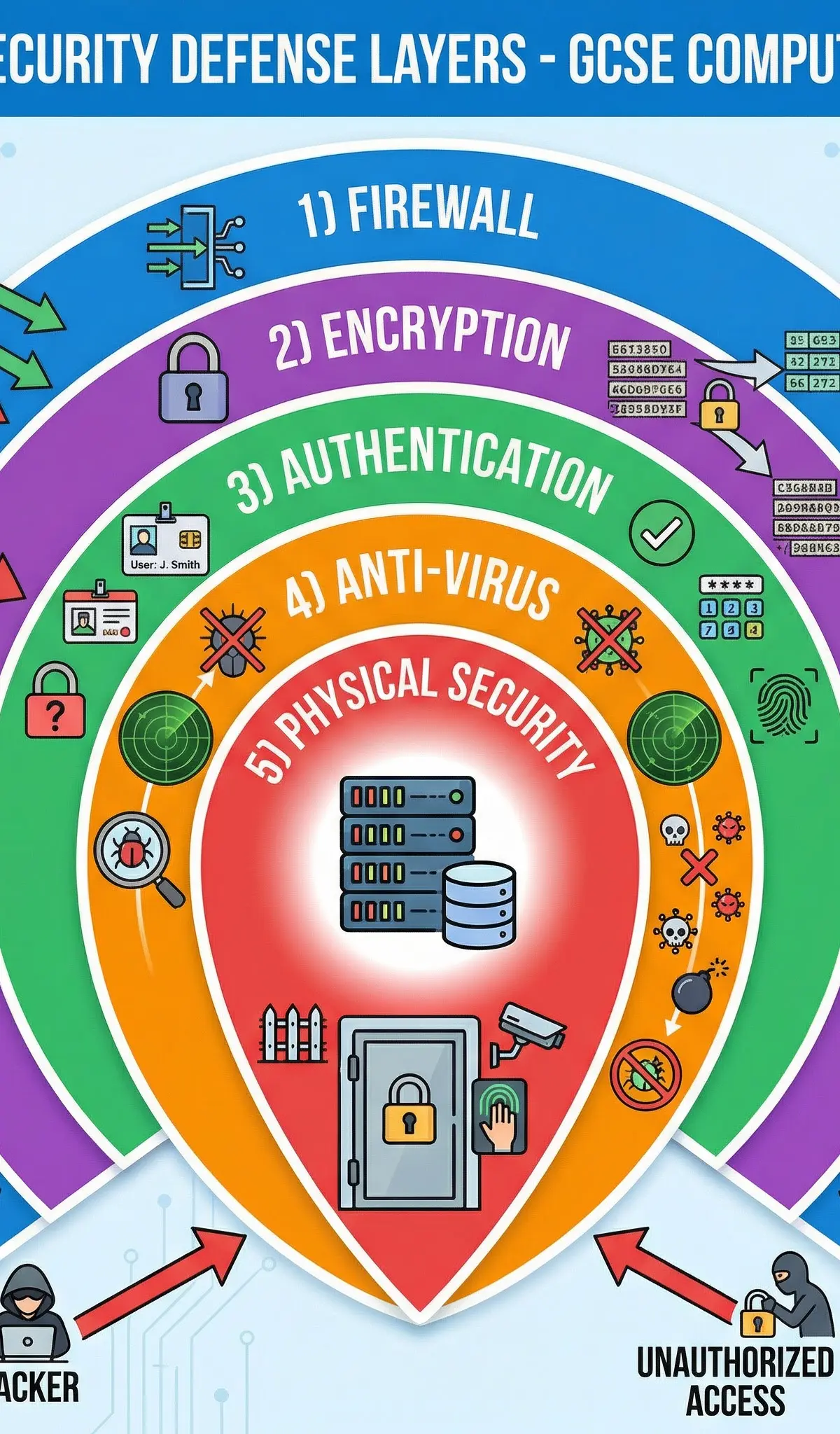
To combat these threats, a layered approach to security is essential. This is often called 'defence in depth'.
-
Firewalls: A firewall acts as a barrier between a trusted internal network and untrusted external networks. It monitors and controls incoming and outgoing network traffic based on predetermined security rules. It can be hardware or software-based.
-
Anti-Virus Software: This software is designed to detect, prevent, and remove malware from a computer system. It works by scanning files and comparing them against a database of known malware signatures, and by using heuristics to identify suspicious behaviour.
-
Encryption: Encryption is the process of converting data into a code to prevent unauthorised access. Even if data is intercepted, it cannot be read without the correct decryption key. This is vital for protecting sensitive data both in transit (e.g., online banking) and at rest (e.g., on a hard drive).
-
Authentication: Authentication is the process of verifying the identity of a user. This can be done using something the user knows (a password), something the user has (a security token), or something the user is (biometrics, like a fingerprint). Strong, multi-factor authentication provides a powerful defence against unauthorised access.
-
Physical Security: This involves protecting hardware and networking infrastructure from physical threats. This includes measures like locked doors, CCTV, and ensuring servers are in secure locations to prevent theft or unauthorised physical access.
Worked Examples
3 worked examples — open one to explore the question and available guidance.
Practice Questions
Try the question, then reveal an answer plan or example response
State three potential indicators of a phishing email.
Hint: Think about the greeting, the sender’s address, and the language used.
Describe the difference between a virus and a worm.
Hint: Focus on how each one spreads.
A hacker wants to gain access to a company’s database via its website. Identify and describe a method they could use.
Hint: Think about how websites use databases and how user input could be exploited.
Explain two ways a school can protect its network from malware.
Evaluate the use of biometric authentication as a method of protecting a smartphone.
Hint: Consider the strengths and weaknesses compared to other methods like passwords.
Test your understanding of Threats to Computer Systems and Networks (Malware, Phishing, Hacking)
Active recall beats re-reading. Take an instant quiz now to test what you’ve learned and lock it into long-term memory.
A week of Premium from your first lesson · Then the free plan continues · No card, no charge