Pearson Edexcel · GCSE · Computer Science
Input/output
Input/Output is the vital bridge between a program and the outside world. This topic covers how to get data from users and files, validate it to prevent errors, and authenticate users securely—essential skills that underpin almost every practical programming task in your exam.
- 5 min read
- 3 worked examples
- 5 practice questions
- 6 key terms
Study Notes
Overview
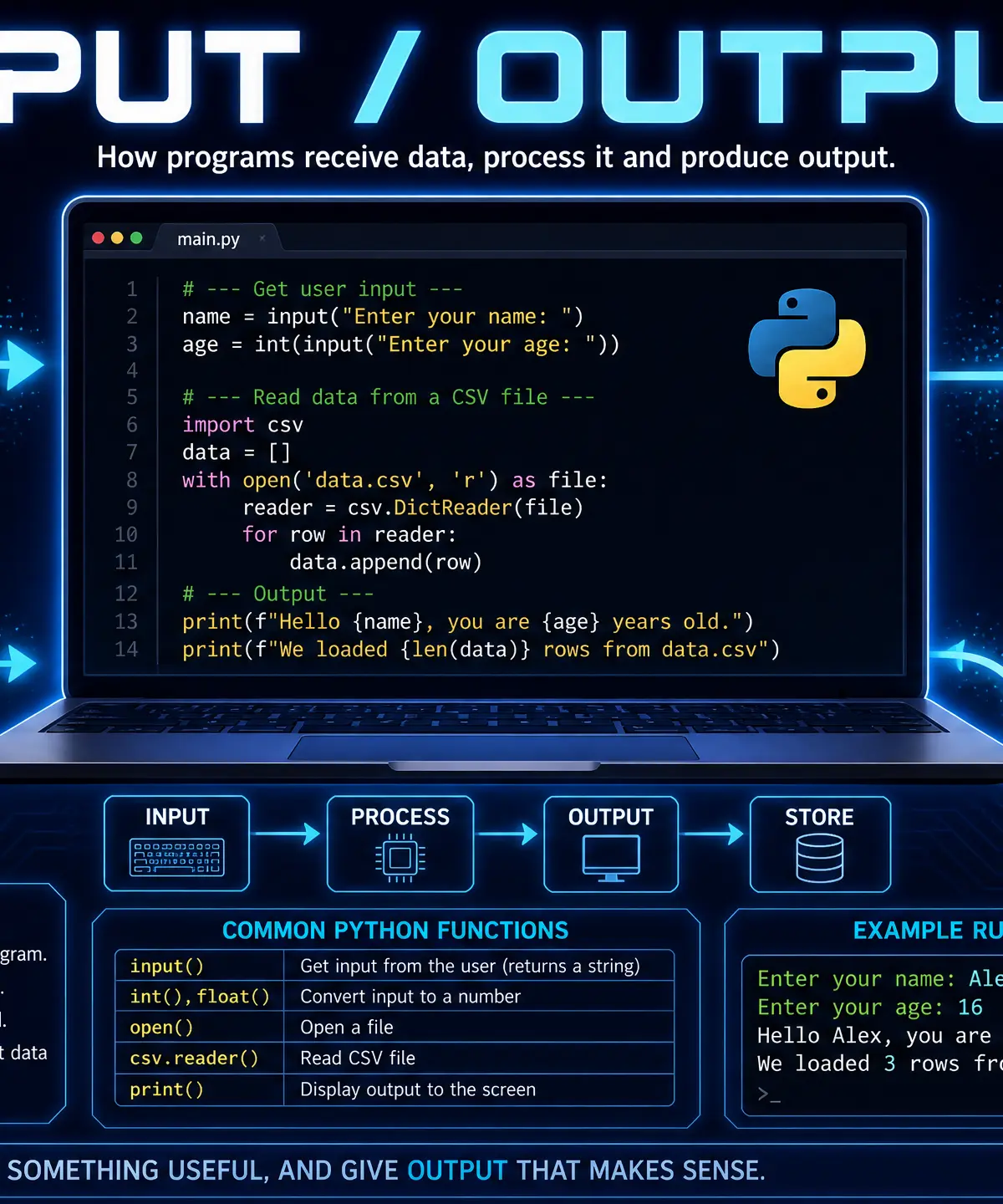
Input and Output (I/O) is the foundation of interactive programming. Without it, a program cannot receive data, nor can it share its results. This topic covers how programs handle user inputs, read and write data to files (like CSVs), and ensure that the data entering the system is both valid and secure.
In Computer Science, mastering I/O is critical because it connects theoretical algorithms to real-world applications. It directly links to other topics such as data types, algorithms, and security. In your exam, you can expect a mix of short theoretical questions (e.g., "State the difference between validation and authentication") and longer practical tasks where you must write code to read from a file, validate the data, and output a formatted result.
Listen to the companion podcast below for an examiner's perspective on this topic:

Key Concepts
Concept 1: User Input and Output
Programs need to communicate with users. In Python, the input() function is used to gather data from the keyboard, while the print() function displays data on the screen.
Crucial Detail: The input() function always returns a string. If you ask a user for their age and they type 16, Python sees it as the text "16", not the number 16. To perform mathematical operations, you must cast (convert) the input to an integer using int() or a float using float().
Example:
python
Getting string input
name = input("Enter your name: ")
Getting integer input (requires casting)
age = int(input("Enter your age: "))
Output using an f-string
print(f"Hello {name}, next year you will be {age + 1}.")
Concept 2: File Handling (CSV)
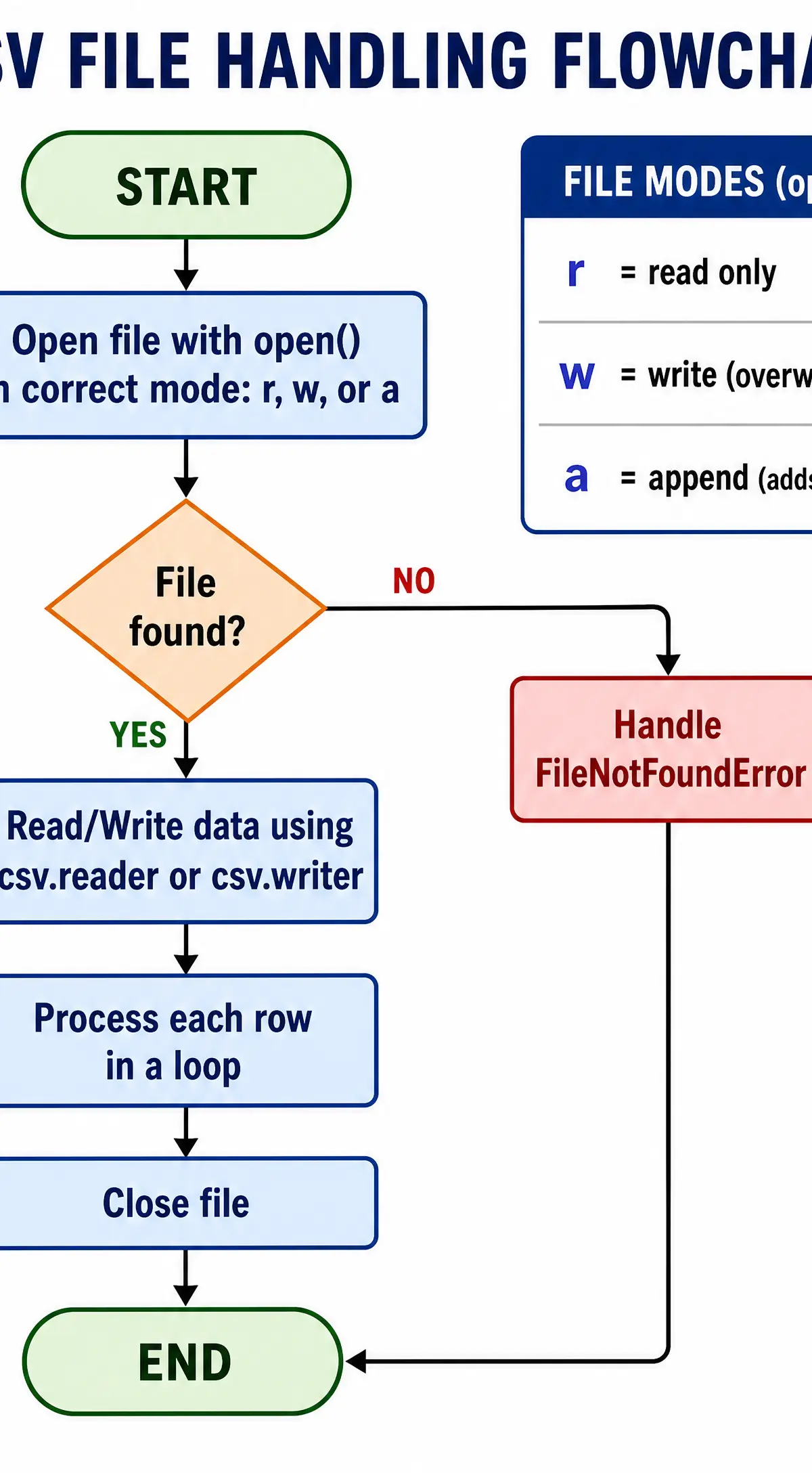
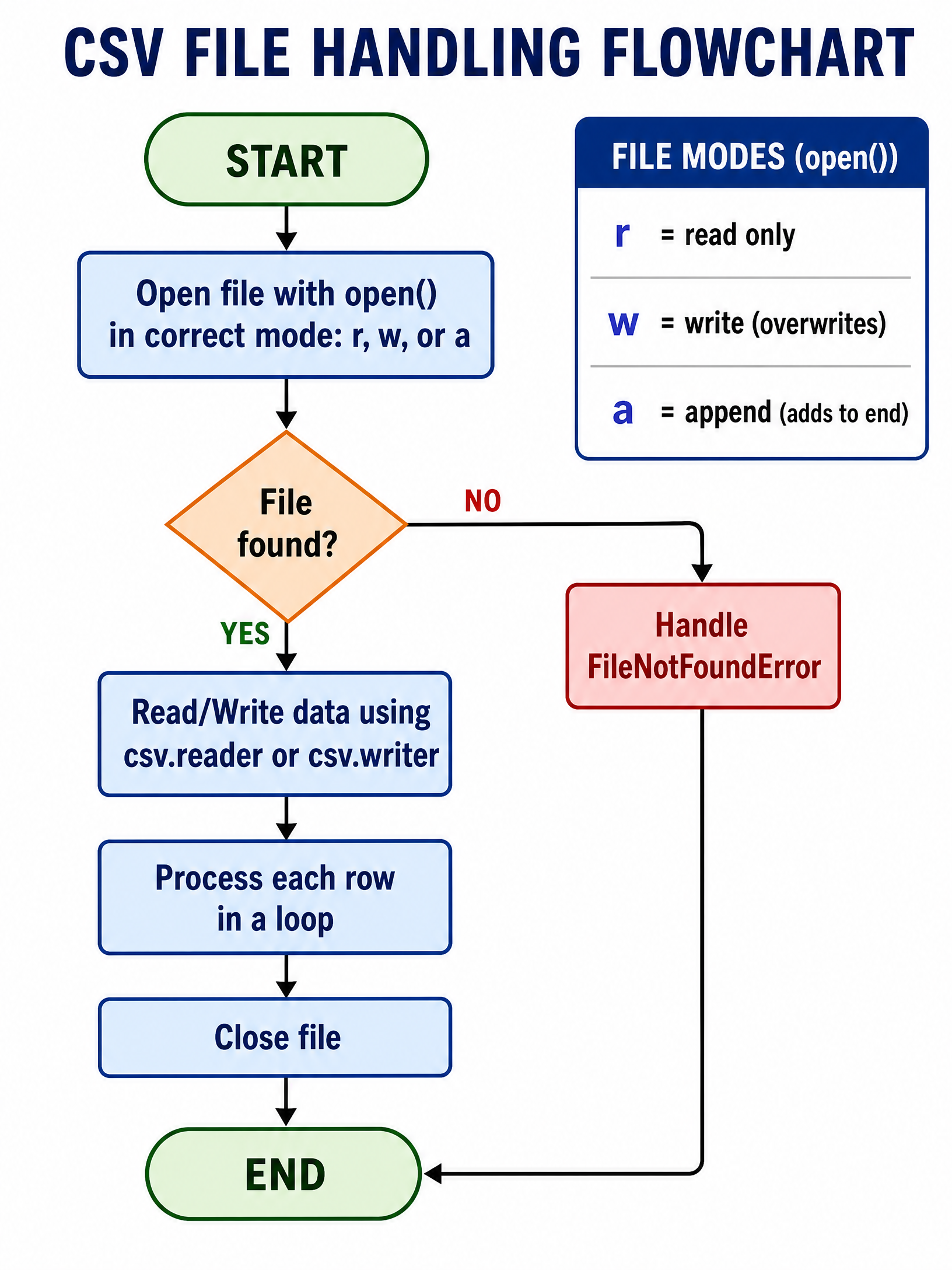
Data stored in variables is lost when a program closes. To save data permanently, we write it to files. A Comma-Separated Values (CSV) file is a simple text file where each line is a record, and fields are separated by commas. It is essentially a spreadsheet saved as plain text.
When working with files, you must specify the file mode:
- Read (
r): Opens the file to read its contents. Does not modify the file. - Write (
w): Opens the file to write data. Warning: This overwrites any existing data in the file. - Append (
a): Opens the file to add data to the end, preserving existing contents.
Always use the with statement when opening files. It ensures the file is automatically closed when the block of code finishes, even if an error occurs. Examiners look for this as a sign of good programming practice.
Concept 3: Data Validation
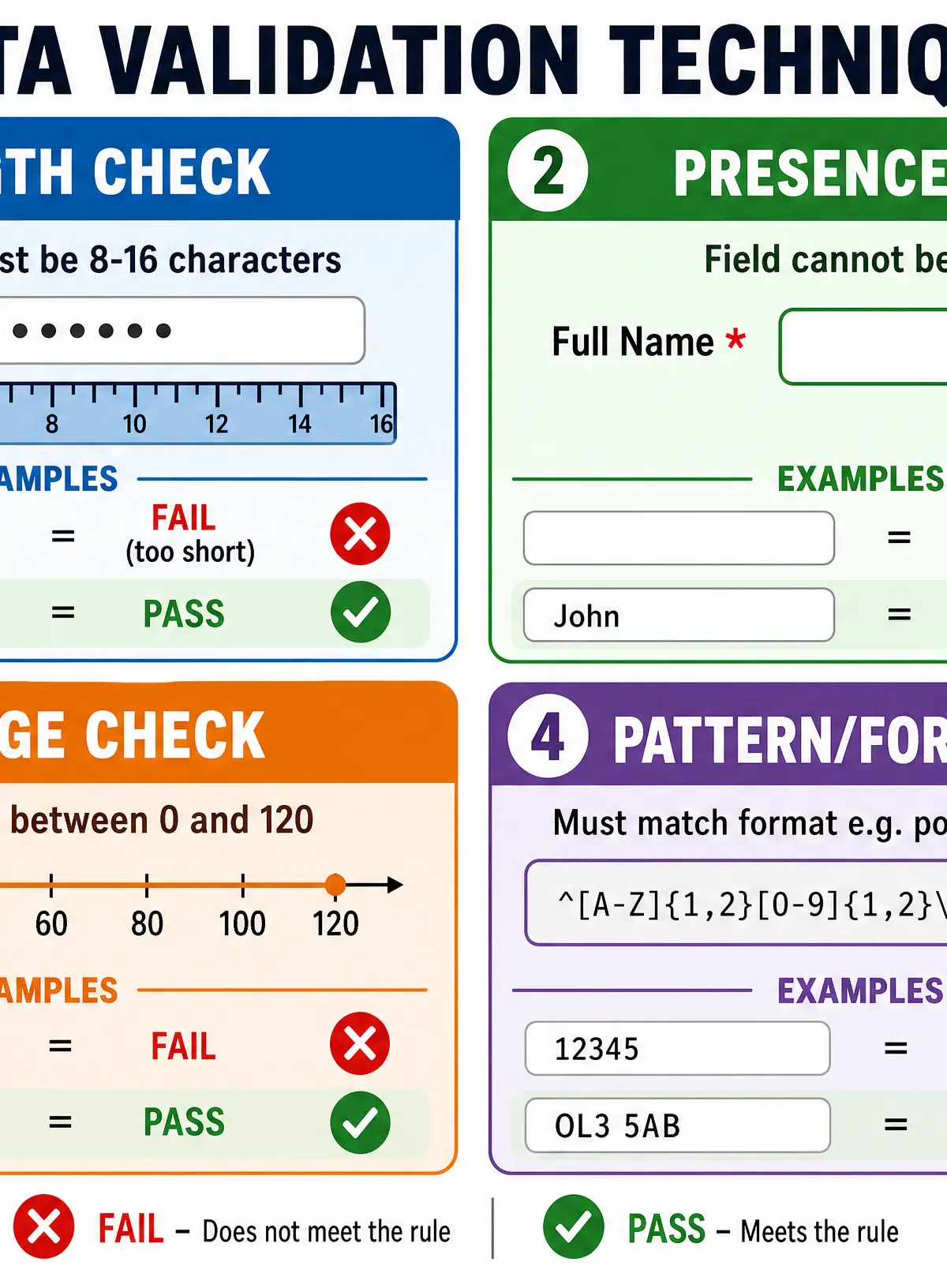
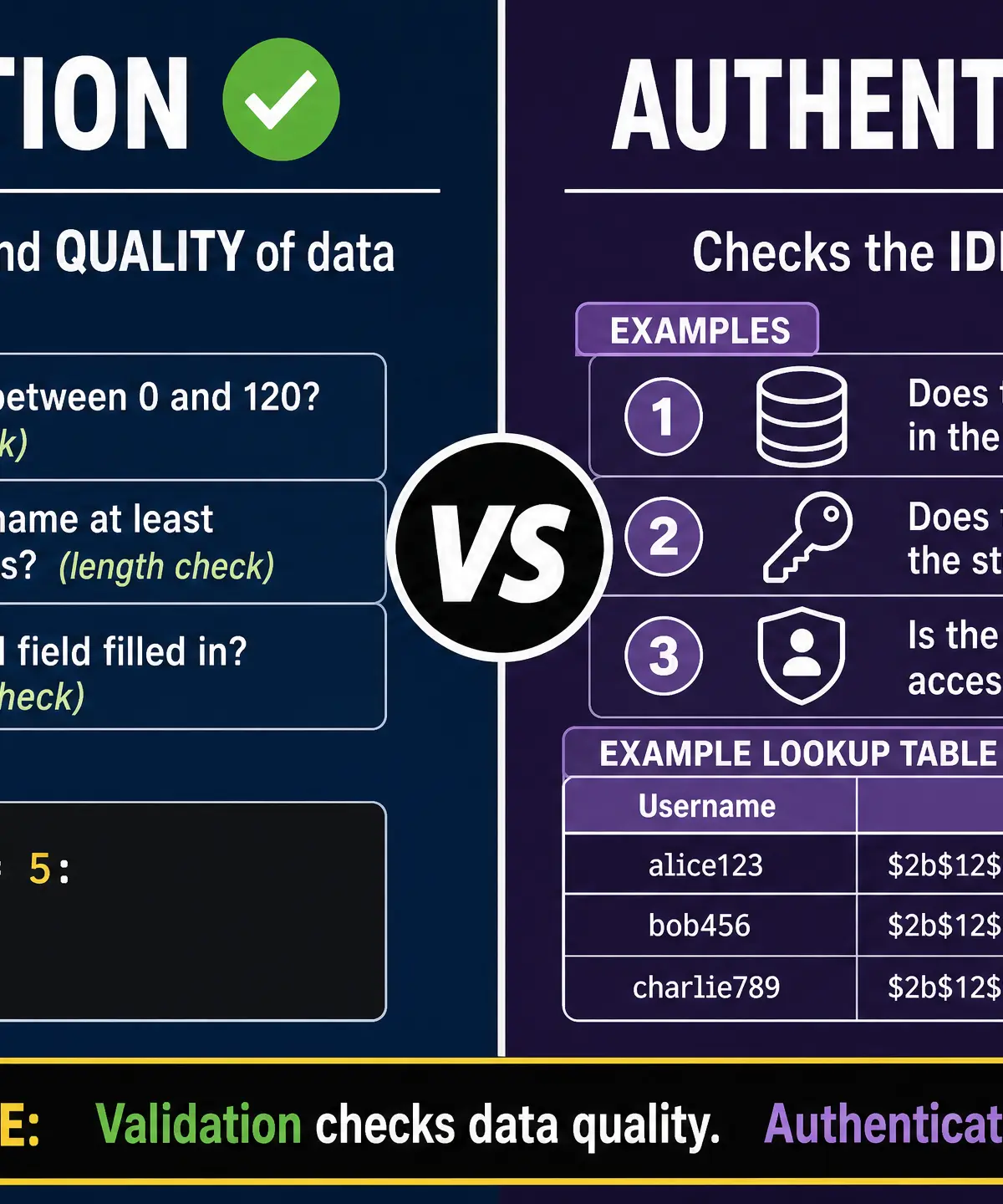
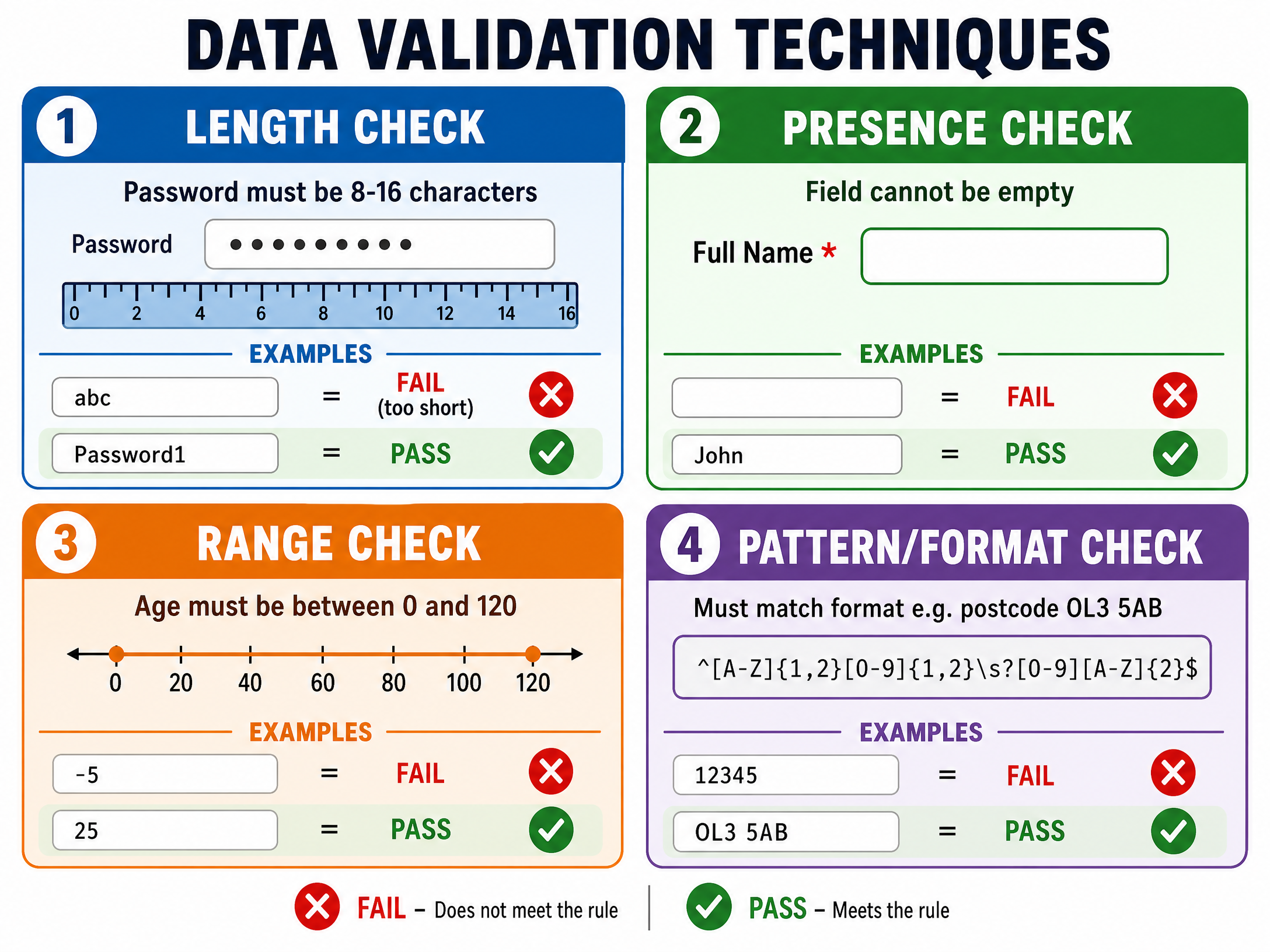
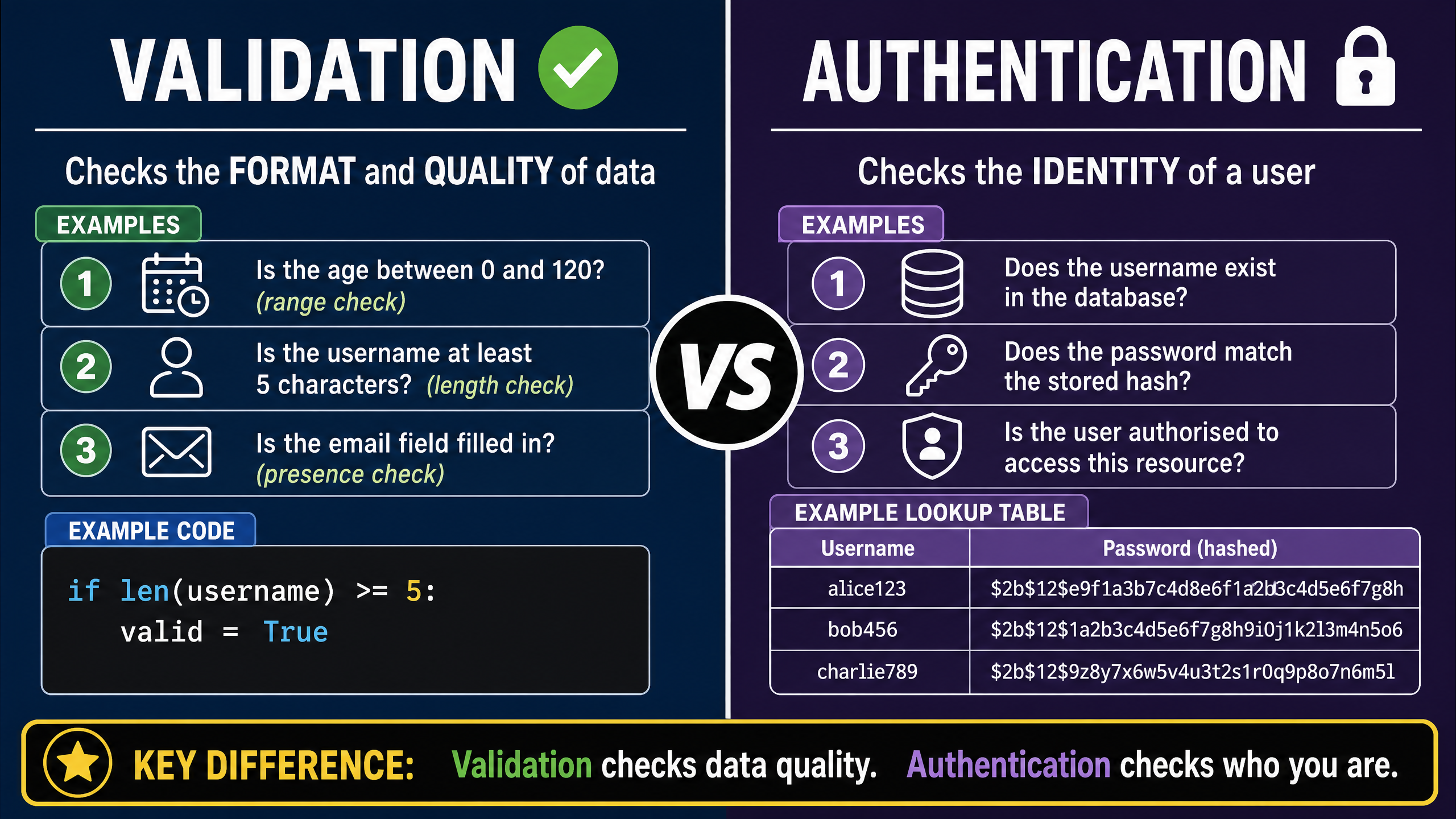
Validation is the automated checking of data entered into a system to ensure it is sensible and reasonable before it is processed. It does not check if the data is correct or true (e.g., it can check if an age is between 0 and 120, but not if you are actually 16).
There are four main types of validation you must know:
- Presence Check: Ensures a field has not been left blank.
- Length Check: Ensures the data contains a specific number of characters (e.g., a password must be at least 8 characters).
- Range Check: Ensures a number falls within a specified lower and upper boundary.
- Pattern/Format Check: Ensures the data matches a specific format (e.g., an email address must contain an
@symbol).
Concept 4: Authentication
While validation checks the data, authentication checks the identity of the user. It ensures that a person is who they claim to be, usually by comparing credentials (like a username and password) against a stored lookup table or database.
Mathematical/Scientific Relationships
While this topic is primarily programming-focused, you must understand Boolean logic as it applies to validation. Validation rules often use comparison operators:
==(Equal to)!=(Not equal to)>(Greater than)<(Less than)>=(Greater than or equal to)<=(Less than or equal to)
For example, a range check for a teenager's age requires compound Boolean logic: if age >= 13 and age <= 19:
Practical Applications
Input/Output and validation are used everywhere. When you create a new account on Instagram, length checks ensure your password is secure, and format checks ensure your email is valid. When a school takes the register, the system appends (a mode) the attendance data to a database file so it isn't lost when the computer is turned off.
Visual Resources
3 diagrams and illustrations
Interactive Diagrams
2 interactive diagrams to visualise key concepts
Conceptual Flow Outline
Flowchart demonstrating how validation (presence, length) occurs BEFORE authentication.
Conceptual Flow Outline
The data flow and casting process from user input to screen output.
Worked Examples
3 worked examples — open one to explore the question and available guidance.
Practice Questions
Test your understanding — click to reveal model answers
A programmer is creating a registration form. State two validation checks they could use on a 'Date of Birth' field.
Hint: Think about what makes a date sensible. Can someone be born in the future? Can they leave it blank?
Describe how a program can authenticate a user logging into a system.
Hint: What two pieces of information does the user provide, and what does the system do with them?
Write a Python program that asks the user to input an exam score out of 100. The program must use a loop to continuously ask for the score until a valid number between 0 and 100 inclusive is entered. Once valid, output 'Score accepted'.
Hint: You need a `while` loop, and you must cast the input to an integer. Think carefully about the condition for the loop to continue running.
Explain why a programmer should use a with statement when opening files in Python.
Hint: What happens if a program crashes while a file is open normally?
A text file 'logs.txt' contains a list of usernames. A developer writes the following code: file = open('logs.txt', 'w'). Explain the problem with this code if the developer intended to add a new user to the list.
Hint: Look at the mode parameter 'w'. What does 'w' do to existing files?