Pearson Edexcel · GCSE · Computer Science
Software
This topic covers the crucial software that makes your computer actually work, from the Operating System that manages hardware to the Utility Software that keeps everything secure and optimised. Understanding these concepts is vital for the exam, as examiners frequently test your ability to distinguish between different software types and explain how developers identify vulnerabilities to create robust systems.
- 6 min read
- 3 worked examples
- 5 practice questions
- 6 key terms
Study Notes
Overview
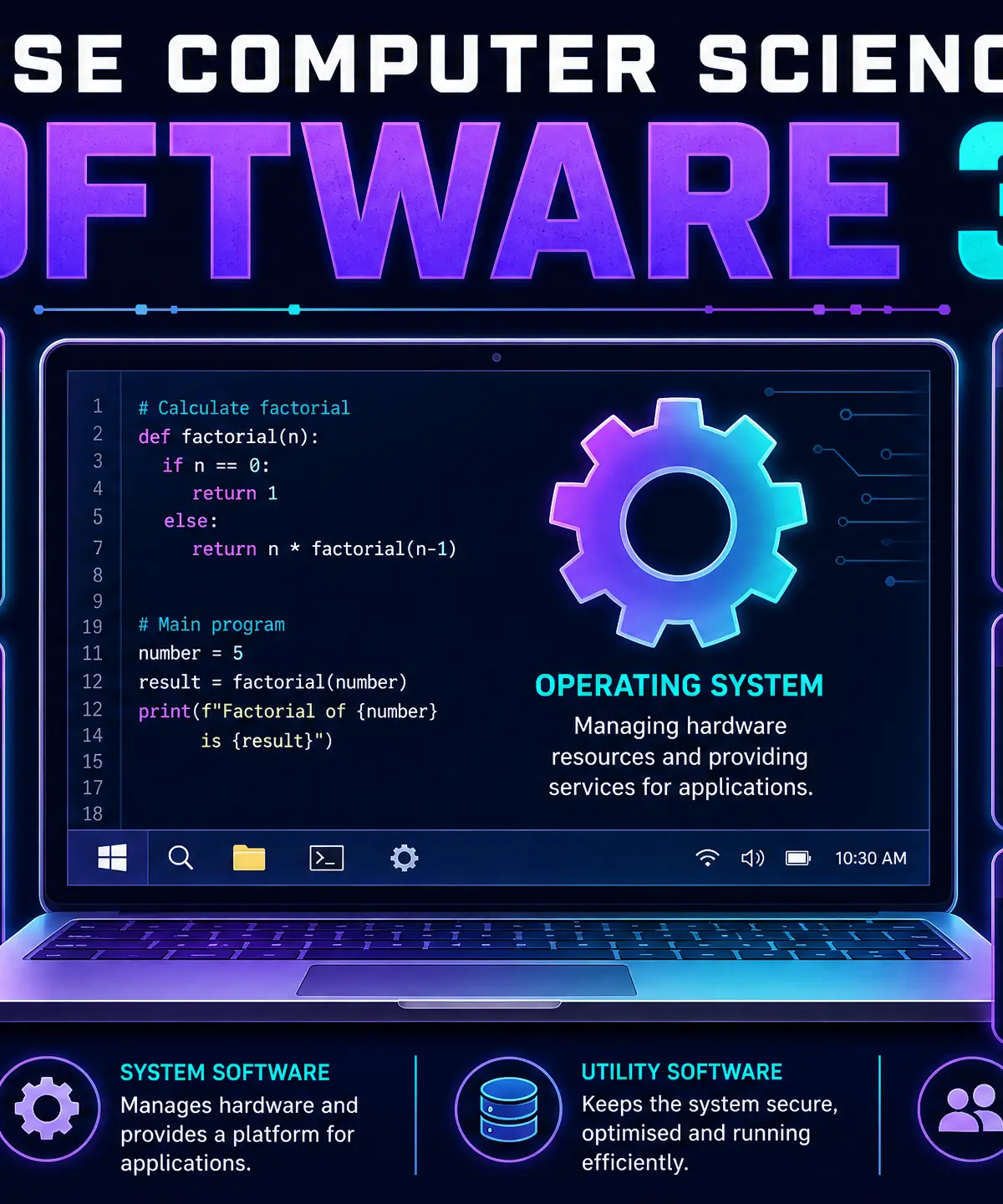
Welcome to Section 3.2: Software. While hardware refers to the physical components of a computer, software is the invisible set of instructions that brings that hardware to life. Without software, even the most powerful computer is essentially useless.
In this topic, we will explore the fundamental difference between system software (which runs the computer) and application software (which performs tasks for the user). We will focus heavily on two critical types of system software: the Operating System (OS) and Utility Software. Finally, we'll examine why developing robust software is essential in the modern world and the methods developers use to identify vulnerabilities before hackers do.
Examiners love testing this topic through scenario-based questions. They might ask you to recommend the right utility software for a specific problem, or explain why an operating system is necessary for a user to interact with a new peripheral device.
Key Concepts
Concept 1: The Operating System (OS)
The Operating System is the most important piece of software on any computer. It acts as a bridge (or interface) between the user, the application software, and the physical hardware.
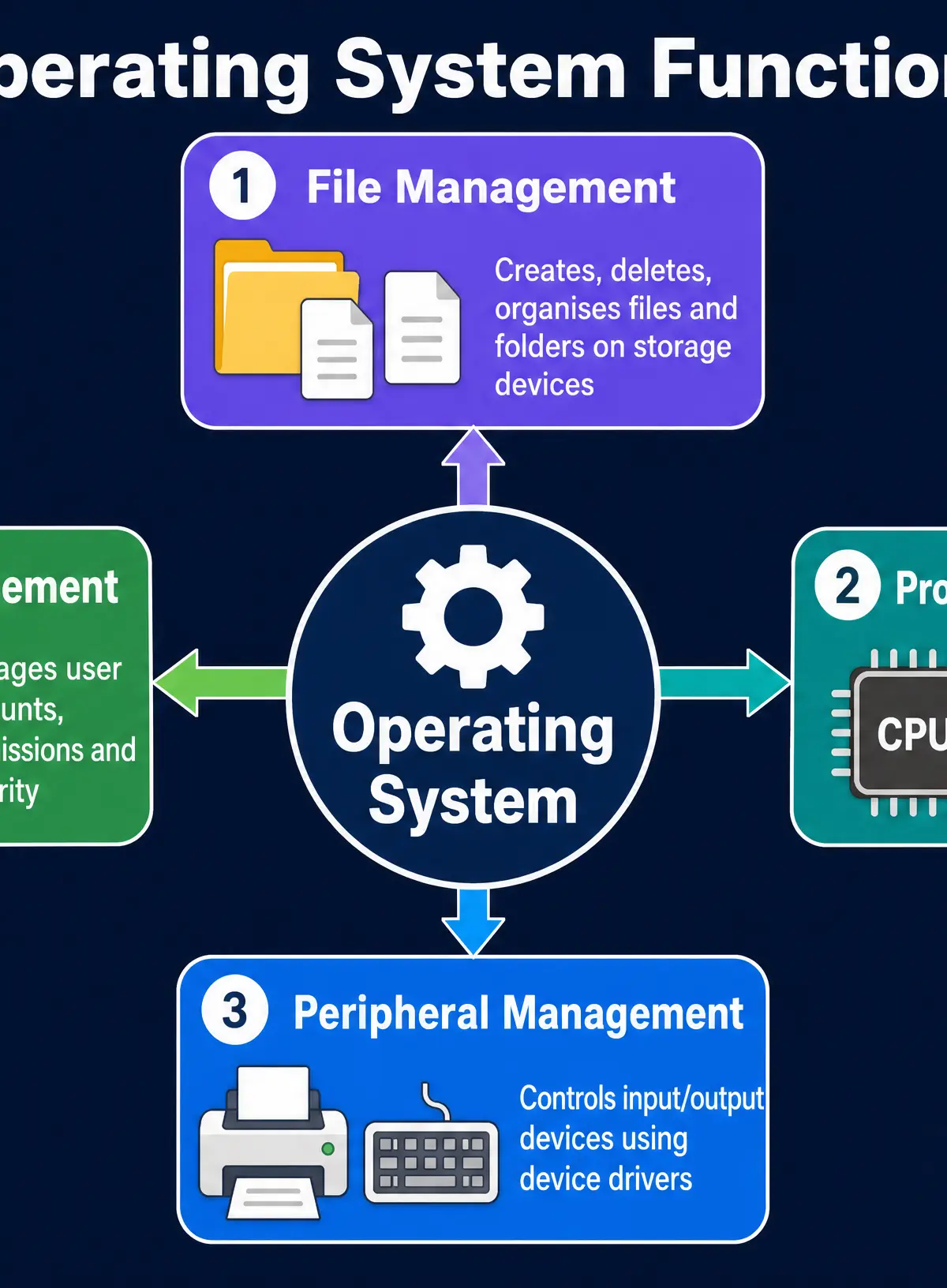
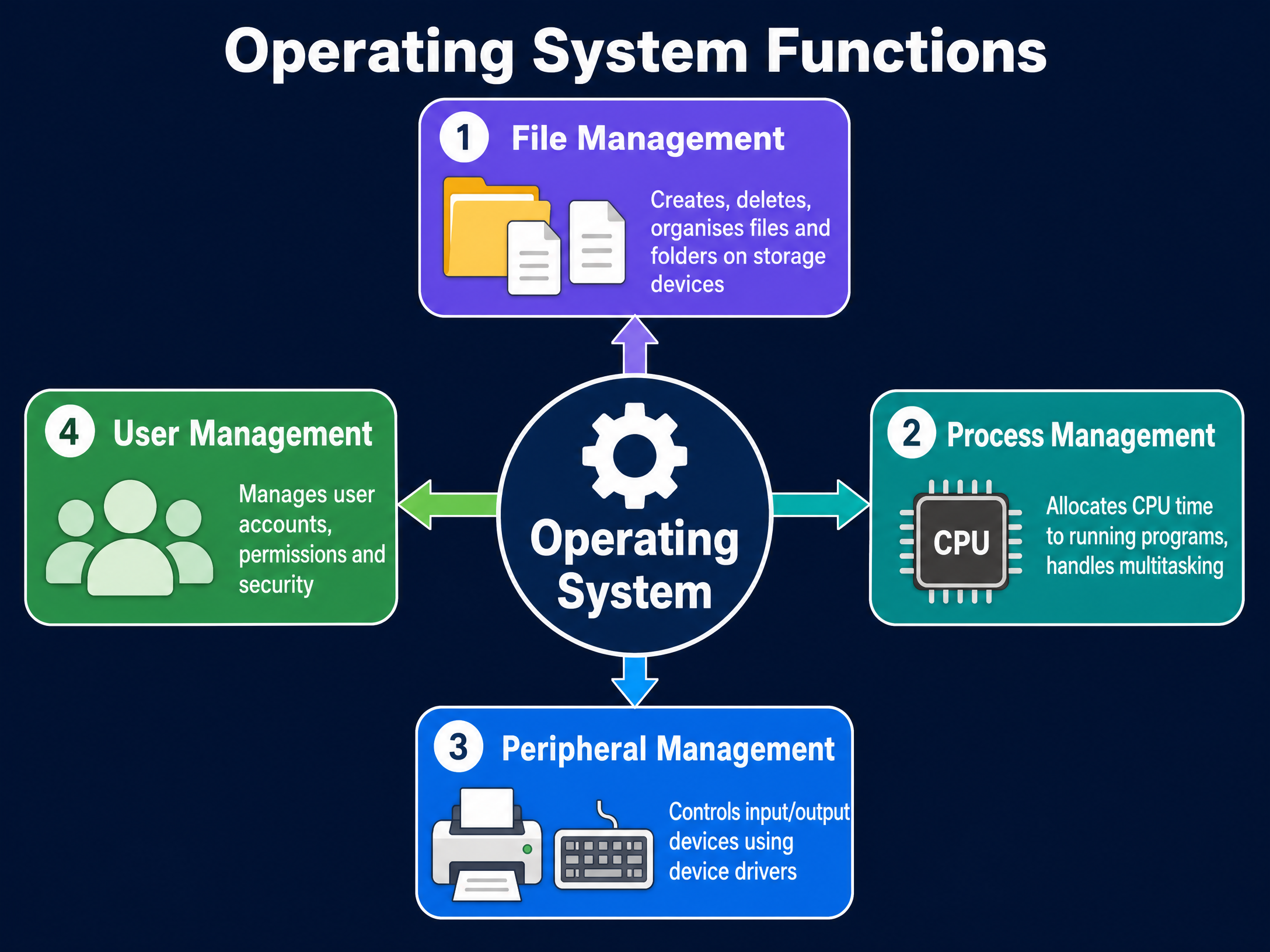
You must be able to describe the four main functions of an OS:
- File Management: The OS creates, deletes, organises, and tracks all files and folders on storage devices. It maintains a file system index so it knows exactly where data is physically stored. It also manages file permissions (read, write, execute) to ensure users can only access files they are authorised to see.
- Process Management: A 'process' is simply a program that is currently running. Because computers multitask (run many programs at once), the OS must allocate CPU time to each process using scheduling algorithms. It ensures every program gets a fair share of processing power without crashing the system.
- Peripheral Management: Peripherals are external devices like keyboards, printers, and monitors. The OS communicates with these devices using device drivers. A driver is a small program that acts as a translator, converting the generic commands of the OS into the specific instructions that a particular device understands.
- User Management: The OS manages user accounts, controlling login authentication (passwords, biometrics) and setting access rights. In a school network, for example, user management ensures a student cannot access a teacher's files or install new software.
Examiner Tip: When asked for the purpose of an OS, never just write "it manages the computer". Always name and describe at least two of these specific functions.
Concept 2: Utility Software
Utility software is a category of system software designed to help maintain, optimise, configure, and protect the computer system. It works in the background to keep the OS running smoothly.
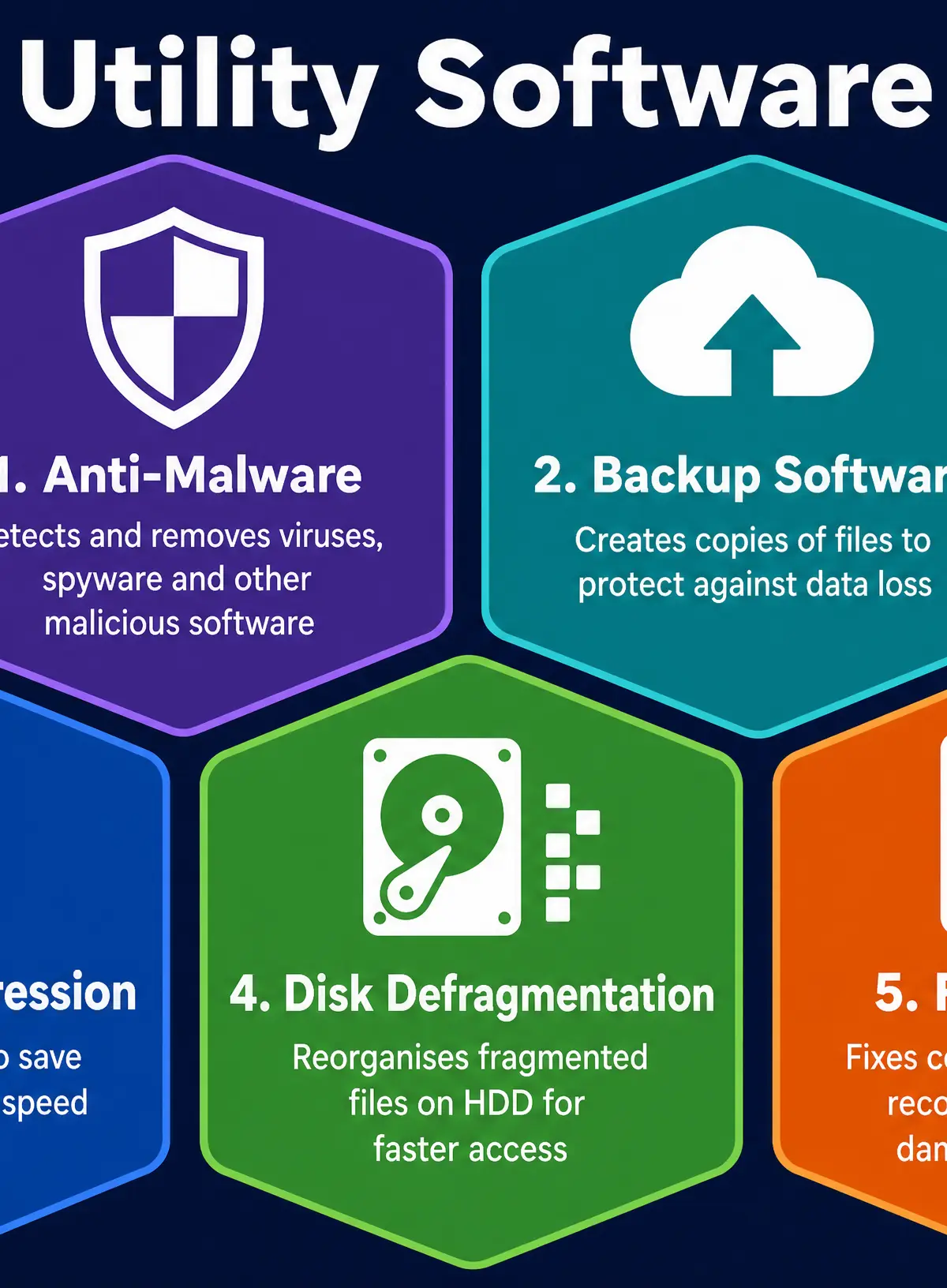
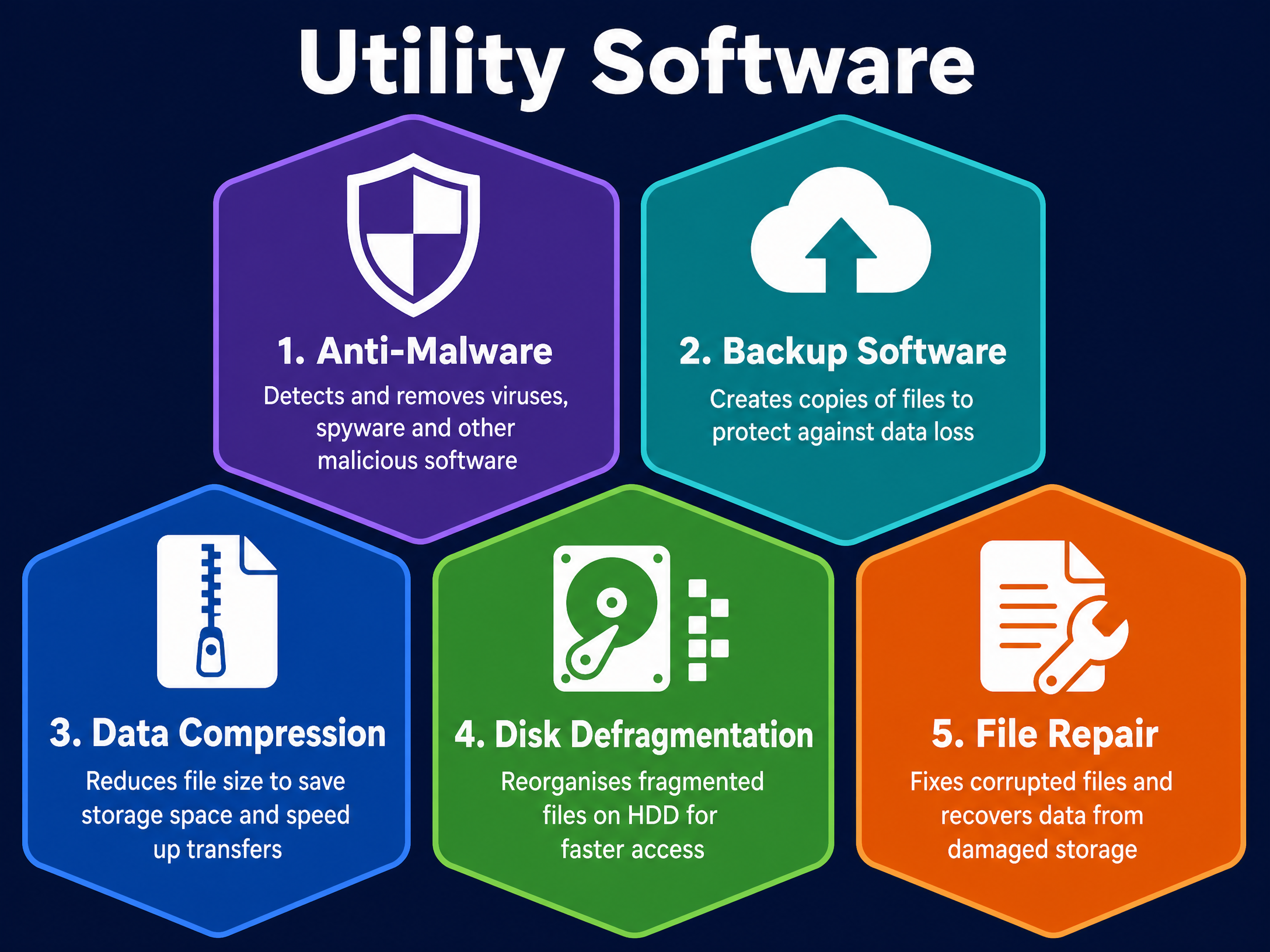
You need to know five specific types of utility software:
- Anti-Malware: Detects and removes malicious software (viruses, spyware, ransomware). It works by scanning files and comparing them against a database of known malware signatures, as well as monitoring for suspicious heuristic behaviour.
- Backup Software: Creates copies of data in a separate location (external drive or cloud) to protect against data loss from hardware failure or cyberattacks. Full backups copy everything, while incremental backups only copy files that have changed since the last backup (which is faster and uses less storage).
- Data Compression: Reduces the size of files so they take up less storage space and download faster over the internet. Lossless compression (like .zip) loses no data and can be perfectly restored. Lossy compression (like .jpg or .mp3) permanently removes some data to achieve a much smaller file size.
- Disk Defragmentation: Over time, as files are saved and deleted, data on a Hard Disk Drive (HDD) becomes fragmented (scattered across different physical locations on the disk platter). This slows down read/write speeds. Defragmentation reorganises the data so each file is stored in one contiguous block. Note: You must never defragment a Solid State Drive (SSD) as it reduces its lifespan and provides no speed benefit.
- File Repair: Attempts to fix corrupted files (damaged by power cuts or software crashes) by reconstructing the damaged parts using the remaining intact data.
Concept 3: Robust Software and Vulnerabilities
Robust software is software that functions correctly and reliably under all expected conditions, and handles unexpected conditions (like incorrect user input) gracefully without crashing.
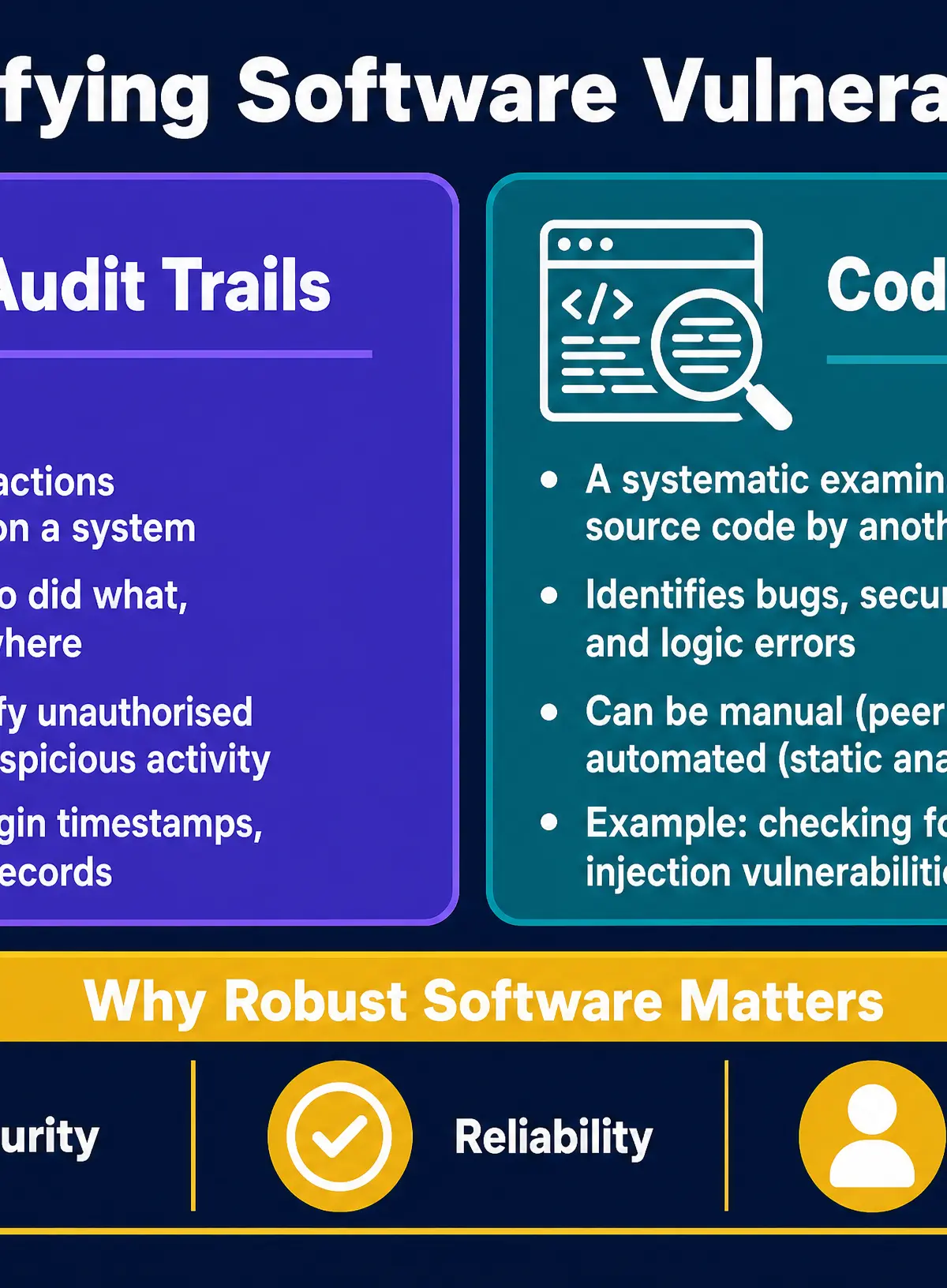
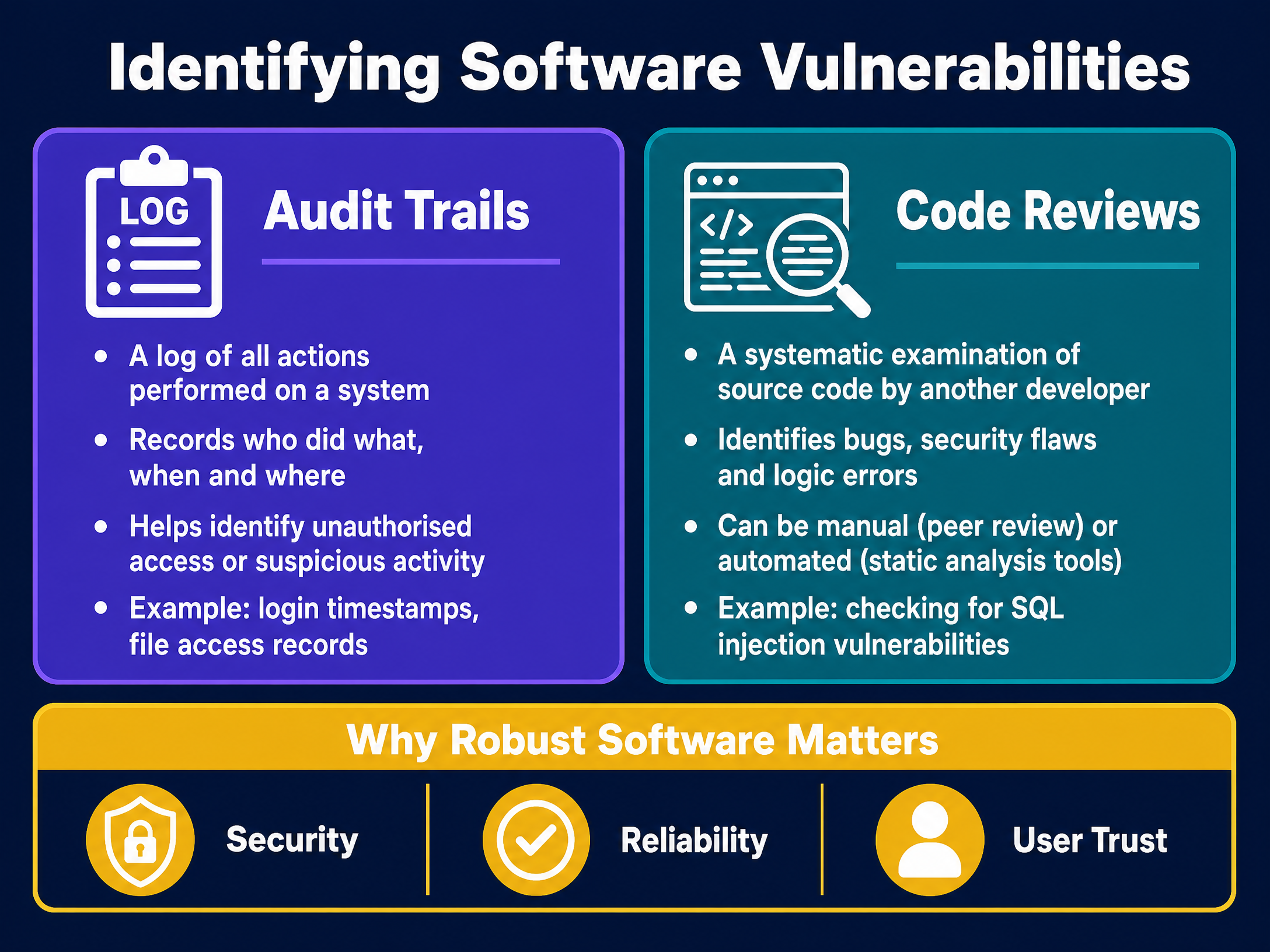
Developers must identify vulnerabilities (security flaws or bugs) before software is released. Two main methods are tested:
- Audit Trails: An audit trail is a chronological log of all actions performed on a system. It records who did what, when, and from where. If a vulnerability is exploited, the audit trail helps investigators trace exactly how the attacker got in and what data they accessed.
- Code Reviews: This involves a systematic examination of the source code by developers other than the original author. A fresh pair of eyes (or automated static analysis tools) can spot logic errors, memory leaks, or security flaws (like SQL injection vulnerabilities) that the original programmer missed.
Podcast Revision
Listen to the full 10-minute revision podcast covering all these concepts, exam tips, and a quick-fire recall quiz.

Visual Resources
3 diagrams and illustrations
Interactive Diagrams
2 interactive diagrams to visualise key concepts
Conceptual Flow Outline
The relationship between Hardware, OS, Utilities, Applications, and the User.
Conceptual Flow Outline
The difference between Lossless and Lossy compression.
Worked Examples
3 worked examples — open one to explore the question and available guidance.
Practice Questions
Test your understanding — click to reveal model answers
State two types of utility software. (2 marks)
Hint: Think of the A-B-C-D-F acronym.
Explain how an operating system manages peripherals. (3 marks)
Hint: What specific type of program is needed to translate instructions?
A software development company is creating a new database application. Describe how they could use code reviews to identify vulnerabilities before release. (2 marks)
Hint: Who does the reviewing, and what are they looking for?
Compare the use of full backups and incremental backups for a large multinational corporation. (4 marks)
Hint: You must use comparative words like 'whereas' or 'faster than'. Discuss both time and storage.
A user's computer with a magnetic hard disk drive has become very slow at opening files. Explain how defragmentation software could resolve this issue. (4 marks)
Hint: Explain what the problem is first (fragmentation), then explain what the software does to fix it.