Pearson Edexcel · GCSE · Computer Science
Subprograms
Subprograms are the building blocks of efficient, professional code. By breaking large problems into smaller functions and procedures, you make your programs easier to write, test, and maintain—a core skill that examiners test heavily in both theory and practical papers.
- 4 min read
- 3 worked examples
- 5 practice questions
- 6 key terms
Study Notes
Overview
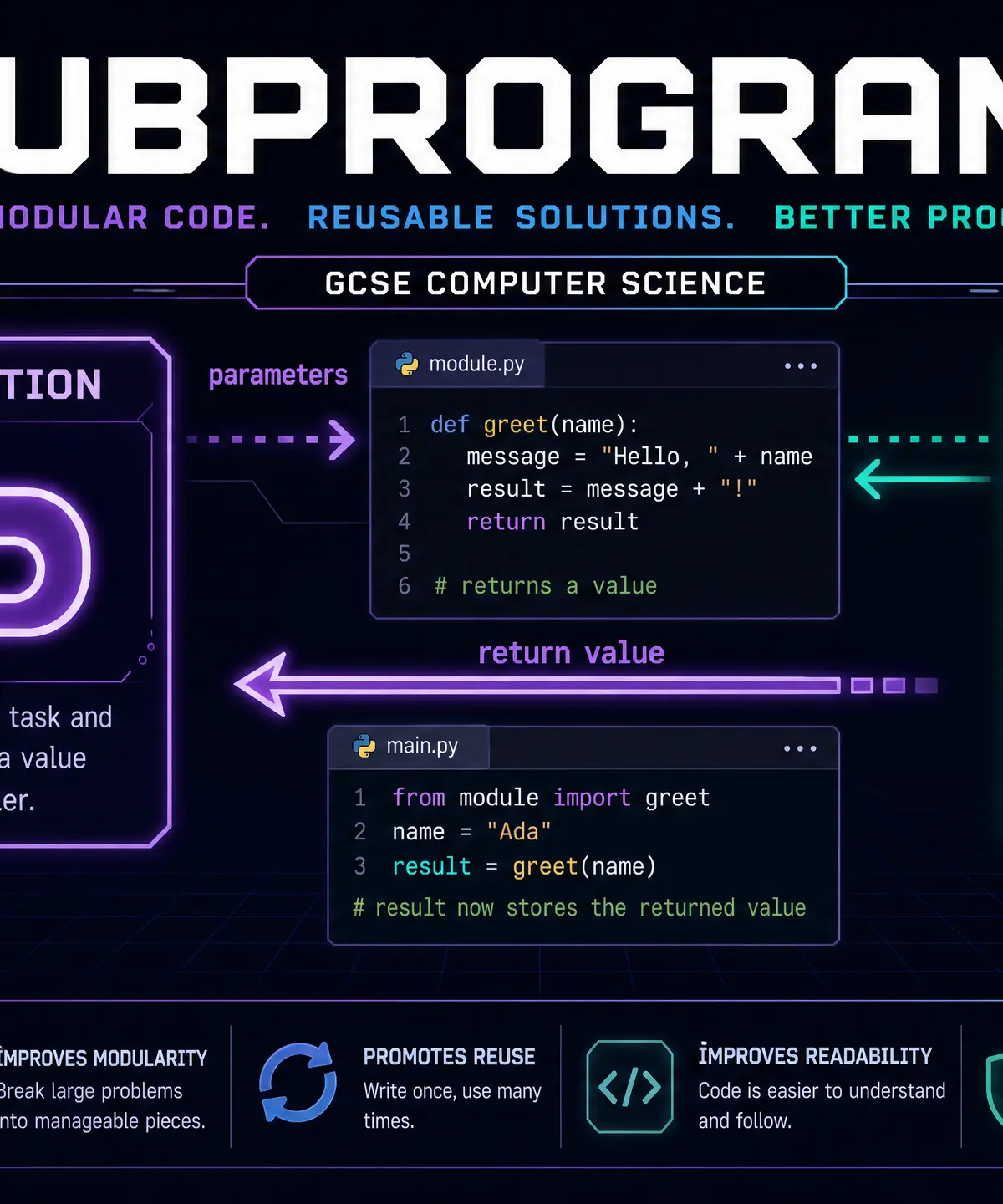
Subprograms are self-contained blocks of code designed to perform specific tasks within a larger program. Think of them as mini-programs inside your main program. In GCSE Computer Science, understanding subprograms is critical because they form the foundation of modular programming and decomposition—the process of breaking down a complex problem into smaller, manageable parts.
This topic is heavily tested because it shows examiners that you can write structured, professional code rather than long, repetitive scripts. You will need to know the difference between functions and procedures, how to pass data using parameters, and how variable scope (local vs global) affects your code.

Key Concepts
Concept 1: Procedures vs Functions
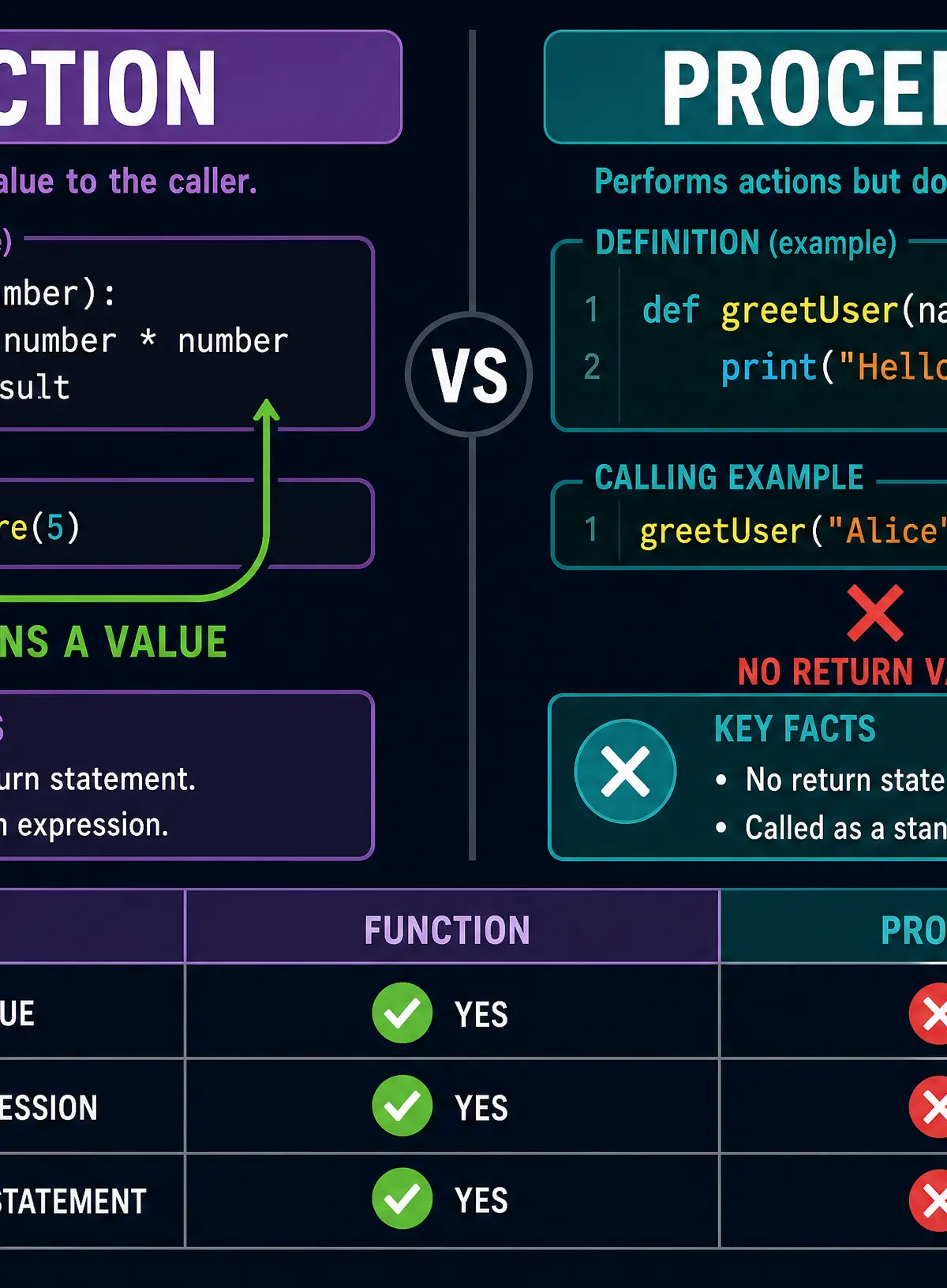
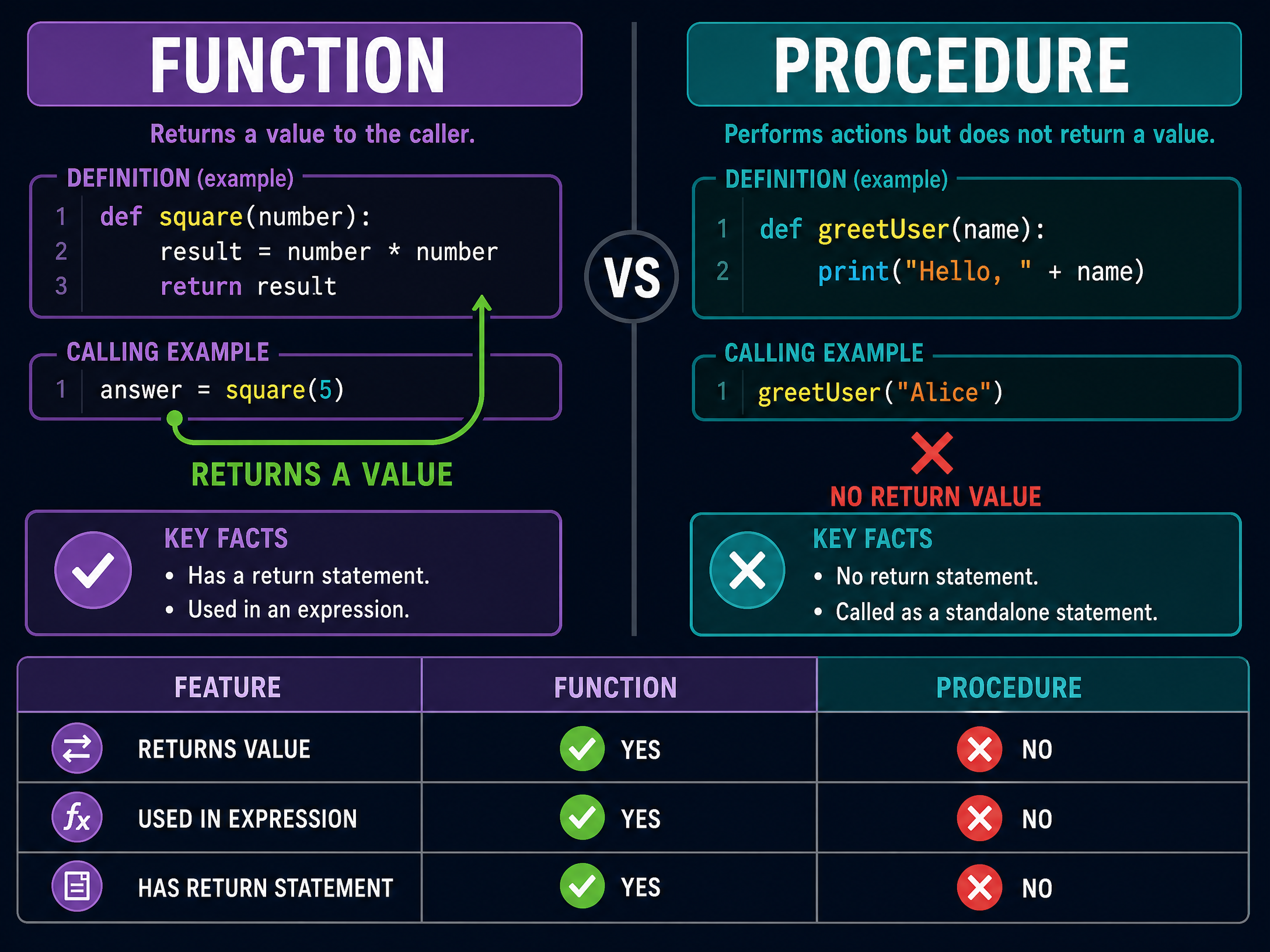
The most fundamental distinction in this topic is between a procedure and a function.
- Procedure: A subprogram that performs a specific task but does not return a value to the calling code. It simply executes its instructions and finishes.
- Function: A subprogram that performs a task and returns a value to the calling code using a
returnstatement.
**Why does this matter?**Examiners will specifically ask you to write either a function or a procedure. If they ask for a function and you omit the return statement, you will lose marks. If they ask for a procedure and you include a return statement, you will lose marks.
Concept 2: Parameters and Arguments
To make subprograms reusable, we need to be able to give them data to work with. We do this using parameters and arguments.
- Parameter: The variable name declared in the subprogram definition (e.g.,
def greet(name):wherenameis the parameter). - Argument: The actual value passed into the subprogram when it is called (e.g.,
greet("Alice")where"Alice"is the argument).
**Why use parameters?**Parameters allow a single subprogram to process different data each time it is called, making the code highly reusable. Without parameters, subprograms would only be able to perform exactly the same operation on exactly the same data every time.
Concept 3: Local vs Global Scope
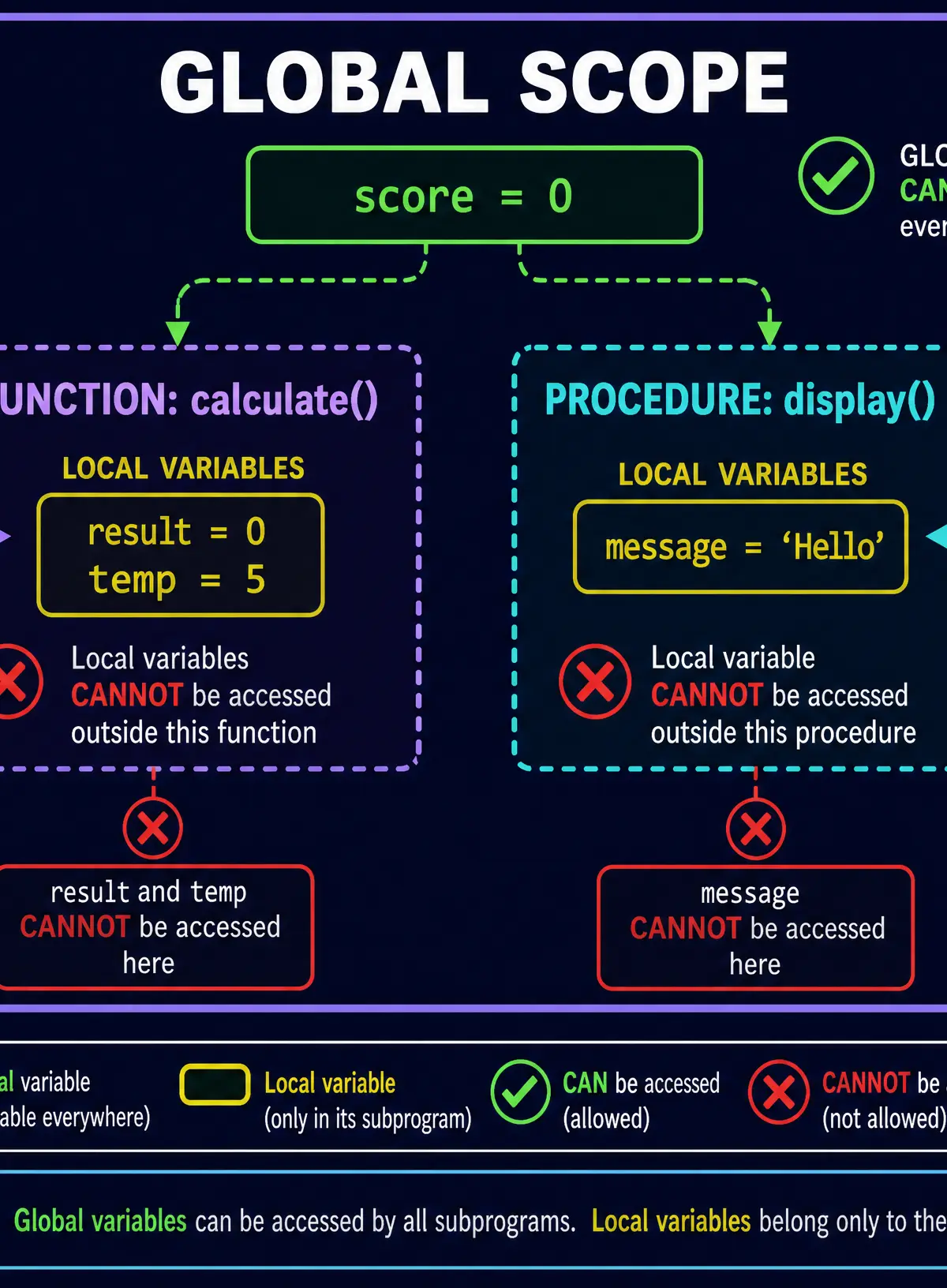
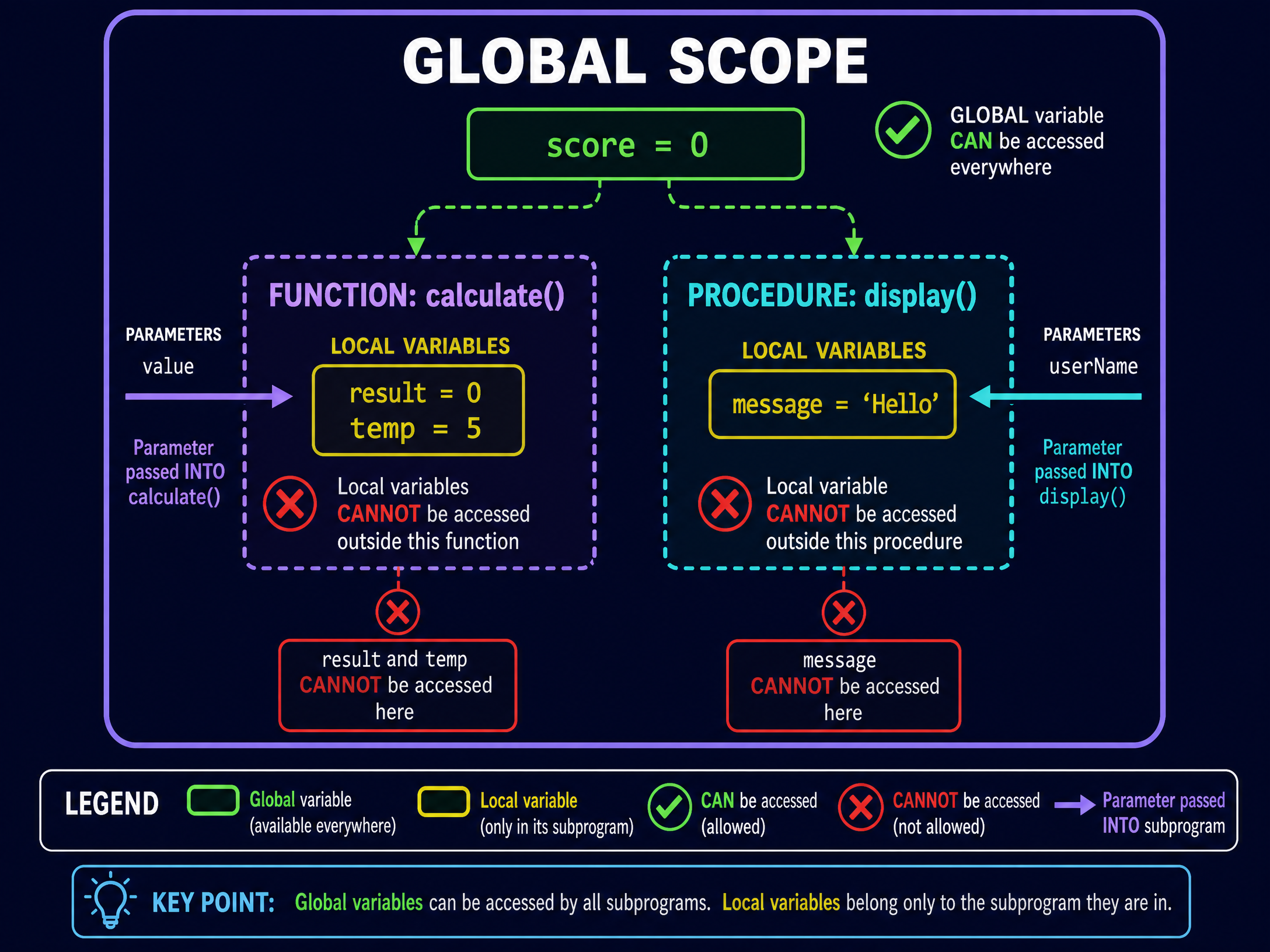
Scope refers to the areas of a program where a variable can be accessed or modified.
- Local Variable: Declared inside a subprogram. It only exists while that subprogram is running and is destroyed when the subprogram finishes. It cannot be accessed from outside the subprogram.
- Global Variable: Declared outside any subprogram (usually at the top of the program). It can be accessed and modified from anywhere in the program.
**Best Practice for Exams:**Examiners prefer you to use local variables and pass data via parameters rather than relying on global variables. Overusing global variables makes code harder to debug and maintain, as any part of the program could change the variable's value unexpectedly.
Practical Applications
In real-world software development, nobody writes a program as one massive script. Video games, operating systems, and web applications are all built using thousands of interconnected subprograms.
For your exam, you will often be asked to trace the execution of code containing subprograms or to write your own subprograms to solve specific problems, such as validating user input or calculating a total score.
Interactive Diagrams
2 interactive diagrams to visualise key concepts
Conceptual Flow Outline
Flow of execution when calling a function
Conceptual Flow Outline
Flow of execution when calling a procedure
Worked Examples
3 worked examples — open one to explore the question and available guidance.
Practice Questions
Test your understanding — click to reveal model answers
State one advantage of using subprograms in a large software project. (1 mark)
Hint: Think about what happens if you need to use the same code multiple times.
A programmer has written a procedure called check_password. It checks if a password is valid, but the main program needs to know if the password passed or failed the check. Explain why check_password should be changed to a function. (2 marks)
Hint: What is the defining feature of a function that a procedure lacks?
Write a procedure called draw_box that takes two parameters: width and height. The procedure should output a box made of asterisks (*) based on the dimensions provided. You may write in pseudocode or a high-level language. (5 marks)
Hint: You will need nested loops: an outer loop for the height (rows) and an inner loop for the width (columns).
Explain why it is considered good programming practice to use local variables rather than global variables where possible. (3 marks)
Hint: Think about what happens if multiple subprograms try to change the same global variable.
Look at the following Python code:
python
score = 10
def add_bonus(bonus):
score = score + bonus
return score
final = add_bonus(5)
print(final)
Identify the scope error in this code and explain how to fix it. (3 marks)
Hint: Look at how the subprogram is trying to use the variable `score`.